

Stellarium for Windows
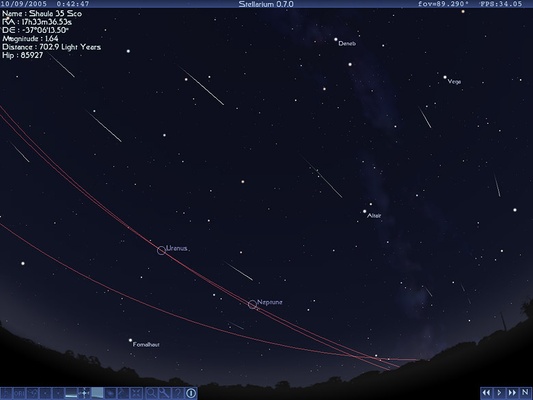
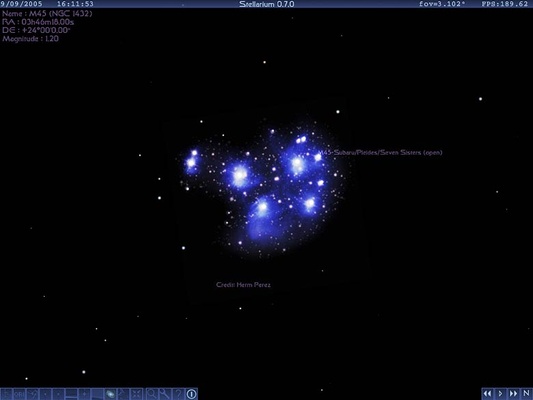
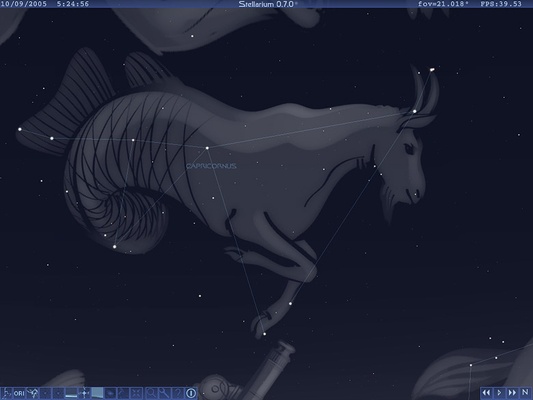
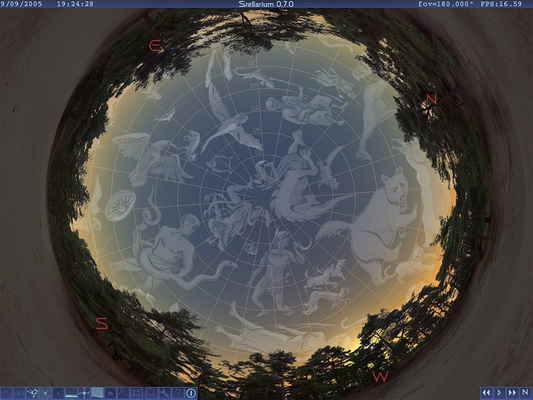
Stellarium is a free, open-source planetarium software for Windows that transforms your PC into a realistic night sky simulator. Designed for astronomy enthusiasts, educators, students, astrophotographers, and telescope users, Stellarium accurately displays stars, planets, constellations, satellites, nebulae, and deep-sky objects exactly as they appear from any location on Earth.
With an extensive celestial database, advanced sky simulation engine, and support for telescope control, Stellarium is one of the most popular astronomy applications for exploring the universe, planning observations, and learning about the night sky.
Explore the Universe from Your Desktop
Whether you're identifying constellations, planning an astrophotography session, or preparing for telescope observations, Stellarium provides an immersive virtual sky experience with scientifically accurate object positioning.
Simply choose your location, adjust the date and time, and watch the sky change in real time. You can simulate past astronomical events, preview future celestial alignments, or observe seasonal constellations with incredible detail.
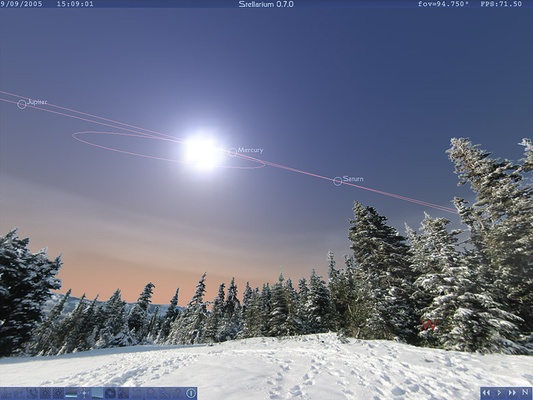
Its realistic atmosphere, sunrise and sunset effects, Milky Way rendering, and planetary movements make it feel like standing beneath the real night sky.
Key Features
-
Realistic 3D night sky simulation
-
View over 600,000 stars and deep-sky objects
-
Interactive star maps and constellation guides
-
Accurate positions for planets, moons, and satellites
-
Time travel to past and future astronomical events
-
Telescope control with compatible plugins
-
Search thousands of celestial objects instantly
-
Adjustable landscapes and atmospheric effects
-
Multiple cultural constellation illustrations
-
Astrophotography planning tools
-
Grid overlays, coordinate systems, and labels
-
Script support for automated sky simulations
-
Offline functionality after installation
-
Cross-platform compatibility
Why Choose Stellarium?
Unlike simple star map applications, Stellarium provides a complete virtual planetarium that accurately models celestial movements using real astronomical data.
Its intuitive interface allows beginners to explore the night sky effortlessly, while advanced users benefit from professional observation tools, customizable overlays, telescope integration, and scripting capabilities.
Whether you're learning astronomy or conducting serious sky observations, Stellarium delivers an outstanding balance of realism, performance, and ease of use.
Perfect for Astronomy and Astrophotography
Stellarium is widely used by amateur astronomers and astrophotographers to prepare observation sessions before heading outdoors.
Popular uses include:
-
Identifying stars and constellations
-
Planning telescope observations
-
Locating planets and galaxies
-
Tracking meteor showers
-
Observing eclipses
-
Simulating lunar phases
-
Finding deep-sky objects
-
Preparing astrophotography compositions
-
Teaching astronomy in classrooms
-
Exploring historical celestial events
The built-in search tools and customizable viewing options make locating celestial objects fast and accurate.
Educational Features
Stellarium is an excellent educational resource for schools, universities, science centers, and astronomy clubs.
Educational tools include:
-
Constellation names and artwork
-
Equatorial and azimuth grids
-
Celestial coordinate systems
-
Planet labels
-
Star information panels
-
Atmospheric simulation
-
Object catalogs
-
Time acceleration controls
-
Observation location management
These features make learning astronomy interactive and engaging for users of all ages.
How to Use
-
Download and install Stellarium.
-
Launch the application.
-
Set your observing location using GPS coordinates or select a city.
-
Explore the night sky by dragging with your mouse.
-
Zoom in using the mouse wheel.
-
Search for stars, planets, nebulae, or constellations.
-
Adjust the date and time to simulate celestial events.
-
Connect a compatible telescope if desired.
-
Customize labels, landscapes, and display options.
System Requirements
-
Operating System: Windows 11, Windows 10, Windows 8.1, Windows 7 (64-bit)
-
Processor: Dual-Core 2 GHz or faster
-
Memory: 2 GB RAM minimum (4 GB recommended)
-
Graphics: OpenGL 3.3 compatible graphics card
-
Storage: 1 GB available disk space
Pros
-
Completely free and open-source
-
Highly realistic night sky simulation
-
Massive celestial object database
-
Telescope control support
-
Excellent educational features
-
Ideal for astrophotography planning
-
Works offline after installation
-
Regular community updates
Cons
-
Requires a modern graphics card for optimal performance
-
Advanced telescope features require plugins
-
Large object databases may require additional downloads
-
Beginners may need time to learn advanced settings
Frequently Asked Questions
Is Stellarium free?
Yes. Stellarium is completely free and open-source for Windows, macOS, and Linux.
Can Stellarium control a telescope?
Yes. Stellarium supports telescope control through compatible plugins, allowing users to locate and track celestial objects automatically.
Does Stellarium work without an internet connection?
Yes. After installation, Stellarium functions entirely offline. Internet access is only needed for updates or downloading additional data.
Is Stellarium good for astrophotography?
Absolutely. Stellarium is one of the most widely used astronomy applications for planning astrophotography sessions, helping users predict object visibility, celestial alignment, and observation times.
Can I simulate future or historical night skies?
Yes. The built-in time controls allow you to simulate the sky at virtually any past or future date, making it ideal for research, education, and event planning.
Alternatives
-
Celestia
-
SkySafari
-
Cartes du Ciel (SkyChart)
-
KStars
-
Starry Night
-
NASA Eyes
-
WorldWide Telescope
-
Redshift Sky
Conclusion
Stellarium for Windows is one of the best free planetarium and astronomy software solutions available today. Combining scientifically accurate celestial simulations, realistic night sky rendering, telescope support, and powerful educational tools, it offers an exceptional experience for beginners, educators, amateur astronomers, and professional sky observers alike. Whether you're exploring constellations, planning astrophotography sessions, or studying the universe from your desktop, Stellarium provides an immersive and feature-rich platform that brings the night sky to life.
Note: Additional star catalogs, plugins, and telescope control features can be installed separately to further expand Stellarium's capabilities.