


Amazon Kindle for Mac is a free ebook reader application that allows Mac users to access and read their Kindle book library directly from their desktop or laptop.
The app provides a seamless reading experience with features such as automatic synchronization of reading progress, bookmarks, highlights, and notes across Kindle devices and applications.
Users can read Kindle books without owning a dedicated Kindle e-reader, making it a convenient solution for accessing digital books on macOS.
Features
Kindle Library Access
Access purchased Kindle books directly from your Amazon account.
Sync Across Devices
Automatically sync reading positions, bookmarks, highlights, and notes between Kindle apps and devices.
Custom Reading Experience
Adjust font size, line spacing, margins, background color, and reading layout.
Offline Reading
Download books for offline access without an internet connection.
Bookmarks and Highlights
Add bookmarks, highlight important sections, and manage reading notes.
Built-in Dictionary
Look up word definitions while reading with integrated dictionary support.
Book Organization
Organize books into collections for easier library management.
Multiple Formats Support
Supports common ebook formats including Kindle formats, EPUB, MOBI, AZW, AZW3, and PDF.
User Interface
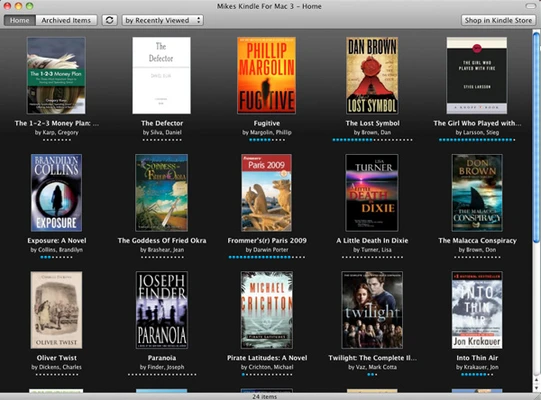
Amazon Kindle for Mac features a clean and simple interface designed for comfortable reading.
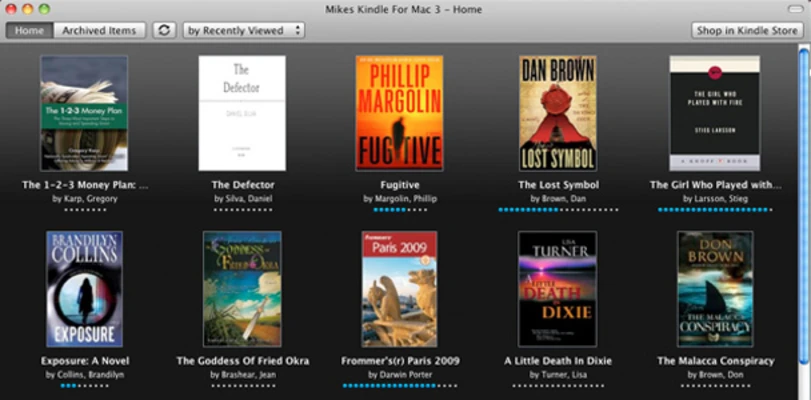
The main library view allows users to browse, search, and download books. The reading window provides quick access to customization options such as fonts, page layout, and bookmarks.
Installation and Setup
- Download Amazon Kindle for Mac.
- Install the application on macOS.
- Launch Kindle and sign in with an Amazon account.
- Download books from your Kindle library.
- Start reading offline or online.
How to Use
- Open Kindle for Mac.
- Browse your Kindle library.
- Select a book to download.
- Customize reading settings if needed.
- Use highlights, bookmarks, and dictionary tools while reading.
FAQ
Is Amazon Kindle for Mac free?
Yes. The application is free to download and use.
Do I need a Kindle device to use this app?
No. You can read Kindle books directly on your Mac.
Does Kindle for Mac sync with other devices?
Yes. Reading progress, bookmarks, and highlights are synchronized across supported Kindle apps and devices.
Can I read books offline?
Yes. Downloaded books can be accessed without an internet connection.
Can I import my own EPUB files?
Kindle for Mac mainly focuses on Kindle content from Amazon and has limited support for personal ebook files.
Alternatives
Calibre – A free open-source ebook management tool supporting many ebook formats.
Kobo Reading App – An ebook reader with highlighting and annotation features.
Google Play Books – A digital bookstore and ebook reading platform.
Pricing
Amazon Kindle for Mac is completely FREE.
Users can purchase ebooks and audiobooks through the Amazon Kindle store.
System Requirements
- Operating System: macOS 12.0 or later
- Storage: 100 MB free disk space
- Amazon Account: Required
PROS
- Free ebook reader for Mac
- Full Kindle library integration
- Automatic sync across devices
- Customizable reading settings
- Supports offline reading
- Simple and easy-to-use interface
CONS
- Requires an Amazon account
- Limited support for non-Kindle ebook files
- Cannot export Kindle books
Conclusion
Amazon Kindle for Mac is an excellent ebook reader for users who purchase books from the Kindle ecosystem.
With cloud synchronization, offline reading, customizable layouts, and seamless access to Amazon's digital library, it provides a convenient way to enjoy Kindle books on Mac computers without additional hardware.