Go to Windows platform Display platforms icon
Go to Windows platform Go to Mac platform Go to Android platform
ActivityWatch icon

ActivityWatch

0.13.2
Erik Bjäreholt
0
81.37 MB size

Analyze how you spend your time in front of the PC

ActivityWatch is a program for Windows that allows you to monitor how you spend your time using your computer. This open source software is a good alternative to ManicTime and other similar tools.

Keep track of the processes that are running

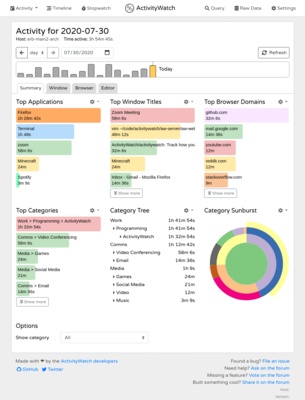
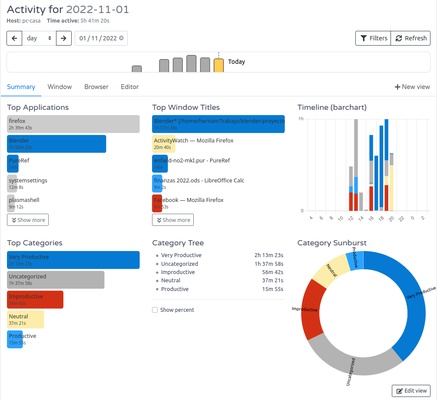
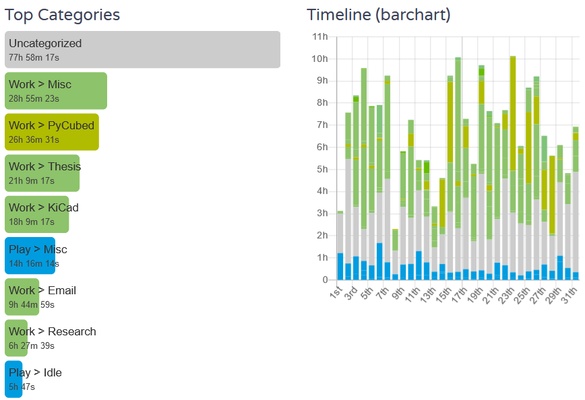
ActivityWatch automatically tracks the programs you open on your PC. Similarly, you will have no problem identifying each of the windows open in the operating system interface. This detailed analysis helps you to track your time through intuitive graphs. What's more, you will also have the option of installing a browser extension that will help you monitor the active tabs.

No privacy concerns

Protecting your privacy is and will always be a top priority for ActivityWatch. All your data will be stored locally, and the program will never share your records online with third parties. As a result, you can open any item on your PC with complete peace of mind.

Segmentation by category

ActivityWatch categorizes your use of the different tools on your computer, so that you have a clearer vision of how you invest your time. This way you can boost your productivity, analyze your hardware usage or identify possible addictions to certain video games or programs.

Download ActivityWatch for Windows and automatically analyze the time you spend in front of your PC screen. Through exhaustive monitoring, you can detect patterns in your digital habits and undertake measures to improve your productivity.

Information about ActivityWatch

License Free
Op. System Windows
Category Personal
Language English 47 more
Author Erik Bjäreholt
permission icon Permissions Not applicable
Date 2026-06-02
Size 81.37 MB
File type EXE

Apps recommended for you

Evernote icon
Evernote for Windows is a note-taking app that helps users organize ideas, tasks, and projects with features like text, images, and file attachments.
HTTP Toolkit icon
Tim Perry
The QURAN database icon
Study the Quran with these advanced features
Tencent Weiyun icon
Reliable cloud storage from Tencent
TomTom MyDrive Connect icon
Use and update your TomTom GPS from Windows
Aml Pages icon
Organize your notes and text documents in tree view
TiddlyDesktop icon
The most convenient way to work with a local TiddlyWiki
Tera Term icon
Conveniently connect to remote systems
FocusMe icon
FocusMe is a productivity tool that helps users block distractions and improve focus by restricting apps and websites.
MuseScore icon
MuseScore (Windows) – Create, play, and print sheet music with ease.
TomTom MyDrive Connect icon
Use and update your TomTom GPS from Windows
ArsClip icon
Manage your clipboard in a simple way
Ambie icon
Sounds to boost your concentration in front of the PC
Metalith icon
A. A. Semyonov
C-Organizer icon
A well-designed and practical planner
GUIPropView icon
NirSoft
CopyQ icon
An advanced clipboard for all your needs
Quick Share (Nearby) icon
Send files quickly from Android to Windows
Lotto Pro icon
Picks the best lottery numbers to play
EssentialPIM icon
Very complete agenda compatible with Outlook
WizTree icon
Find and sort files that take up the most space on your hard drive
RedNotebook icon
Write down your day-to-day activities in this virtual diary
Personal Budget Maker icon
Unique Budgeting Tool that is simple to setup and use
ManicTime icon
Analyze the time spent on your computer