


Advanced SystemCare Free is a Windows PC optimization and maintenance tool developed by IObit. It helps users clean junk files, manage startup items, improve system performance, protect privacy, and access various utilities for everyday PC maintenance.
Key Features
-
Junk File Cleanup: Removes temporary files, browser caches, logs, leftovers, and other unnecessary data.
-
System Optimization: Cleans invalid entries and optimizes various Windows settings.
-
Startup Optimization: Identifies unnecessary startup programs to help improve boot times.
-
Privacy Protection: Cleans browser history, browsing traces, and other potentially sensitive data.
-
Turbo Boost: Temporarily stops selected background processes and services to free system resources.
-
Performance Monitoring: Monitors CPU, RAM, and disk usage.
-
Security Scanning: Checks for certain spyware and other potential security issues.
-
Browser Protection: Helps detect unwanted browser modifications and related threats.
-
Toolbox: Provides additional utilities for tasks such as disk cleanup, shortcut repair, and driver management.
-
AI Mode: Uses system conditions and optimization habits to recommend or automate certain maintenance tasks.
User Interface
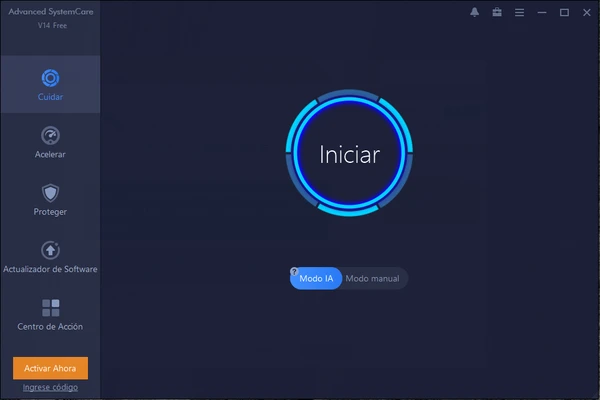
Advanced SystemCare Free features a straightforward dashboard with its main functions organized into areas such as Care, Speed Up, and Protect. The interface provides one-click scanning and optimization for users who prefer simple maintenance, while additional tools are available for more advanced tasks.
Installation and Setup
Download and install Advanced SystemCare Free on a compatible Windows PC and follow the on-screen instructions. During setup, review the available installation options and decline any optional components you do not need.
After installation, launch the program and perform an initial scan to identify available cleanup, optimization, and privacy tasks.
How to Use
-
Launch Advanced SystemCare Free and open the main dashboard.
-
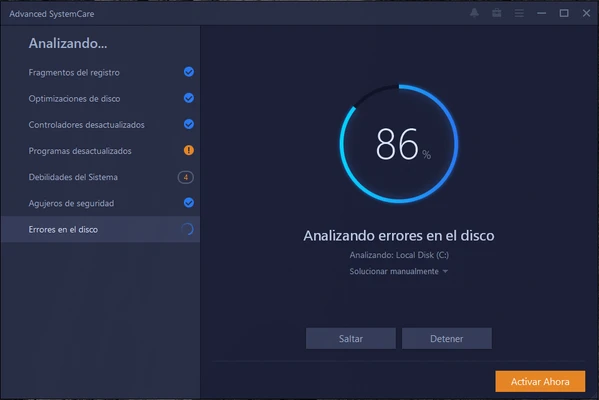
Click Scan to analyze the system.
-
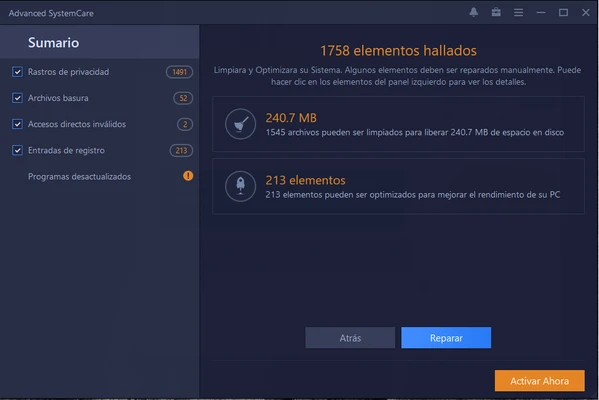
Review the detected junk files, privacy items, and optimization suggestions.
-
Select the items you want to address and click Fix.
-
Use Speed Up and Turbo Boost when you need to temporarily free system resources.
-
Use Protect to clean browsing traces and check available security options.
-
Open the Toolbox to access additional maintenance utilities.
Review scan results before applying major system changes, especially when using registry or optimization-related tools.
System Requirements
-
Windows 7, 8, 8.1, 10, or 11
-
1 GHz processor or faster
-
1 GB RAM or more
-
At least 300 MB of free disk space
-
Internet connection for updates and certain online features
Pros
-
Easy-to-use interface
-
Comprehensive PC cleaning and optimization tools
-
Useful startup and privacy management features
-
Turbo Boost for temporarily freeing system resources
-
Includes additional system maintenance utilities
-
Free version available
Cons
-
Some advanced features require a paid version
-
Optimization results can vary between systems
-
Optional bundled components may be offered during installation
-
Registry and system optimization tools should be used carefully
Conclusion
Advanced SystemCare Free is a convenient Windows maintenance utility for users who want to clean unnecessary files, manage startup items, improve system settings, and perform routine PC maintenance from a single application. Its simple interface makes it accessible to beginners, while the included Toolbox provides additional utilities for more experienced users. The free version is suitable for basic cleanup and optimization, with additional features available through paid editions.