


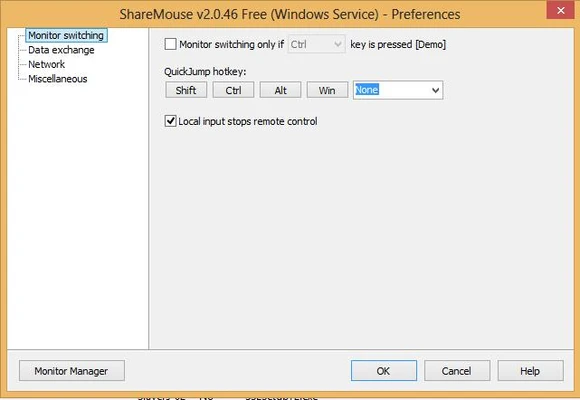
ShareMouse is a powerful mouse and keyboard sharing software that allows you to control multiple computers with a single mouse and keyboard.
It works like a software-based KVM switch, allowing users to move the mouse pointer between connected computers and control each system seamlessly over a local network.
Unlike traditional hardware KVM switches, ShareMouse requires no additional cables or devices. It supports Windows and macOS, making it easy to control PCs and Macs from the same workstation.
The software also supports file drag and drop, clipboard sharing, password protection, and encrypted network communication, making it suitable for both personal and professional environments.
Key Features
Mouse and Keyboard Sharing
Control multiple computers using one mouse and keyboard. Simply move the cursor to another monitor to switch control instantly.
Cross-Platform Support
Works between Windows and macOS systems, allowing users to control PCs from Macs or Macs from PCs.
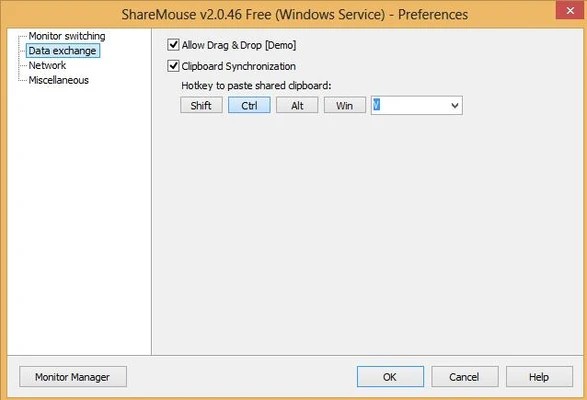
File Drag and Drop
Transfer files between connected computers without configuring network shares or external storage devices.
Clipboard Sharing
Copy text, images, and files on one computer and paste them directly on another system.
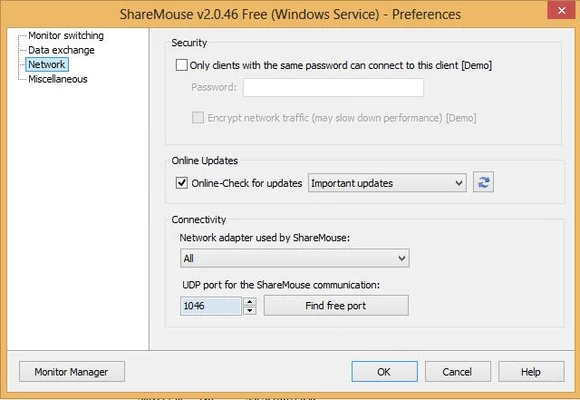
Secure Connection
Network communication can be protected with password authentication and AES encryption.
Multi-Monitor Support
Automatically manages multiple displays and provides flexible monitor layouts.
Remote Login Support
Allows remote keyboard and mouse control after system startup.
Synchronization Tools
Synchronize screen savers and lock/unlock multiple computers at the same time.
How to Use
- Download and install ShareMouse on all computers you want to connect.
- Make sure all devices are connected to the same local network.
- Launch ShareMouse on each computer.
- The software automatically detects available systems.
- Move your mouse cursor between screens to control different computers.
- Enable additional features such as file transfer and clipboard sharing if needed.
Supported Editions
Free Edition
- Maximum 2 computers
- Maximum 1 monitor per computer
Standard Edition
- File drag and drop
- Clipboard sharing
- Password protection
- Automatic monitor layout
Professional Edition
- Supports up to 9 computers
- Supports up to 4 monitors per computer
- Advanced synchronization features
- CTRL+ALT+DEL support
- Additional customization options
System Requirements
- Operating System: Windows 10 / Windows 11
- Processor: Intel or AMD processor
- RAM: Minimum 2GB
- Storage: About 100MB free disk space
- Network: Local LAN connection required
PROS
- Easy mouse and keyboard sharing
- Supports Windows and macOS
- File drag and drop between computers
- Clipboard synchronization
- Secure encrypted communication
- No additional hardware required
CONS
- Some advanced features require a paid license
- Requires devices to be connected to the same network
- Free version has device limitations
Conclusion
ShareMouse is a convenient solution for users who work with multiple computers and want to control them using a single mouse and keyboard.
With support for cross-platform operation, file transfer, clipboard sharing, and secure communication, it provides a simple alternative to traditional hardware KVM switches.