Go to Windows platform Display platforms icon
Go to Windows platform Go to Mac platform Go to Android platform
Grub2Win icon

Grub2Win

2.4.2.5 Build 1723
drummerdp
4.7
1.47 MB size

Easily boot Windows or Linux on the same PC

Grub2Win is a program that allows you to boot Windows and Linux on the same computer. Thanks to Grub2Win, you can install both operating systems on storage drives with GPT or MBR partitions, as well as NTFS, HFS, ext4 and Btrfs file systems. Supports all Windows versions from XP onwards, as well as UEFI and BIOS. As for Linux-based operating system distributions, you find PhoenixOS, Android, Ubuntu, Debian, Suse, Fedora, Manjaro, Mint and Clover.

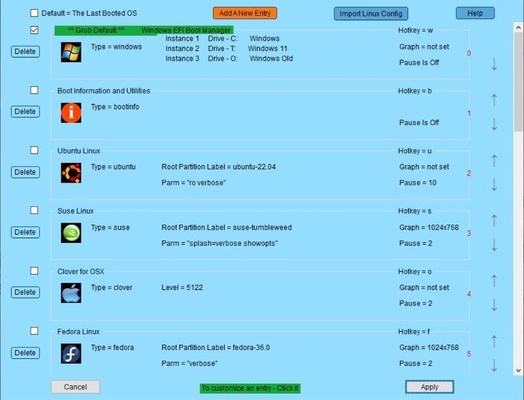
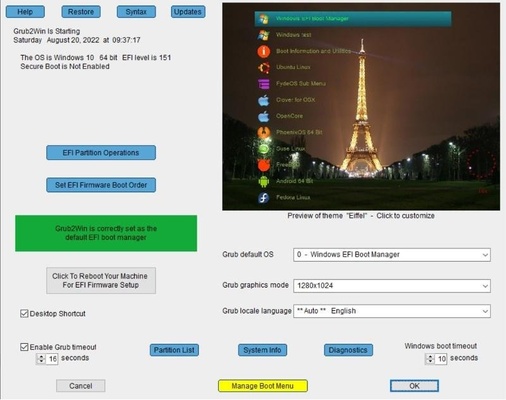
Grub2Win is a very light program, since it only occupies 20 MB in the unit in which Windows is installed. After installing it, you can choose the boot order in which each operating system will run. Without the program, this needs to be done in the BIOS, but with Grub2Win it can be done directly from the operating system.

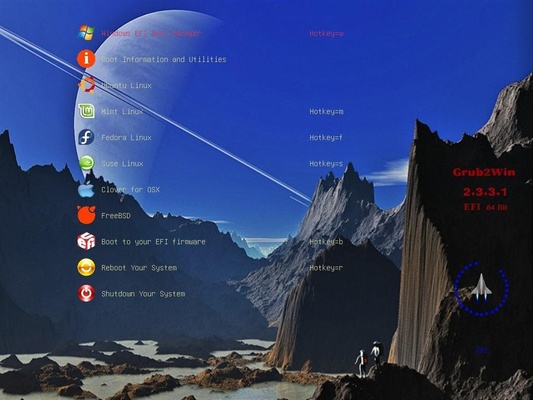
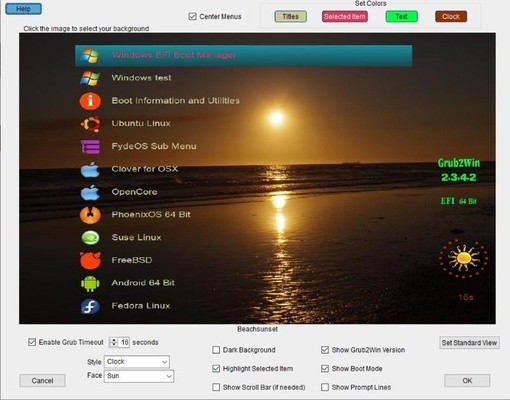
After installing Grub2Win and restarting the computer, you will find that Grub2Win will create a different launch screen. Thus, instead of having to choose the partition or disk to boot from, it will load a customizable interface with all the operating systems you have installed. In addition, you can have several versions of the same operating system installed.

If you want to have two or more Windows or Linux operating systems installed on the same computer, downloading Grub2Win is one of the best options available.

Information about Grub2Win

License Free
Op. System Windows
Category Utilities
Language English
Author drummerdp
permission icon Permissions Not applicable
Date 2026-06-02
Size 1.47 MB
File type ZIP

Apps recommended for you

balenaEtcher 2.1.7 icon
Burn images to SD cards & USB drives, safe & easy for PC
FileZilla icon
FileZilla is a free, open-source FTP client that allows users to transfer files between local and remote servers with ease.
Duet Display 4.0.443 icon
Ex-Apple Engineers turn your iPad into an extra display!
DiskDigger 2.3.59.4507 icon
Undelete and recover photos, documents, music, videos, and more
DVDFab 13.0.6.6 (64-bit) icon
DVD and Blu-ray video processing application for Windows
BreeZip icon
Free alternative to WinRAR
PassFab Duplicate File Deleter icon
PassFab Duplicate File Deleter for Windows is a tool that quickly finds and removes duplicate files to free up disk space and organize your PC.
WhoCrashed icon
WhoCrashed for Windows is a crash dump analysis tool that helps users diagnose the cause of system crashes by analyzing crash dump files.
HERI Editor 3.26.2 icon
Herisoft Writer - Simple and Convenient Document Editing
Readest 0.12.10 icon
A lightweight, powerful and elegant e-book reader
DocuFreezer 7.0 icon
Convert Office documents into PDF and image formats
Fixyfier 9.1.0.0 icon
Fix common Windows problems with just one click
NovaBench 6.2.0 icon
A modern benchmark suite that quickly and accurately tests your entire system
balenaEtcher 2.1.7 icon
Burn images to SD cards & USB drives, safe & easy for PC
OCCT 17.1.3 icon
Let you benchmark and overclock your PC system components
BurnAware Free 19.4 icon
Free burning software and various CD, DVD, Blu-ray tools
MiniTool ShadowMaker icon
Make backups and protect the files on your PC
GlassWire icon
Monitor all the network activity on your computer
AutoVer icon
Manage different versions of the same file
BackUp Maker 8.409 icon
User-friendly Windows PC data backup software solution
Portable PDF Split and Merge Basic Edition icon
Portable PDF Split and Merge Basic Edition for Windows is a lightweight tool that allows users to split, merge, and organize PDF documents with ease.
HWMonitor 1.67 icon
A hardware monitoring tool that will read the system`s main health sensors
CPU-Z icon
Analyze your Windows PC’s hardware in detail with CPU-Z, the lightweight tool for monitoring CPU, memory, motherboard, and system information.
WashAndGo icon
WashAndGo for Windows is a system cleaning tool that removes junk files, optimizes performance, and protects your privacy.