

Syncovery is a powerful file synchronization and backup software for Windows that helps users automatically sync files, create backups, and manage data across multiple devices and storage locations. It supports local drives, external storage devices, network shares, cloud services, servers, and NAS systems.
Designed for both home and business users, Syncovery provides flexible synchronization profiles, advanced scheduling options, versioned backups, and reliable data protection features.
Whether you need to synchronize folders between computers, create automated backups, or maintain exact data mirrors, Syncovery offers a comprehensive solution for file management and disaster recovery.
Key Features
File Synchronization
Synchronize files and folders between multiple locations, including PCs, laptops, servers, NAS devices, and cloud storage platforms.
Automated Backup
Create scheduled backups that run automatically in the background, ensuring important files remain protected at all times.
Advanced Scheduling
Configure synchronization and backup jobs to run daily, weekly, monthly, or at custom intervals.
Multi-Version Backups
Keep multiple backup versions of files, allowing recovery of older file revisions when needed.
Exact Mirror Creation
Create mirror copies of folders and drives for backup, migration, and disaster recovery purposes.
Moved File Detection
Automatically detect moved or renamed files and replicate the same changes on destination devices without unnecessary copying.
Large File Support
Supports large files and modern storage systems through optimized 64-bit processing.
Cloud and Network Support
Works with local drives, network shares, FTP servers, NAS devices, and various cloud storage providers.
Main Features
- File and folder synchronization
- Automated backup jobs
- Scheduled synchronization tasks
- Multi-version backup support
- Real-time file monitoring
- Exact mirror backups
- Moved file detection
- Database-aware file copying
- Network and NAS synchronization
- Cloud storage integration
- Resume interrupted transfers
- Inclusion and exclusion filters
- Recycle Bin support for overwritten files
- Low system resource usage
- Unattended background operation
Why Choose Syncovery?
Unlike basic file copy utilities, Syncovery offers advanced synchronization technology that intelligently detects file changes, movements, and updates. Its flexible profile system allows users to create customized backup and synchronization tasks for different devices and storage locations.
The software is suitable for personal backups, business data protection, server synchronization, and multi-device file management.
User Interface
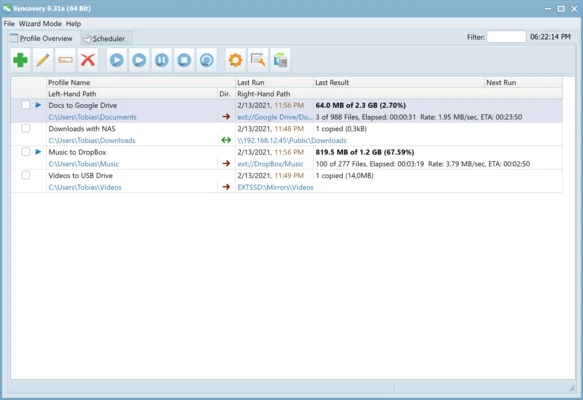
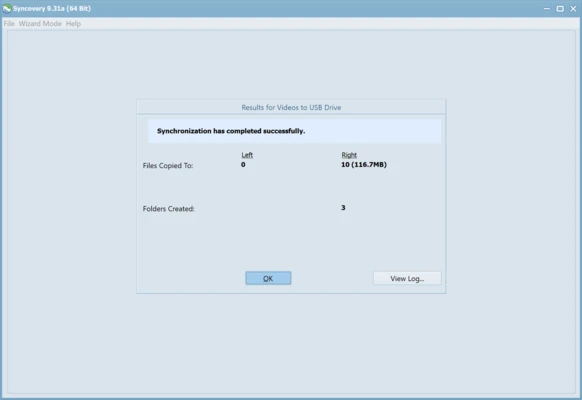
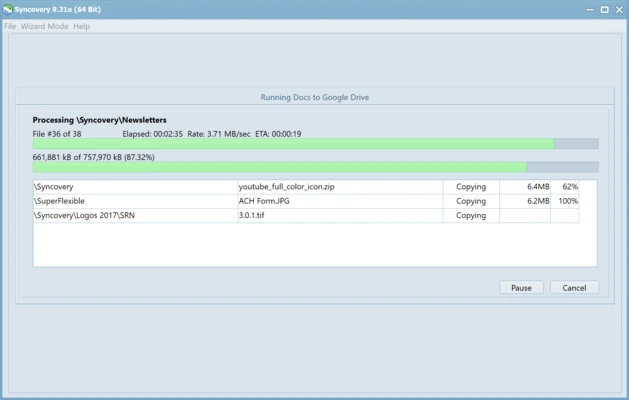
Syncovery provides a comprehensive interface with profile-based management. Users can create and save multiple synchronization configurations, automate tasks through built-in scheduling tools, and monitor transfer progress in real time.
Advanced users will appreciate the extensive customization options, while beginners can use setup wizards for common synchronization and backup scenarios.
Use Cases
Backup Important Files
Automatically back up documents, photos, videos, and business data to local or remote storage.
Synchronize Multiple Computers
Keep files consistent across desktops, laptops, and workstations.
NAS and Server Backup
Create reliable backup routines for servers, network drives, and NAS devices.
Cloud Data Management
Synchronize local folders with cloud storage services and remote locations.
Alternatives
Users looking for similar software may also consider:
- Resilio Sync
- SyncBack
- FreeFileSync
- Acronis True Image
System Requirements
Minimum Requirements
- Windows 7, 8, 10, or 11
- 2 GB RAM
- 100 MB available disk space
- Network or storage access for synchronization tasks
Recommended Requirements
- Windows 10 or Windows 11
- 4 GB RAM or higher
- SSD storage for improved performance
Pros
- Powerful synchronization engine
- Advanced scheduling capabilities
- Multi-version backup support
- Supports cloud, NAS, and network storage
- Suitable for personal and business use
Cons
- Large number of settings may overwhelm beginners
- Interface feels technical compared to simpler backup tools
- Advanced features require some learning
Conclusion
Syncovery is a professional-grade file synchronization and backup solution that combines powerful automation, flexible scheduling, versioned backups, and multi-device synchronization capabilities. It is an excellent choice for users who need reliable data protection and advanced file management across local, network, and cloud storage environments.