

FreeFileSync is a free and open-source file synchronization and backup utility for Windows. It compares files and folders between different locations and synchronizes changes between local drives, external storage, network locations, and supported cloud storage.
Unlike traditional backup applications that create compressed archive files, FreeFileSync primarily focuses on keeping folders synchronized and maintaining consistent copies of files.
Key Features
-
Two-Way Synchronization: Synchronize changes between two locations so both sides stay up to date.
-
Mirror Synchronization: Create an exact copy of one folder in another location, making it useful for backup tasks.
-
File Comparison: Compare files and folders before synchronization to identify new, modified, or missing items.
-
Real-Time Synchronization: Monitor selected folders for changes using the accompanying RealTimeSync component.
-
Versioning: Store previous versions of modified or deleted files to reduce the risk of accidental data loss.
-
Filters: Include or exclude files and folders based on names, extensions, sizes, dates, and other criteria.
-
Batch Jobs: Save synchronization configurations for repeated or automated operations.
-
Automation: Run saved jobs through scripts or Windows Task Scheduler.
-
Parallel Processing: Process multiple files simultaneously to improve performance during large synchronization tasks.
-
Network and Cloud Locations: Synchronize data between supported local, network, and cloud storage locations.
-
Cross-Platform: Available for Windows, macOS, and Linux.
User Interface
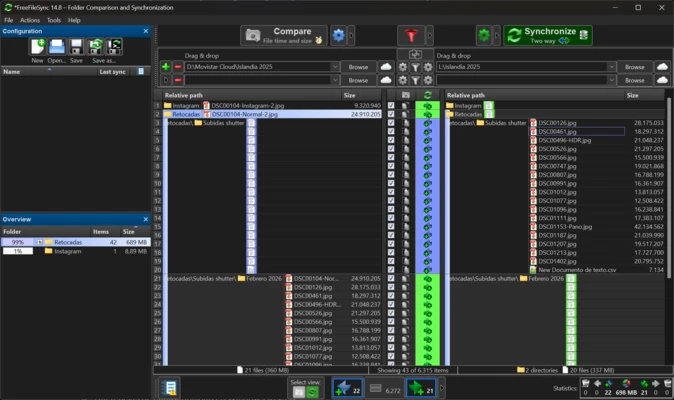
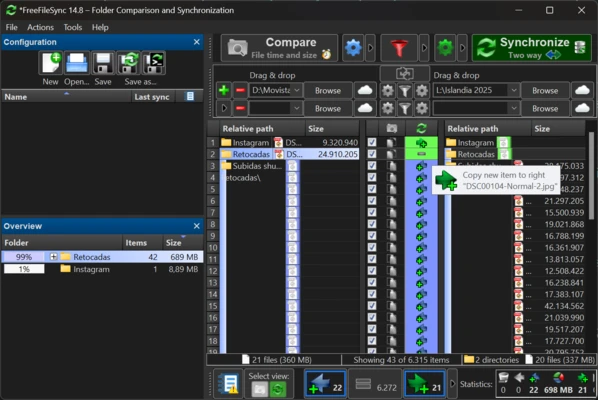
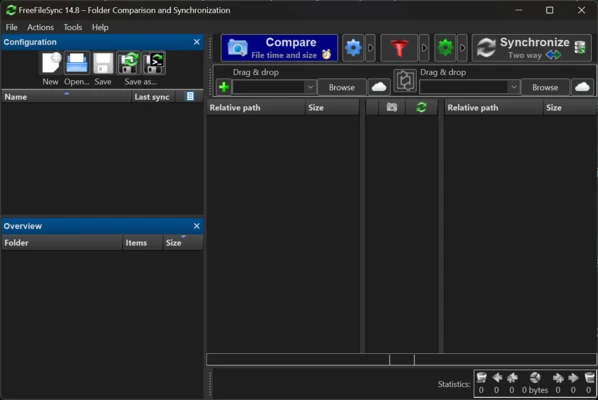
FreeFileSync uses a two-pane interface that displays the source and destination folders side by side. After comparing the locations, the program uses visual indicators to show differences between files.
The layout provides quick access to synchronization modes, filters, comparison settings, and synchronization controls while still offering advanced configuration options for experienced users.
Installation and Setup
Download and install FreeFileSync on your Windows PC. After launching the application, select the source and destination folders you want to compare.
Choose a synchronization mode, adjust filters and other options, and save the configuration as a batch job if you plan to reuse it.
How to Use
-
Launch FreeFileSync.
-
Select the source and destination folders.
-
Click Compare to analyze differences.
-
Choose a synchronization mode such as Two-Way or Mirror.
-
Adjust filters and synchronization settings if necessary.
-
Review the proposed file operations.
-
Click Synchronize to start the process.
-
Save the configuration as a batch job for future use or automation.
For continuous synchronization, RealTimeSync can monitor folders and trigger saved synchronization jobs when changes are detected.
System Requirements
-
Operating System: Windows 7, 8, 10, or 11
-
Processor: 1 GHz or faster
-
RAM: 2 GB minimum
-
Storage: Approximately 50 MB for the application, plus additional space for synchronized files
FreeFileSync is also available for macOS and Linux.
Pros
-
Free and open-source
-
Supports multiple synchronization modes
-
Detailed file comparison
-
Useful filtering and exclusion options
-
Versioning helps protect against accidental changes
-
Supports batch jobs and automation
-
Suitable for large file collections
-
Cross-platform
Cons
-
The large number of options can be confusing for beginners
-
Advanced synchronization settings require some learning
-
Incorrect synchronization settings can overwrite or remove files
-
Real-time synchronization requires additional configuration
Conclusion
FreeFileSync is a powerful solution for users who need reliable file and folder synchronization without relying on traditional backup archives. Its comparison tools, Two-Way and Mirror modes, filtering, versioning, and automation capabilities make it suitable for both everyday file synchronization and more advanced backup workflows.