Go to Windows platform Display platforms icon
Go to Windows platform Go to Mac platform Go to Android platform
Alternate DLL Analyzer icon

Alternate DLL Analyzer

2.130
Alternate Tools
0
2.03 MB size

Display and extract function names from DLL files

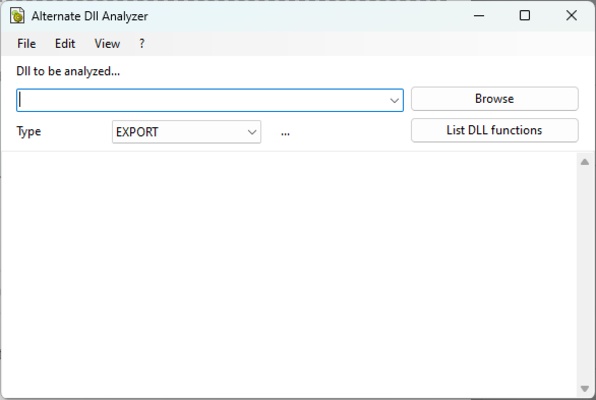
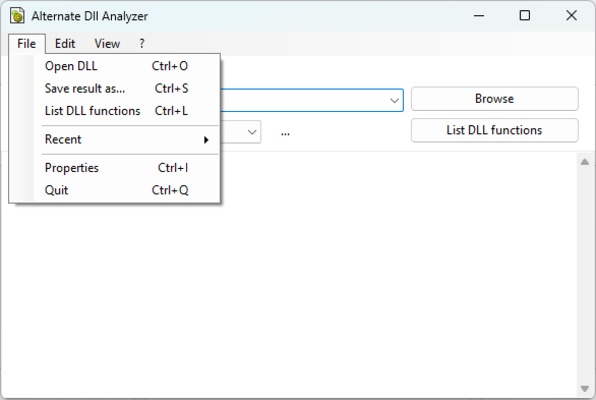
Alternate DLL Analyzer is a simple but powerful app that allows users to explore and extract the names of functions available in DLL files. DLL files, known as Dynamic Link Libraries, are essential components of the Windows operating system and many software apps. This tool provides an efficient way to examine and understand the contents of these files, which will help you discover how apps work or perform software analysis.

Advanced functions for working with DLLs

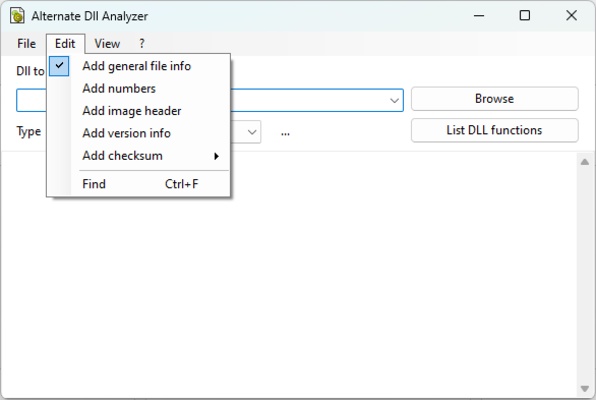
Alternate DLL Analyzer offers a variety of useful features to facilitate the scanning and extraction of DLL file function names. One of the outstanding features of this program is its ability to automatically number function names, which makes it easier to organize and reference them later on. What's more, the software displays the header of the DLL file image, providing detailed information about its internal structure. It also includes details about the common file, checksum and version information of the selected DLL file.

Usability and accessibility

The Alternate DLL Analyzer UI is intuitive and very comfortable to use, making it accessible to users of all levels. In addition, the app can be recalled with parameters from the command prompt, allowing greater flexibility and automation in its use. This makes it a versatile tool that can be easily integrated into existing workflows or custom scripts. In addition, the app requires the .NET 2.0 framework, which comes with the OS, ensuring easy installation and compatibility with your Windows computer.

In summary, Alternate DLL Analyzer is an indispensable choice for developers and power users who need to explore and gain an understanding of the contents of DLL files. With features such as automatic function numbering and the ability to access key file details, this app provides an efficient and convenient way to work with DLL files in Windows. Download Alternate DLL Analyzer for free and don't get lost in DLL files.

Information about Alternate DLL Analyzer

License Free
Op. System Windows
Category Personal
Language English
Author Alternate Tools
permission icon Permissions Not applicable
Date 2026-06-02
Size 2.03 MB
File type EXE

Apps recommended for you

MediaInfo Lite icon
Get the data from your audio or video files
ChatGPT icon
Windows desktop version of ChatGPT
Douyin icon
The Chinese version of TikTok
Kindle icon
The best way to read your Kindle books on a computer
HTTP Toolkit icon
Tim Perry
Devolutions Hub Personal icon
Devolutions Hub Personal for Windows is a centralized platform that helps users manage passwords, remote connections, and IT credentials securely.
BetterDiscord icon
Enhance your Discord experience with new features
iMazing icon
Use your iPhone as if it was an external HDD
FocusMe icon
FocusMe is a productivity tool that helps users block distractions and improve focus by restricting apps and websites.
MuseScore icon
MuseScore (Windows) – Create, play, and print sheet music with ease.
TomTom MyDrive Connect icon
Use and update your TomTom GPS from Windows
Ambie icon
Sounds to boost your concentration in front of the PC
ArsClip icon
Manage your clipboard in a simple way
Workrave icon
Avoid risks at work by planning your rests
GUIPropView icon
NirSoft
C-Organizer icon
A well-designed and practical planner
EdrawMind icon
Edrawsoft
Microsoft Copilot icon
Microsoft's official AI assistant app for Windows
Microsoft To Do icon
Plan your day-to-day with this Microsoft tool
MuseScore icon
MuseScore (Windows) – Create, play, and print sheet music with ease.
Cisdem ContactsMate icon
A contact manager for Windows with support for Google and Outlook
WALTR icon
A great alternative to iTunes
Gaia Sky icon
Powerful 3D simulator of the universe
Logi Options+ icon
Logi Options+ is a customization and device management software that allows users to configure buttons, gestures, and settings for Logitech mice and keyboards to enhance productivity.