

Bitwar Data Recovery
Bitwar Data Recovery is a professional data recovery software for Windows that helps users recover deleted, formatted, lost, or inaccessible files from hard drives, SSDs, USB drives, memory cards, digital cameras, and other storage devices.
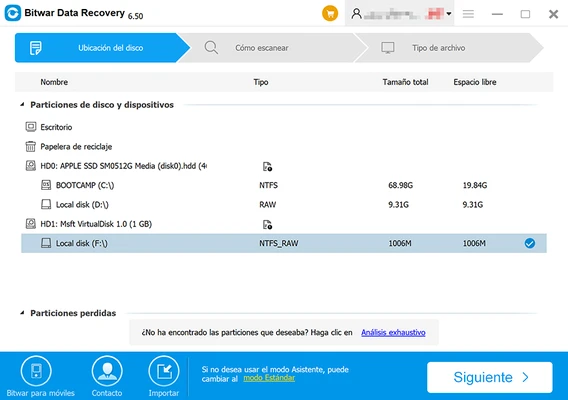
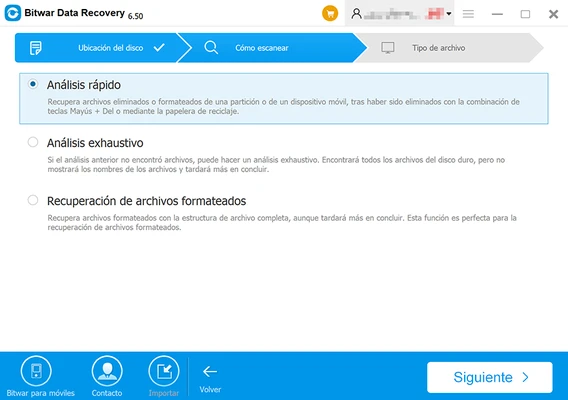
Featuring an intuitive three-step recovery process, Bitwar Data Recovery allows both beginners and advanced users to quickly restore lost documents, photos, videos, audio files, archives, and other data without requiring technical expertise.
The software supports recovery from accidental deletion, disk formatting, partition loss, virus attacks, system crashes, RAW partitions, and various other data loss scenarios.
With support for over 300 file formats, Bitwar Data Recovery can recover files from HDDs, SSDs, external hard drives, SD cards, MicroSD cards, USB flash drives, digital cameras, and more.
Features
- Recover deleted files from Windows PCs and laptops
- Restore data from formatted drives and partitions
- Recover lost or inaccessible partitions
- Support for HDD, SSD, USB drives, SD cards, and external storage devices
- Deep Scan technology for difficult recovery situations
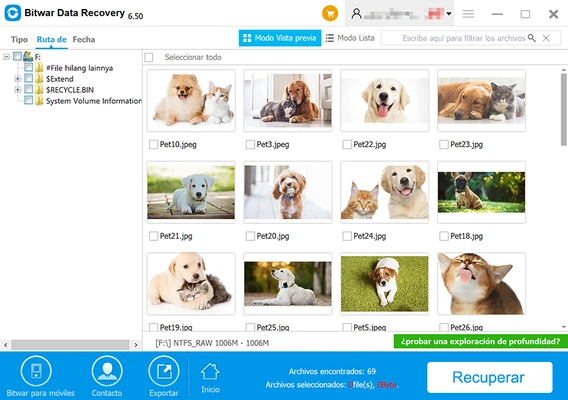
- Preview files before recovery
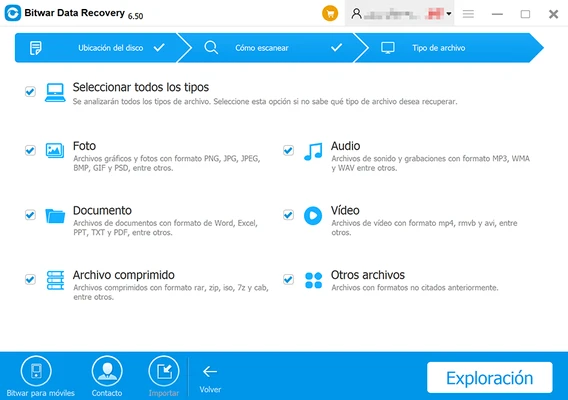
- Recover documents, photos, videos, audio files, archives, and emails
- Support for more than 300 file formats
- Simple three-step recovery process
- Fast and user-friendly interface
Supported Devices
- PC & Laptop
- Hard Disk Drive (HDD)
- Solid State Drive (SSD)
- External Hard Drive
- USB Flash Drive
- SD Card
- MicroSD Card
- Memory Card
- Digital Camera
- Camcorder
- MP3/Media Player
- Other Removable Storage Devices
Recoverable File Types
Documents
DOC, DOCX, XLS, XLSX, PPT, PPTX, PDF, TXT, HTML, EPS, INDD and more.
Images
JPG, JPEG, PNG, GIF, BMP, TIFF, PSD, RAW, CR2, NEF, DNG and other image formats.
Videos
MP4, MOV, AVI, WMV, FLV, M4V, MPG, RMVB, ASF, 3GP and more.
Audio
MP3, WAV, WMA, AAC, M4A, OGG, AIFF, MIDI and other audio formats.
Archives
ZIP, RAR, 7Z, JAR, TAR and other compressed file formats.
Others
Emails, databases, project files, source code files, and additional user data.
Data Loss Scenarios
Bitwar Data Recovery can help recover files lost due to:
- Accidental deletion
- Recycle Bin emptying
- Drive formatting
- Partition deletion
- Partition loss
- RAW file system errors
- Virus attacks
- System crashes
- Storage device corruption
How to Use
- Select the drive or device.
- Scan for lost files.
- Preview and recover the desired data.
System Requirements
Operating System
- Windows 11
- Windows 10
- Windows 8.1
- Windows 8
- Windows 7
- Windows Vista
- Windows XP
Hardware
- 1 GHz Processor or faster
- 1 GB RAM minimum
- 200 MB free disk space
- Internet connection for activation and updates
Alternatives
- Disk Drill
- Stellar Data Recovery
- EaseUS Data Recovery Wizard
- Wondershare Recoverit
Note
The free version allows users to scan and preview recoverable files. Full recovery functionality may require purchasing a license.