

CareUEyes is a Windows utility designed to make long screen sessions more comfortable by reducing blue light and adjusting screen brightness. It provides preset and custom display modes, break reminders, and a Focus feature for reading and working.
Key Features
-
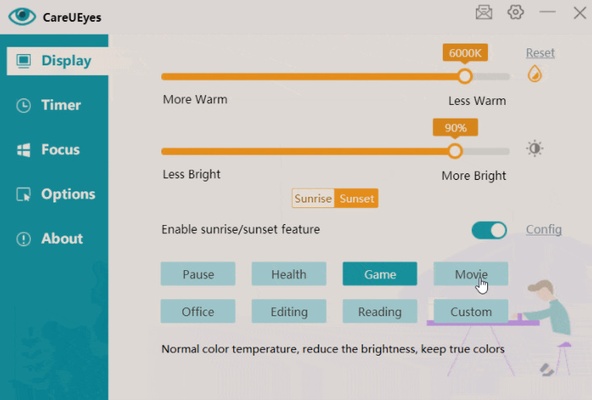
Blue Light Filter – Adjusts color temperature to reduce harsh screen tones.
-
Brightness Control – Quickly adjust screen brightness for different lighting conditions.
-
Display Modes – Includes preset modes for normal use, gaming, movies, office work, reading, and nighttime use.
-
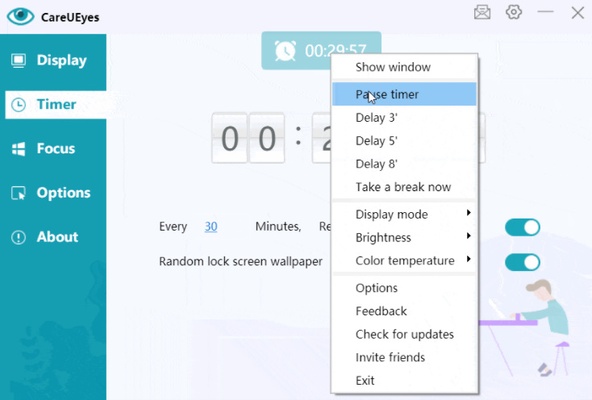
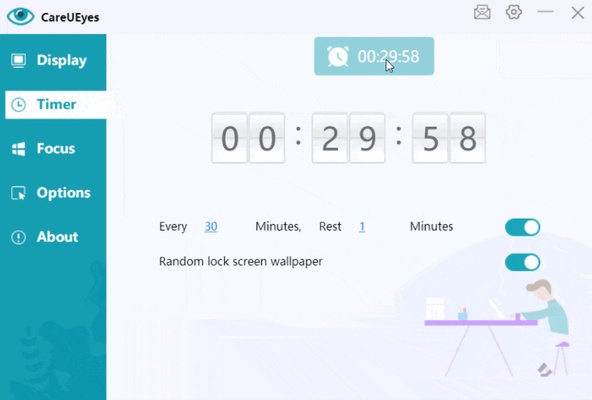
Break Reminders – Reminds you to take regular breaks and supports customizable intervals.
-
Focus Mode – Highlights a selected area of the screen to help reduce distractions while reading or working.
-
Custom Settings – Configure color temperature, brightness, transparency, hotkeys, and other display options.
-
Automatic Startup – Can be configured to start with Windows.
User Interface
CareUEyes uses a simple interface with quick controls for brightness, color temperature, display modes, and break reminders. Its straightforward layout makes common adjustments easy to access.
Installation and Setup
Download and install CareUEyes on your Windows PC, then launch the application. Choose a display mode or customize the color temperature and brightness according to your preferences. You can also configure break reminders, Focus mode, hotkeys, and automatic startup.
How to Use
-
Launch CareUEyes from the desktop or system tray.
-
Select a preset display mode or create a custom profile.
-
Adjust brightness and color temperature.
-
Enable break reminders and set the desired interval.
-
Use Focus mode when reading or working.
-
Configure hotkeys and startup options if needed.
System Requirements
-
Operating System: Windows 7, 8, 10, or 11
-
Processor: 1 GHz Intel or AMD processor or better
-
RAM: 512 MB or more
-
Storage: About 100 MB of free space
-
Display: 1024×768 resolution or higher
Pros
-
Easy-to-use interface
-
Adjustable blue light filtering
-
Multiple display modes
-
Custom brightness and color temperature controls
-
Break reminder feature
-
Focus mode
Cons
-
Some features require a paid version
-
Windows-only
-
Limited advanced automation options
Conclusion
CareUEyes is a lightweight Windows utility for users who spend extended periods looking at a computer screen. Its blue light filter, brightness controls, display presets, break reminders, and Focus mode provide a simple way to customize the viewing experience.