


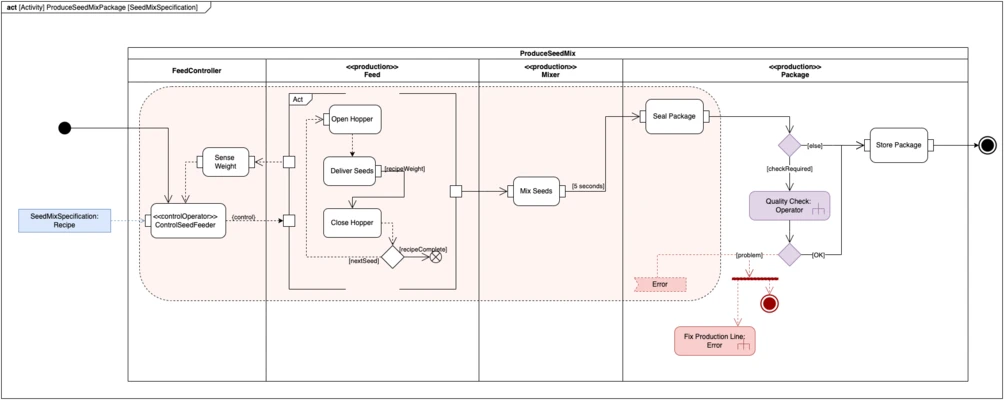
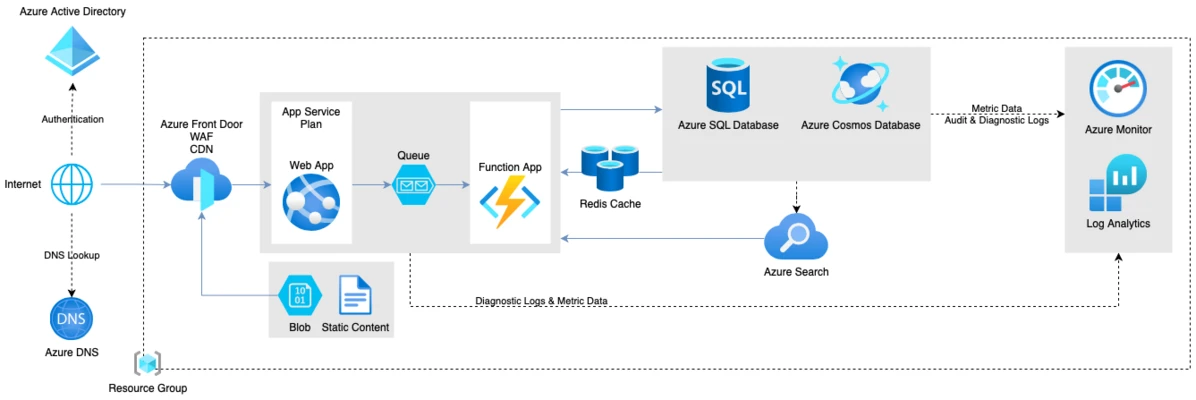

Draw.io Desktop (also known as diagrams.net) is a free and open-source diagram creation and editing software that allows users to create professional diagrams, flowcharts, mind maps, UML diagrams, network layouts, and business visuals.
It provides a simple drag-and-drop interface with a large collection of built-in shapes and templates, making it suitable for individuals, teams, developers, engineers, and businesses.
Draw.io Desktop works offline and supports integration with popular cloud storage and productivity platforms.
Features
- Create professional diagrams with an easy drag-and-drop editor
- Supports flowcharts, UML diagrams, mind maps, wireframes, and more
- Large library of templates and shapes
- Offline desktop application
- Cloud storage integration
- Team collaboration support
- Export diagrams in multiple formats
- Open-source and completely free
- Cross-platform support for Windows, macOS, and Linux
Supported Diagram Types
Draw.io can create various types of diagrams, including:
- Flowcharts
- Network diagrams
- UML diagrams
- Organization charts
- Mind maps
- Wireframes
- Business process diagrams
- Gantt charts
- Timelines
- Database diagrams
- Circuit diagrams
- Floor plans
- Kanban boards
- C4 architecture models
Cloud & Integration Support
Draw.io supports integration with:
- Google Drive
- Dropbox
- OneDrive
- GitHub
- Microsoft 365
- Google Workspace
- Confluence
- Jira
- Notion
- Nextcloud
User Interface
The application features a clean and intuitive interface with:
- Drag-and-drop canvas editing
- Searchable shape library
- Customizable objects and layouts
- Multiple export options
- Simple tools for arranging and formatting diagrams
Installation & Setup
- Download and install Draw.io Desktop.
- Launch the application.
- Create a new diagram or open an existing project.
- Select shapes from the library and customize them on the canvas.
- Save projects locally or sync with cloud storage services.
Supported Formats
Export diagrams as:
- PNG
- JPEG
- SVG
- HTML
- XML
Pricing
Draw.io Desktop is completely FREE for personal and commercial use.
System Requirements
- OS: Windows 11 / 10 / 8 / 7
- Processor: 1 GHz or faster
- RAM: 2GB or more
- Storage: 200MB free space
PROS
- Free and open-source
- Powerful diagram creation tools
- Supports many diagram formats
- Works offline
- Cloud integration available
- Easy-to-use interface
CONS
- Limited advanced features compared with professional tools
- Collaboration features depend on connected services
Alternatives
- Microsoft Visio - Professional diagramming software with advanced business features
- XMind - Popular mind mapping and brainstorming software
- MindManager - Professional visual mapping and planning tool
- Creately - Online diagramming platform focused on collaboration
Conclusion
Draw.io Desktop is one of the best free diagramming tools available for Windows users.
With extensive diagram support, cloud integrations, offline editing, and an intuitive interface, it is a powerful alternative to commercial diagram software such as Microsoft Visio.
Whether you need to create flowcharts, UML diagrams, network layouts, or business workflows, Draw.io provides a flexible and completely free solution.