Epubor Ultimate eBook Converter is an eBook management and conversion tool for Windows that allows users to convert eBooks between popular formats and organize their digital book collections.
It supports formats such as EPUB, PDF, MOBI, AZW, AZW3, and more. The software also provides batch conversion, metadata editing, and compatibility with popular eReaders including Kindle, Kobo, and Nook.
What's New
Recent updates focus on improved eBook format compatibility, conversion stability, device detection, and overall performance.
Key Features
eBook Conversion: Convert eBooks between popular formats such as EPUB, PDF, MOBI, AZW, and AZW3.
Batch Conversion: Convert multiple eBooks at the same time to save time when processing large collections.
Metadata Editing: Edit book titles, authors, covers, publishers, languages, and other metadata.
eReader Support: Detect and import books from supported devices such as Kindle, Kobo, and Nook.
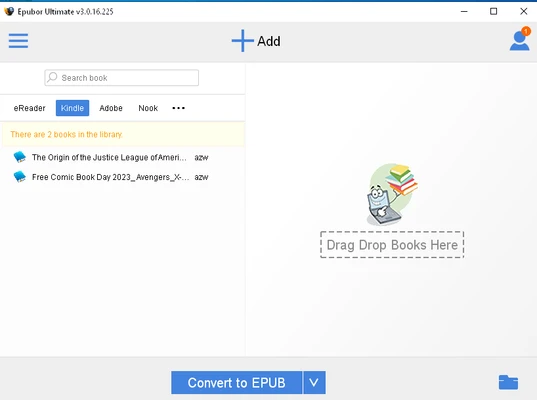
Drag and Drop: Add books to the application by dragging them directly into the main interface.
Library Management: Organize imported eBooks and prepare them for reading on different devices.
DRM Tools: Includes DRM-related conversion capabilities for supported eBook formats and devices. Users should only use these features with books they are legally entitled to modify.
User Interface
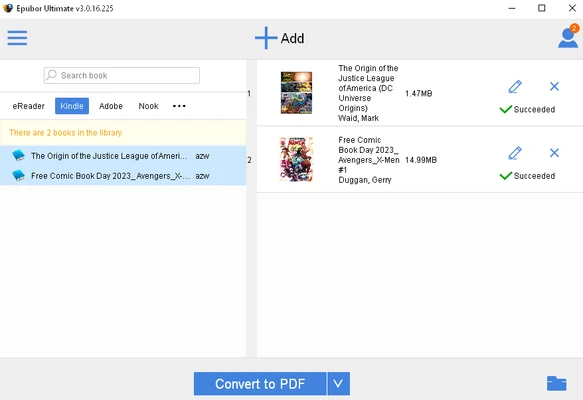
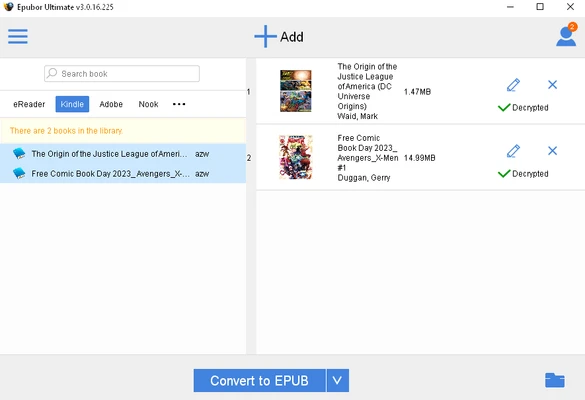
Epubor Ultimate features a simple interface designed around a drag-and-drop workflow. Imported books are displayed in the main window, while conversion formats and related options are easily accessible.
The straightforward layout makes the software relatively easy to use, even for users who are not familiar with eBook conversion tools.
Installation and Setup
- Download the installation package for Windows.
- Run the installer and follow the on-screen instructions.
- Launch Epubor Ultimate after installation.
- Activate the software with a license key or start the available trial.
- Import eBooks from your computer or connect a supported eReader.
How to Use
- Open Epubor Ultimate.
- Add eBooks by dragging them into the application or selecting files manually.
- Select the desired output format.
- Choose the destination folder for converted files.
- Edit metadata if necessary.
- Click the Convert button to start the conversion.
- Open the destination folder to access the converted eBooks.
FAQ
What formats does Epubor Ultimate support?
It supports a wide range of common eBook formats, including EPUB, PDF, MOBI, AZW, AZW3, TXT, and HTML.
Can I convert multiple eBooks at once?
Yes. The software supports batch conversion, allowing multiple books to be processed simultaneously.
Does Epubor Ultimate support Kindle and Kobo?
Yes. It can detect and import books from supported Kindle, Kobo, and other compatible eReaders.
Can I edit eBook metadata?
Yes. You can edit information such as the title, author, cover, publisher, language, and other metadata.
Is Epubor Ultimate free?
The software provides a trial version with limitations. A paid license is required for unrestricted use.
Does Epubor Ultimate work with Kindle Unlimited books?
Support for DRM-protected subscription or rental content is limited. Compatibility depends on the specific book and DRM system.
Alternatives
Calibre: A free and open-source eBook manager with extensive format conversion and library management features.
Adobe Digital Editions: A free application for reading and managing eBooks, particularly EPUB and PDF files.
Hamster Free eBook Converter: A simple tool for converting eBooks between several common formats.
CloudConvert: A web-based file conversion service that supports various eBook formats.
Pricing
Epubor Ultimate is commercial software with a limited free trial. A paid license is required for full functionality. Pricing may vary depending on the license type and current promotions.
System Requirements
- Operating System: Windows 11, 10, 8, 7
- Processor: 1 GHz or faster
- RAM: 512 MB or more
- Storage: At least 100 MB of free disk space
- Internet connection: Required for activation and updates
Pros
- Supports many popular eBook formats
- Batch conversion
- Simple drag-and-drop interface
- Metadata editing tools
- Supports popular eReaders
- Easy to use
Cons
- Full functionality requires a paid license
- Some DRM-protected content may not be supported
- Fewer library management features than Calibre
- Windows-focused
Conclusion
Epubor Ultimate eBook Converter is a convenient solution for users who need to convert and manage eBooks across different formats and devices. Its batch conversion, metadata editing, eReader support, and simple interface make it particularly useful for users with large digital book collections.
For users who need a straightforward eBook conversion tool, Epubor Ultimate provides a practical combination of conversion and eBook management features.