Evernote is a powerful note-taking and productivity application that helps users create, organize, and manage notes, documents, tasks, and ideas across multiple devices.
It allows users to capture text notes, checklists, images, web pages, audio recordings, and files in one place. All content can be synchronized across supported devices, making it easy to access information anytime.
With features such as web clipping, powerful search, note organization, and collaboration tools, Evernote is suitable for personal productivity, education, and professional workflows.
Key Features
Note Creation
- Create text notes, checklists, and task lists.
- Add images, attachments, and audio recordings.
- Capture ideas and information quickly.
Organization Tools
- Organize notes using notebooks and tags.
- Create shortcuts for frequently used content.
- Easily manage large collections of information.
Cross-Platform Sync
- Sync notes across Windows, macOS, Android, and iOS devices.
- Access your information from anywhere.
Web Clipping
- Save web pages, articles, images, and PDFs directly into Evernote.
- Add tags and notes for easier searching later.
Advanced Search
- Quickly find notes using keywords.
- Search text inside documents and images.
- Supports handwriting and printed text recognition.
Collaboration
- Share notebooks with other users.
- Work together on projects and ideas.
- Manage team information efficiently.
Offline Access
- Access saved notes without an internet connection (available with supported plans).
User Interface
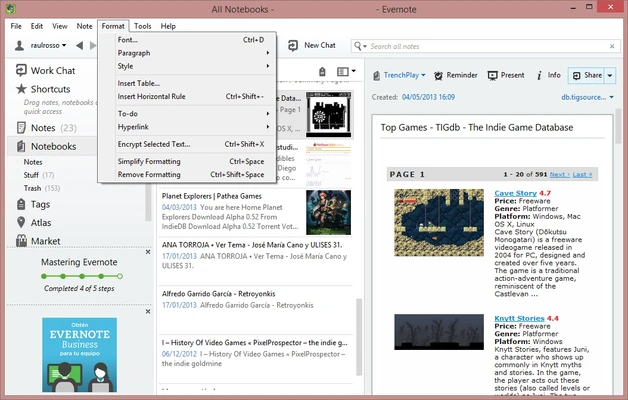
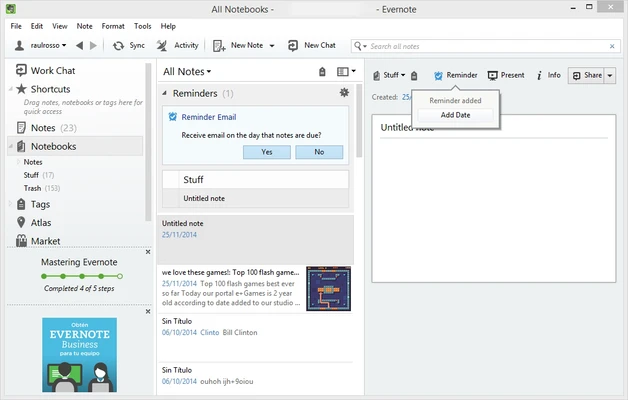
Evernote features a clean and organized interface with easy access to notebooks, tags, shortcuts, and recent notes.
The sidebar navigation makes it simple to manage large amounts of information, while the editor provides a distraction-free writing experience.
Installation and Setup
- Download and install Evernote for Windows.
- Sign in with an Evernote account or create a new account.
- Create notebooks and start adding notes.
- Install Evernote on other devices to enable synchronization.
How to Use
Create Notes
Click New Note and add text, images, files, checklists, or other content.
Organize Information
Use notebooks and tags to categorize notes by project, work, study, or personal topics.
Save Web Content
Install the browser extension and save useful online content directly into Evernote.
Sync Across Devices
Install Evernote on multiple devices and keep all notes updated automatically.
Share and Collaborate
Share notebooks with others for teamwork and project management.
System Requirements
- Operating System: Windows 10 / Windows 11
- Architecture: 32-bit and 64-bit
- Internet: Required for account synchronization and updates
- Account: Evernote account required
Pricing
Free Plan
- Basic note-taking features
- Limited storage and synchronization options
Personal / Professional Plans
- Additional storage
- Advanced search features
- Offline access
- More productivity tools
Business Plan
- Team collaboration features
- Administrative controls
PROS
- Powerful note organization features
- Cross-platform synchronization
- Web clipping support
- Advanced search capabilities
- Clean and user-friendly interface
- Supports attachments and multimedia notes
CONS
- Free version has feature limitations
- Premium plans can be expensive
- Requires an account to use
Alternatives
- Microsoft OneNote – A free note-taking app integrated with Microsoft Office.
- Notion – Combines notes, databases, and project management tools.
- Google Keep – Simple and lightweight note-taking solution.
- Obsidian – Markdown-based knowledge management application.
Conclusion
Evernote is a versatile note-taking application designed to help users capture, organize, and access information efficiently.
With support for multiple content types, synchronization across devices, and powerful organization tools, it remains a popular choice for users who want a centralized workspace for notes and ideas.
Note: Requires an Evernote account. Free version available with limited features.