

GeoGebra is a free and open-source mathematics software for Windows that combines geometry, algebra, graphing, calculus, statistics, and spreadsheet tools into one powerful application.
Designed for students, teachers, and professionals, GeoGebra helps users visualize mathematical concepts, create interactive models, solve equations, and explore advanced mathematical problems.
The software supports Windows, macOS, Linux, iOS, and Android, making it a versatile tool for mathematics education and research.
Features and Highlights
Dynamic Geometry
Create and manipulate geometric constructions such as points, lines, circles, angles, and polygons with real-time updates.
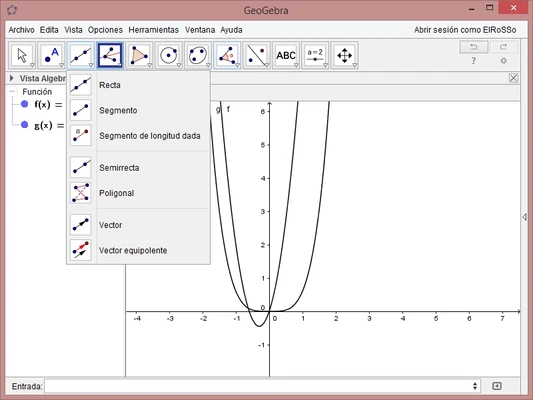
Graphing Calculator
Plot mathematical functions, analyze graphs, and explore equations interactively.
Algebra and CAS Support
Solve equations, simplify expressions, and perform symbolic calculations using the built-in Computer Algebra System.
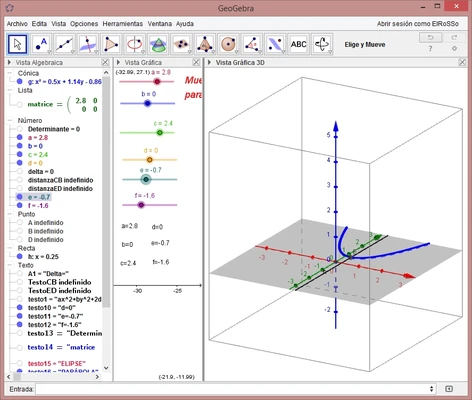
3D Graphing
Visualize three-dimensional objects, surfaces, and mathematical models.
Spreadsheet Integration
Analyze data, create tables, and combine numerical calculations with graphical representations.
Statistics and Probability Tools
Perform statistical analysis, create charts, and explore probability concepts.
Interactive Learning Tools
Access educational resources, tutorials, and shared materials created by the GeoGebra community.
Cross-Platform Support
Use GeoGebra across desktop and mobile devices with cloud synchronization options.
User Interface
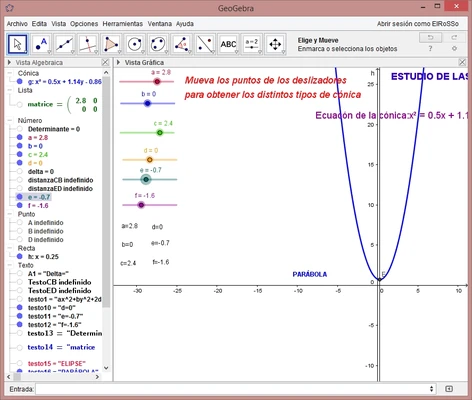
GeoGebra features a clean and flexible interface with multiple working views:
- Algebra View – Manage equations and expressions.
- Graphics View – Create and explore visual mathematical objects.
- Spreadsheet View – Analyze data and calculations.
- CAS View – Perform symbolic mathematics.
- 3D Graphics View – Build and examine 3D models.
The customizable layout allows users to arrange tools according to their learning or teaching needs.
How to Use
- Install GeoGebra on your Windows computer.
- Select the required calculator or workspace.
- Create geometric constructions or enter mathematical expressions.
- Use graphs, tables, and CAS tools to analyze results.
- Export or share projects with others.
Calculator Versions
GeoGebra Calculator Suite
Includes all major features, including geometry, algebra, graphing, CAS, and statistics.
Graphing Calculator
Focused on function plotting and graph analysis.
Geometry Calculator
Designed for interactive geometric constructions.
3D Calculator
Used for three-dimensional mathematical visualization.
CAS Calculator
Provides symbolic calculation features.
Pricing
GeoGebra is completely FREE to download and use.
The software is open-source and available for students, educators, and professionals without subscription fees.
System Requirements
- Operating System: Windows 7, 8, 10, 11
- Processor: 1 GHz or faster
- RAM: 512 MB minimum
- Storage: 200 MB free space
- Internet connection required for online features
PROS
- Free and open-source
- Powerful mathematics and visualization tools
- Supports 2D and 3D graphing
- Includes CAS and statistics features
- Suitable for education and professional use
- Available on multiple platforms
CONS
- Advanced features may require learning time
- 3D graphics performance depends on hardware
- Not designed for large-scale scientific computing
- Some advanced workflows may require scripting
Alternatives
Desmos – Simple and powerful online graphing calculator for students.
Gnuplot – Command-line based mathematical plotting software.
Microsoft Math Solver – Equation solver with step-by-step solutions.
Wolfram Alpha – Advanced computational engine for complex mathematical problems.
Conclusion
GeoGebra is one of the most complete free mathematics tools available for Windows users. With support for geometry, algebra, calculus, statistics, and 3D visualization, it provides an interactive platform for learning, teaching, and exploring mathematics.
Its open-source design, powerful features, and cross-platform availability make it an excellent choice for students, educators, and anyone interested in mathematical visualization.