

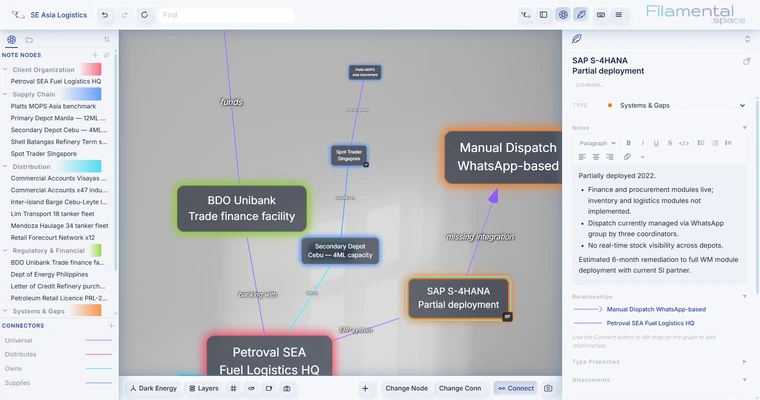
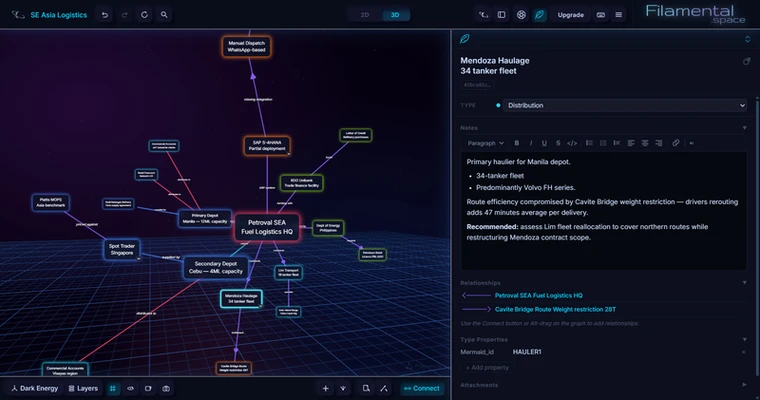
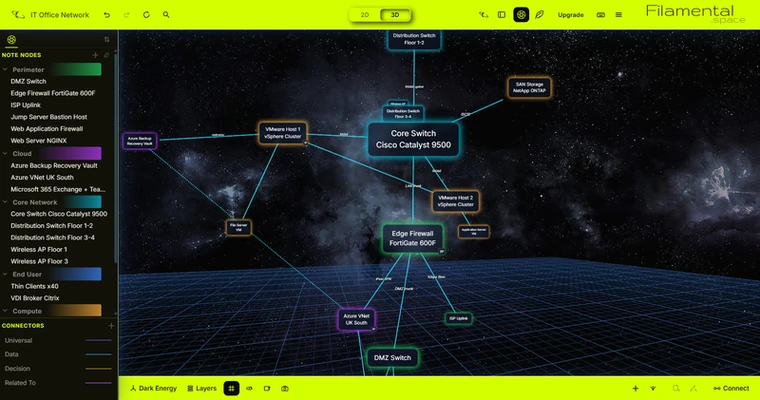
Filamental is a desktop application for Windows and macOS that transforms folders of notes and files into interactive 3D knowledge graphs. Each node represents a piece of information that you can navigate, edit, categorize, and connect to other nodes, helping you organize ideas and explore relationships between documents.
3D Docs, Diagrams & Flowcharts
Filamental lets you arrange ideas, connect related information, and present your knowledge as interactive networks. You can create linked documents, diagrams, flowcharts, and structured knowledge graphs in a visual workspace.
The application supports both 2D and 3D views, with physics-based layouts, customizable themes, colors, tables, columns, images, and backgrounds. You can switch between building your workspace and publishing your content.
Designed For You
Filamental offers flexible navigation and extensive customization options. You can create custom categories and structured properties, define connector types with directional arrows, labels, colors, and weights, and use folder bridges to navigate between different workspaces.
It also supports Wikilinks, Mermaid diagrams, and files of various types, allowing you to integrate existing resources into your projects.
Privacy By Default
Filamental is designed around local data storage, keeping your documents and project files on your own device. You control where your data resides and how it is shared, rather than relying on a service to host your entire knowledge base.
AI On Your Terms
Filamental allows you to connect your own AI provider instead of requiring a specific built-in service. Its local MCP connection and BYOK (Bring Your Own Key) support let you integrate AI tools into your workflow for creating, organizing, and understanding information.
Read-Write-Collaborate
Filamental combines note-taking, knowledge management, and visual organization in one workspace. You can create connected documents, develop knowledge networks, and share your work through links or HTML files. Markdown support also helps keep your content portable.
The application offers a free version alongside paid options. Additional features include a built-in help playground, feature suggestions, bug reporting, and detailed customization settings.
Key Features
-
Intuitive navigation and user interface
-
Quick switching between editing and publishing
-
Customizable document layouts and themes
-
Sharing through links or HTML files
-
Interactive 2D and 3D views
-
Custom categories and structured properties
-
Custom connectors with directional arrows, labels, colors, and weights
-
Local MCP integration and BYOK support for AI tools
-
Wikilink and Mermaid compatibility
-
Support for linking files of different types
-
Folder bridges for navigating between workspaces
-
Local data storage and Markdown portability
-
Built-in help, feedback, and bug-reporting tools