

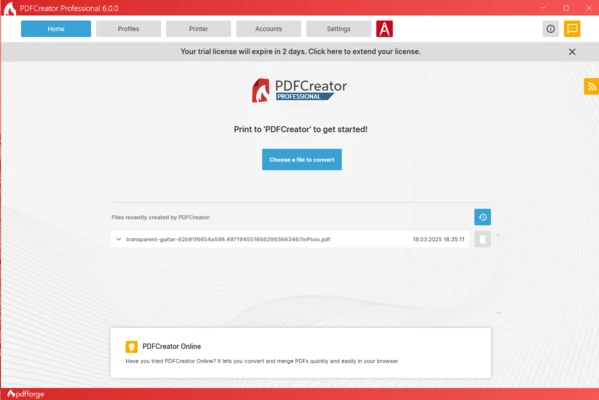
PDFCreator is a free PDF printer and document conversion tool for Windows that lets you create PDF files from virtually any printable document. Besides PDF, it also supports exporting to PNG, JPEG, TIFF, and several other image formats.
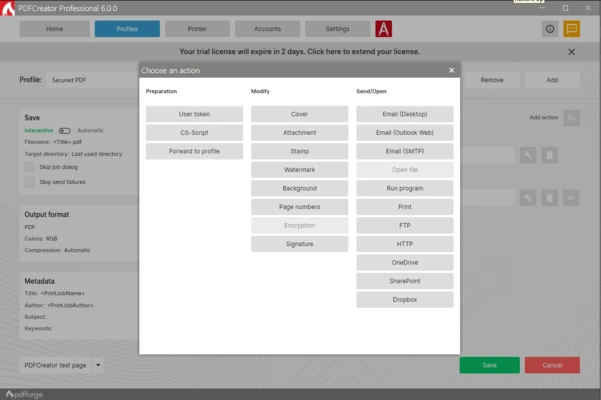
The software includes useful features such as PDF encryption, digital signatures, document merging, automatic saving, and PDF/A support for long-term archiving. Advanced users can also automate workflows using profiles, tokens, scripts, and the COM interface.
Key Features
- Create PDF files from any printable document.
- Export documents as PDF, PNG, JPEG, TIFF, and more.
- Merge multiple files into a single PDF.
- Password-protect PDFs with up to 256-bit AES encryption.
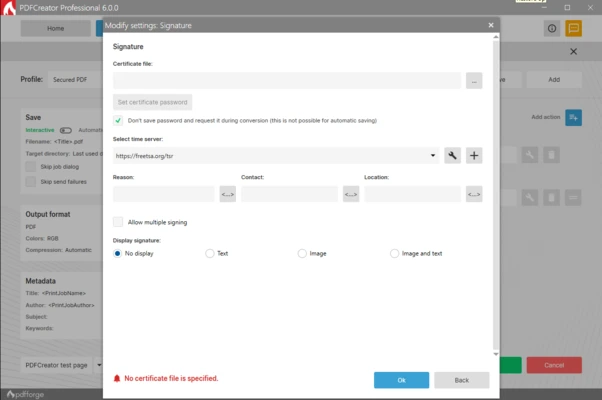
- Add digital signatures to PDF documents.
- Create PDF/A files for long-term archiving.
- Automatic file saving with customizable profiles.
- Dynamic file naming using tokens.
- Built-in actions for email, FTP upload, and custom scripts.
- COM interface and CS-Script support for automation.
- Available in more than 35 languages.
How to Use
- Install and launch PDFCreator.
- Print any document using the PDFCreator virtual printer.
- Select the output format and adjust PDF settings.
- Choose a save location and create the file.
- Optionally use profiles to automate common tasks.
Pricing
- Free – Basic PDF creation and conversion.
- Professional – Additional automation and premium features.
- Terminal Server – Multi-user deployment.
- Server – Enterprise solution for high-volume PDF processing.
System Requirements
- Windows 11, 10, 8, or 7
- 1 GHz processor or faster
- 512 MB RAM minimum (1 GB recommended)
- 100 MB free disk space
Pros
- Free PDF printer for Windows
- Supports multiple output formats
- Merge and encrypt PDF files
- PDF/A and digital signature support
- Powerful automation options
- Easy to use
Cons
- Some features require a paid license
- Free version displays advertisements
- Not intended for advanced PDF editing
Conclusion
PDFCreator is a reliable PDF creation tool for Windows that combines PDF conversion, document merging, encryption, and workflow automation in one application. It is suitable for both home users and businesses that need an efficient way to create and manage PDF documents.