Epubor Ultimate eBook Converter is an eBook management and conversion tool for Windows that supports popular formats such as EPUB, PDF, MOBI, AZW, AZW3, PRC, TXT, and HTML. It allows users to convert compatible eBooks between different formats, process multiple books at once, and edit book metadata.
The software also includes tools for handling DRM-protected eBooks and supports popular e-readers such as Kindle, Kobo, and Nook.
Key Features
-
eBook Format Conversion
-
EPUB, PDF, MOBI, AZW, and AZW3 Support
-
Batch Conversion
-
DRM Management
-
Metadata Editing
-
Cover Editing
-
Kindle, Kobo, and Nook Support
-
Automatic Device Detection
-
Drag-and-Drop Import
-
eBook Library Management
-
Fast Conversion Processing
User Interface
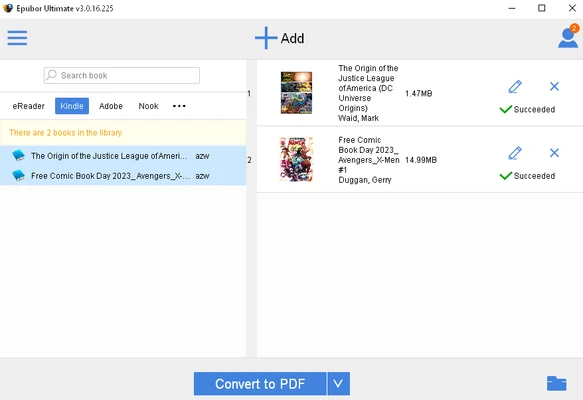
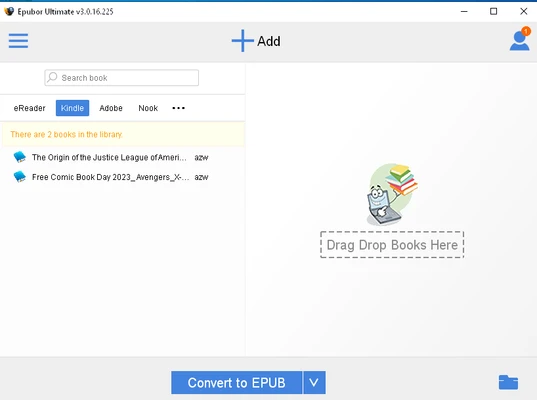
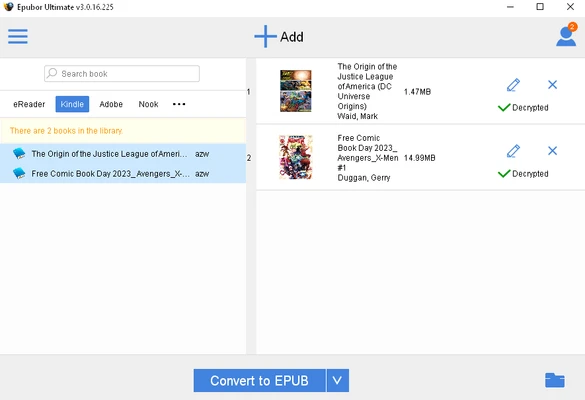
Epubor Ultimate features a simple interface with an eBook library and conversion workspace. Books can be added through drag-and-drop or file selection, while output formats and metadata options are easily accessible from the main window.
Installation and Setup
Install Epubor Ultimate using the Windows setup package and follow the on-screen instructions. After launching the application, you can import eBooks from your computer or connect a supported e-reader to load compatible books.
How to Use
-
Launch Epubor Ultimate and add compatible eBooks to the library.
-
Select the books you want to process.
-
Choose the required output format.
-
Edit the title, author, cover, or other metadata if necessary.
-
Start the conversion process.
-
Open the output folder to access the converted files.
Pros
-
Supports many popular eBook formats
-
Batch conversion
-
Simple drag-and-drop workflow
-
Metadata and cover editing
-
Supports major e-readers
-
Provides tools for DRM-protected eBook management
Cons
-
Full functionality requires a paid license
-
Some DRM-protected or subscription-based content may not be supported
-
Fewer library-management features than dedicated eBook managers
Conclusion
Epubor Ultimate eBook Converter provides a convenient way to convert and organize compatible eBooks on Windows. Its format support, batch processing, metadata editing, and compatibility with popular e-readers make it useful for users who regularly manage eBooks across different devices and formats.