

ESET Internet Security (64-bit) – Complete Protection for Windows PCs
Overview
ESET Internet Security is a powerful multi-layered cybersecurity solution designed to protect Windows PCs from a wide range of online threats. Developed by ESET, one of the world's leading cybersecurity companies, it combines award-winning malware detection with advanced privacy and network security features.
Built for both home and business users, ESET Internet Security delivers comprehensive protection against viruses, ransomware, phishing attacks, spyware, botnets, and other cyber threats while maintaining excellent system performance.
Key Features
Advanced Antivirus & Antispyware
Protects against:
- Viruses
- Trojans
- Worms
- Spyware
- Rootkits
- Zero-day threats
Ransomware Shield
Monitors suspicious behavior and blocks ransomware before it can encrypt your files.
Banking & Payment Protection
Provides a secure browser environment for online banking, shopping, and financial transactions.
Anti-Phishing Protection
Prevents access to malicious websites designed to steal passwords, banking credentials, and personal information.
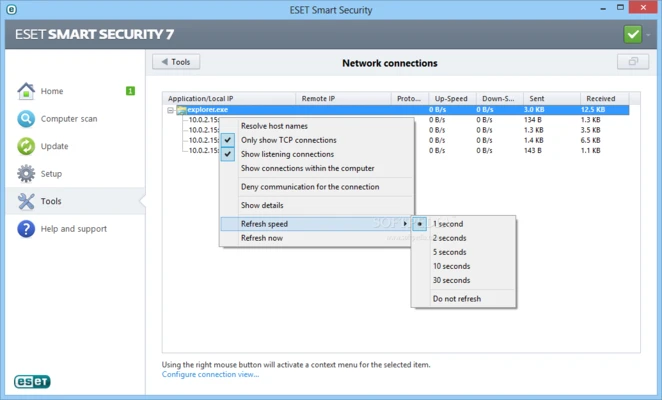
Two-Way Firewall
Monitors inbound and outbound network traffic to prevent unauthorized access.
Network Inspector
Scans your home network for vulnerabilities and identifies connected devices.
Webcam Protection
Alerts you whenever an application attempts to access your webcam.
Botnet Protection
Prevents your computer from being used in botnet attacks, spam campaigns, or malicious network activity.
Cloud-Powered Scanning
Uses ESET LiveGrid® reputation technology to improve detection speed and reduce false positives.
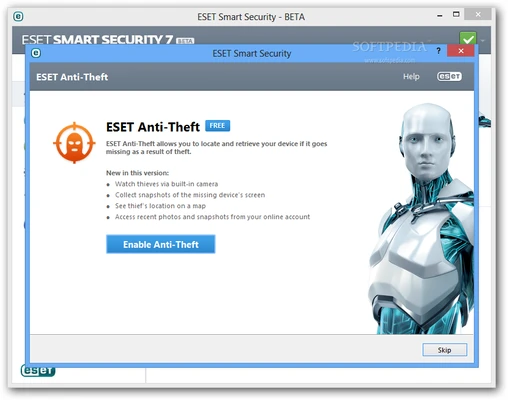
Anti-Theft
Helps locate and manage lost or stolen devices through an online account.
Parental Control
Allows parents to restrict access to inappropriate websites and online content.
Advanced Security Technologies
ESET Internet Security includes multiple layers of proactive defense:
- Script-Based Attack Protection
- Exploit Blocker
- Advanced Machine Learning Detection
- UEFI Scanner
- Network Attack Protection
- Brute Force Attack Protection
- PowerShell Attack Detection
- Java-Based Exploit Protection
These technologies work together to identify and block sophisticated threats that traditional antivirus software may miss.
Why Choose ESET Internet Security?
Secure Online Banking & Shopping
Automatically protects transactions on banking websites and online payment gateways.
Protect Your Privacy
Monitor webcam access, secure your network, and defend against identity theft attempts.
Fast and Lightweight
Optimized for minimal impact on system performance while maintaining industry-leading detection rates.
Award-Winning Antivirus Engine
Powered by ESET's globally recognized malware detection technology.
Real-Time Protection
Provides 24/7 monitoring and immediate response to emerging threats.
Easy to Use
Clean and intuitive interface suitable for both beginners and advanced users.
User Interface
The software features a modern and user-friendly dashboard that provides quick access to:
- Security Status
- Computer Scan
- Network Inspector
- Banking & Payment Protection
- Tools and Settings
- Update Center
Its streamlined design makes navigation simple while still offering powerful customization options for advanced users.
Installation & Setup
- Download the installer from the official ESET website.
- Run the installation wizard.
- Enter your license key or activation code.
- Complete the initial configuration.
- Allow the software to update its virus database.
Installation typically takes only a few minutes, after which real-time protection becomes active immediately.
How to Use
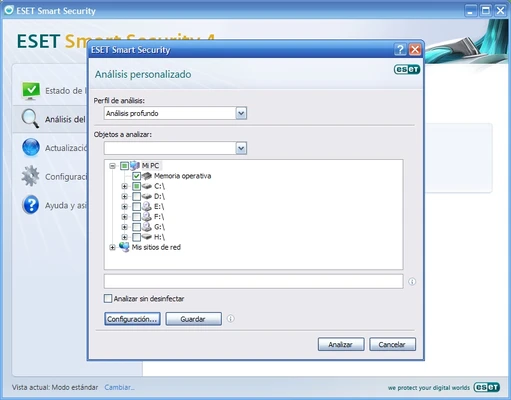
Run a Computer Scan
Navigate to Computer Scan and choose:
- Quick Scan
- Full Scan
- Custom Scan
Secure Financial Transactions
Open Banking & Payment Protection before accessing online banking or payment services.
Manage Connected Devices
Use Network Inspector to view and monitor devices connected to your network.
Configure Parental Controls
Set content restrictions and website filtering rules for child accounts.
Customize Security Settings
Advanced users can adjust firewall rules, detection sensitivity, and scanning preferences through the Setup menu.
System Requirements
- Windows 10 (64-bit)
- Windows 11 (64-bit)
- Internet connection for activation and updates
- Approximately 1 GB of free disk space
Main Benefits
✓ Real-time malware protection
✓ Advanced ransomware defense
✓ Secure online banking and payments
✓ Anti-phishing technology
✓ Webcam and network protection
✓ Lightweight system impact
✓ Automatic updates
✓ Easy-to-use interface
✓ Award-winning detection engine
✓ 24/7 security for modern Windows PCs
ESET Internet Security delivers a balanced combination of security, performance, and usability, making it one of the most trusted cybersecurity solutions for protecting Windows computers against today's evolving online threats.
Frequent questions
Frequently Asked Questions (FAQ)
Does ESET Internet Security slow down my PC?
No. ESET is widely recognized for its lightweight architecture and low system resource consumption. It runs quietly in the background while maintaining strong real-time protection, making it suitable even for older hardware.
Can I install ESET Internet Security on multiple devices?
Yes. ESET offers flexible multi-device licenses that can protect multiple Windows PCs, Macs, and Android devices under a single subscription plan.
What if I lose my license key?
You can easily recover your license information through your ESET account or by contacting ESET Customer Support.
Does ESET protect against zero-day threats?
Yes. ESET combines advanced heuristics, machine learning, behavior-based detection, and cloud-powered reputation technology to identify and block emerging zero-day attacks before traditional signatures are available.
Is there a free trial available?
Yes. ESET Internet Security includes a fully functional 30-day free trial, allowing users to evaluate all premium features before purchasing.
Best Alternatives
Norton 360 Deluxe
A comprehensive security suite featuring antivirus protection, VPN, cloud backup, password management, and parental controls. Ideal for families and users seeking an all-in-one solution.
McAfee Total Protection
Provides strong multi-device security, identity monitoring, secure browsing, and VPN services. Suitable for users managing several devices.
Bitdefender Total Security
Known for outstanding malware detection rates, advanced threat defense, and excellent system performance with minimal resource usage.
Kaspersky Premium
Offers powerful malware protection, privacy safeguards, password management, and premium support services.
AVG Ultimate
Combines antivirus protection with PC optimization tools and privacy features, making it a good choice for users seeking additional maintenance utilities.
Pricing
ESET Internet Security offers flexible licensing options for different user needs:
| License Plan | Price |
|---|---|
| 1 Device / 1 Year | $39.99 |
| 3 Devices / 1 Year | $49.99 |
| 5 Devices / 1 Year | $59.99 |
Multi-year subscriptions are available at discounted rates, and seasonal promotions are frequently offered through official channels.
System Requirements
Operating System
- Windows 11
- Windows 10
- Windows 8.1
- Windows 8
- Windows 7
Hardware Requirements
- Processor: Intel or AMD x86/x64
- Memory: 1 GB RAM minimum
- Storage: 600 MB free disk space
- Internet Connection: Required for activation, updates, and cloud-based protection features
Pros
✔ Lightweight and fast performance
✔ Excellent malware and ransomware protection
✔ Secure online banking and payment protection
✔ Powerful anti-phishing technology
✔ Built-in firewall and network security tools
✔ Webcam and privacy protection
✔ User-friendly interface
✔ Multi-device licensing options
✔ Minimal impact on system resources
✔ Reliable real-time threat detection
Cons
✖ No built-in VPN included
✖ Limited system optimization tools compared to some competitors
✖ Webcam protection notifications may occasionally be overly sensitive
✖ Some advanced configuration options may feel complex for beginners
Final Verdict
ESET Internet Security (64-bit) delivers an excellent balance of security, performance, and usability. Its award-winning antivirus engine, advanced ransomware defense, secure banking features, and lightweight design make it one of the best choices for home users and small businesses.
While some competitors include additional extras such as VPN services or PC optimization tools, ESET focuses on what matters most: fast, reliable, and effective protection against modern cyber threats.
Whether you need everyday antivirus protection, enhanced privacy safeguards, or advanced threat prevention, ESET Internet Security remains a dependable and highly recommended security solution.
Trial Version Available: Enjoy full-featured protection free for 30 days before deciding to purchase.