


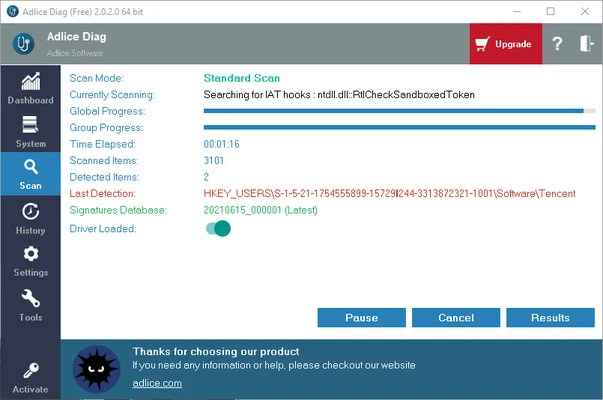
Adlice Diag is a powerful malware detection and removal tool for Windows designed to analyze your system and detect various security threats, including malware, rootkits, spyware, adware, worms, and potentially unwanted programs (PUPs).
Powered by the advanced scanning engine from RogueKiller, Adlice Diag combines signature-based detection and heuristic analysis to identify both known and unknown threats. It also includes an advanced anti-rootkit module for detecting hidden malware that may bypass traditional security software.
With fast scanning performance, detailed system analysis, and a portable version, Adlice Diag is a useful second-opinion security tool for cleaning and troubleshooting infected Windows systems.
Features
Advanced Malware Detection
Detects and removes various types of threats, including:
- Viruses
- Trojans
- Worms
- Spyware
- Adware
- Rootkits
- PUPs
It uses multiple detection technologies to provide deep and reliable malware scanning.
Anti-Rootkit Scanner
The built-in anti-rootkit module helps identify hidden threats that are deeply integrated into the Windows operating system.
System Analysis
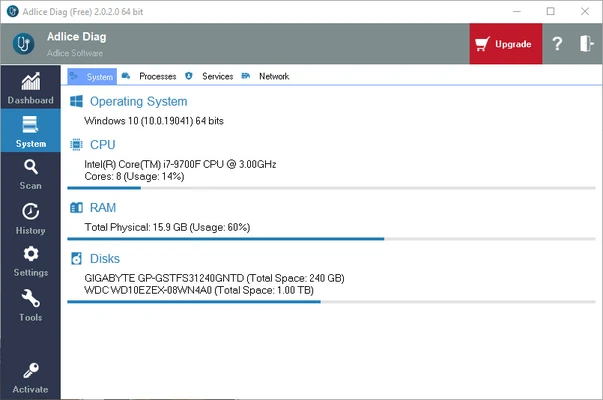
Adlice Diag provides detailed information about:
- Running processes
- Startup programs
- Windows services
- Scheduled tasks
- Registry entries
- Browser extensions
This allows users to locate suspicious activity and unwanted software.
Flexible Scanning Options
Supports multiple scan modes:
- Quick Scan
- Full Scan
- Custom Scan
Users can select specific scan rules from more than 50 available detection options.
Detailed Reports
After scanning, Adlice Diag generates reports showing detected items, system information, and security issues for further analysis.
Portable Version
Adlice Diag is available as both an installer and portable application.
The portable version requires no installation and can be launched directly from a USB drive or local folder without leaving permanent files on the system.
FAQ
What is Adlice Diag?
Adlice Diag is a Windows security diagnostic tool developed by Adlice Software for detecting and removing malware, rootkits, and other suspicious programs.
Is Adlice Diag free?
Yes. Adlice Diag offers a free version with basic scanning and malware removal features. Premium features are available with additional capabilities.
Can Adlice Diag remove malware?
Yes. It can detect and remove many types of malware, including rootkits, spyware, adware, and potentially unwanted programs.
Is Adlice Diag safe?
Yes. Adlice Diag is a legitimate security application designed to help users analyze and clean infected Windows systems.
Pros
- Powerful malware detection engine
- Advanced anti-rootkit technology
- Fast scanning speed
- Portable version available
- Detailed system analysis
Cons
- Some advanced features require Premium
- Better suited for experienced users
Conclusion
Adlice Diag is an effective malware removal and system diagnostic tool for Windows users who need deeper security analysis beyond traditional antivirus software.
With its powerful scanning engine, anti-rootkit capabilities, and flexible scan options, it provides a reliable solution for detecting and removing hidden threats.