
Go to Windows platform Display platforms icon
Go to Windows platform Go to Mac platform Go to Android platform
EverythingToolbar icon

EverythingToolbar

1.5.2
Stephan Rumswinkel
0
2.97 MB size

Find your files with ultra-fast searches

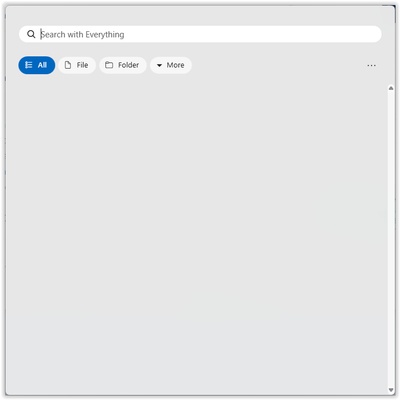
EverythingToolbar is a Windows tool designed to improve the accessibility and speed of your file searches by adding the Everything search engine to your computer's taskbar. With it, you'll be able to find whatever you're looking for instantly, without needing to open windows or getting lost in folders.

Native integration with the Windows taskbar

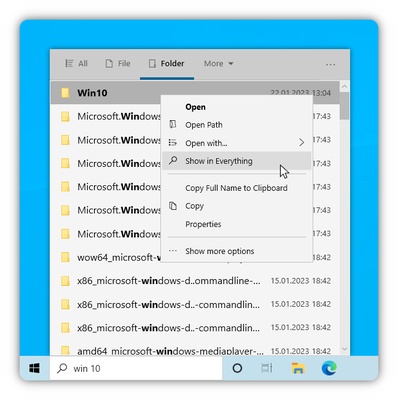
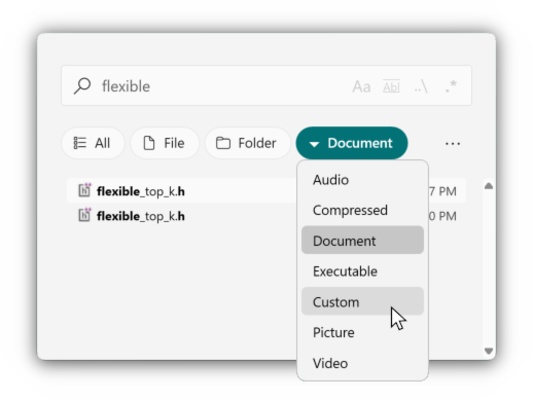
The main draw of EverythingToolbar is its native integration with the Windows taskbar, so you can perform searches right there, without having to open the Everything program. To do so, just click on the taskbar to automatically access this tool for finding files and folders. Type in whatever you're looking for, and EverythingToolbar will start showing you all the relevant results it finds on your computer.

Quick and precise

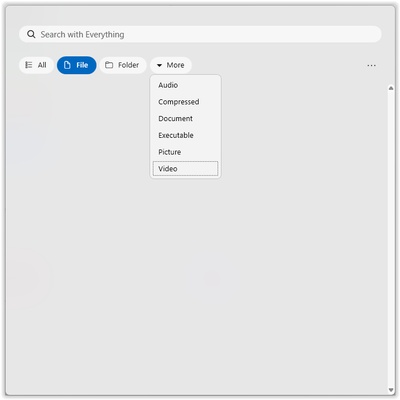
EverythingToolbar uses the Everything search engine, which is known for its speed and efficiency. Thanks to this, the search results will appear in real time as you type, without any delays and with exceptional accuracy, even on drives with thousands of files. EverythingToolbar will help you locate exactly what you need. On the other hand, if you're looking for an item but you don't remember its name or where you saved it, you can use the advanced filters to find it. With these filters, you can specify its modification date, extension, path, or anything else that you remember in order to help you find the file.

Minimal resource consumption

EverythingToolbar is a very lightweight tool that consumes hardly any system resources, ensuring a smooth performance even if your computer has limited hardware.

Download EverythingToolbar for free to find any item on Windows quickly and efficiently with the help of this powerful software.

Information about EverythingToolbar

License Free
Op. System Windows
Category Personal
Language English
Author Stephan Rumswinkel
permission icon Permissions Not applicable
Date 2026-06-02
Size 2.97 MB
File type MSI

Apps recommended for you

Cisdem ContactsMate icon
A contact manager for Windows with support for Google and Outlook
Octoparse icon
Scrape the web without needing to write code
All My Movies icon
Manage your movies with this useful tool
Workrave icon
Avoid risks at work by planning your rests
TomTom MyDrive Connect icon
Use and update your TomTom GPS from Windows
Atomic Time Synchronizer icon
Atomic Time Synchronizer for Windows is a tool that ensures your system clock is accurate by synchronizing it with reliable time servers over the internet.
Rons WebLynx icon
Bookmark manager for Windows
Claude icon
An AI-based chatbot that respects your privacy
FocusMe icon
FocusMe is a productivity tool that helps users block distractions and improve focus by restricting apps and websites.
MuseScore icon
MuseScore (Windows) – Create, play, and print sheet music with ease.
TomTom MyDrive Connect icon
Use and update your TomTom GPS from Windows
Ambie icon
Sounds to boost your concentration in front of the PC
ArsClip icon
Manage your clipboard in a simple way
Workrave icon
Avoid risks at work by planning your rests
GUIPropView icon
NirSoft
C-Organizer icon
A well-designed and practical planner
MuseScore icon
MuseScore (Windows) – Create, play, and print sheet music with ease.
AlomWare Toolbox icon
Complete suite of tools to optimize productivity
TheBrain icon
TheBrain for Windows is a knowledge management software that helps users organize ideas, files, and notes visually in a dynamic mind map.
Simple Sticky Notes icon
Fill your desktop with reminder notes
MobiKin Doctor icon
MobiKin
Nicepage icon
Nicepage
Aml Pages icon
Organize your notes and text documents in tree view
MobiKin Doctor for iOS icon
Most comprehensive iPhone data recovery solution