
Go to Windows platform Display platforms icon
Go to Windows platform Go to Mac platform Go to Android platform
Free Video to JPG Converter icon

Free Video to JPG Converter

5.0.101.000
DVD Video Soft Limited
4.8
38.9 MB size

Automatically extract hundreds of images from your videos

Have you ever wanted to take some pictures from a certain video for a project or album? Now you can do this very easily with Free Video to JPG Converter.

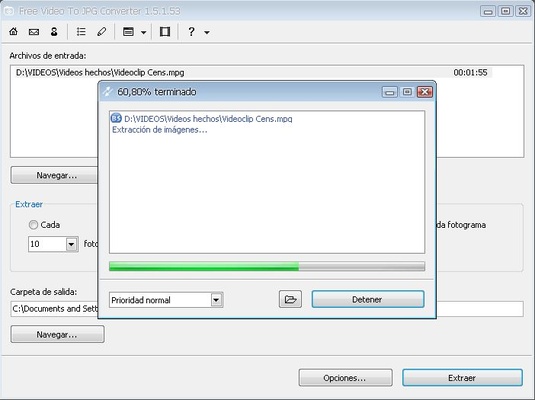
The program automatically extracts from any video the particular frames you want in the JPG format compatible with any application or viewer.

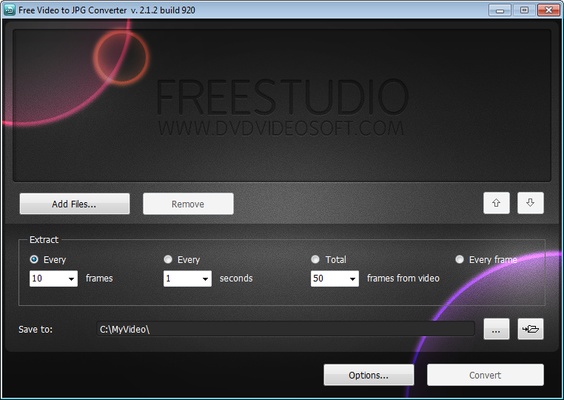
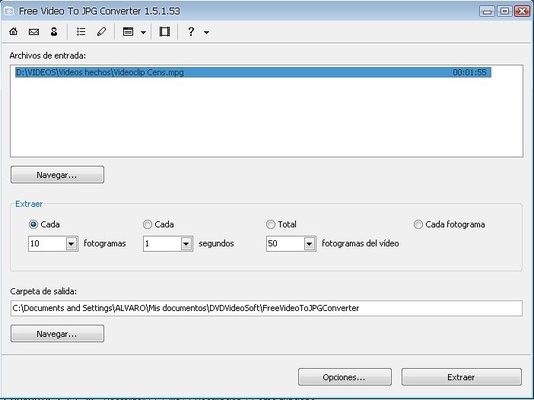
You just have to specify the video of origin and the number of shots you want to extract. The program lets you do this by establishing a range of frames, seconds, or total number of frames per video, or even by downloading each of the video images, although in case of large files this operation can turn out to be too complex to be useful.

Free Video to JPG Converter supports some of the most popular video formats, among them AVI, MPG, MP4, WMV, ASF, 3GP or FLV, and is completely free.

In addition, the program includes an option to directly turn off the computer when it finishes the image extraction.

Information about Free Video to JPG Converter

License Free
Op. System Windows
Category Video
Language English 20 more
Author DVD Video Soft Limited
permission icon Permissions Not applicable
Date 2026-06-02
Size 38.9 MB
File type EXE

Apps recommended for you

Descript icon
A video editor based on the transcribed text
AVS Video Editor icon
Powerful multitask application to edit video
Vidyard for Chrome icon
Vidyard for Chrome is a video recording and sharing extension that allows users to create, share, and track videos directly from their browser.
Shark007 Codecs icon
A complete audio and video codec package
Clipchamp icon
Create stunning videos for YouTube, Instagram, and TikTok
Cyberlink PowerDirector icon
Edit video clips and create complete original DVD's
GOM Player icon
GOM Player is a versatile media player that supports a wide range of video and audio formats with built-in codec support and playback features.
Multiviewer icon
Watch multiple F1, Indycar and NASCAR streams at the same time
K-Lite Codec Pack Full 20.0.0 icon
Free package of media player codecs that can improve audio/video playback
VideoScribe 1.20.1 icon
Easy drag and drop animated video maker for beginners to professionals!
All My Movies 10.1 icon
Your Personal Movie Collection Cataloger and Organizer With IMDb Lookup!
Media Player Classic Home Cinema 2.8.2 (64-bit) icon
An extremely light-weight, open source media player for Windows
MP4 Player 6.4.21 icon
Play MP4, FLV, and WebM video files that downloaded from video sites!
MKVToolNix 102.0.0 (64-bit) icon
Create, modify and inspect Matroska (MKV) files for Windows PC
Subtitle Workshop 6.3.6 icon
Free software for creating, editing and converting text-based subtitle files
Blue Iris 6.1.1.3 icon
Video Management Software (VMS) for your Windows PC
Rclone icon
The command-line app for transferring files and synchronizing directories
Subtitle Edit 5.1.0 icon
Edit and create subtitles or simply synchronize existing ones with your movies
ProgDVB 7.72.5 (64-bit) icon
Very power software for watching digital TV and listening to radio channels
uView Player icon
Floating media player that plays online videos in picture-in-picture
Wondershare Filmora icon
Create and edit impressive videos in the easiest way possible
Unifab All-In-One icon
Manage, monitor, and optimize your business operations efficiently with Unifab All-In-One for Windows, the versatile all-in-one business management software.
Movavi Video Editor icon
Movavi Video Editor for Windows is an easy-to-use video editing software that lets users create and enhance videos quickly.
MediaInfo icon
MediaInfo for Windows is a lightweight tool that provides detailed information about video and audio files, including codecs, formats, and metadata.