Go to Windows platform Display platforms icon
Go to Windows platform Go to Mac platform Go to Android platform
FxSound icon

FxSound

1.1.31.0
FxSound
5
68.81 MB size

Equalize and improve the sound quality on Windows

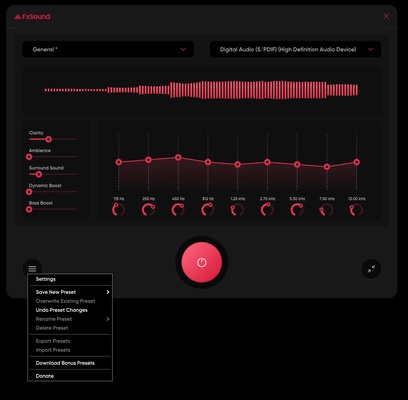
FxSound is a sound equalization program for Windows with which you can apply sound adjustments to the whole operating system, including the sound coming from games or your favorite music player.

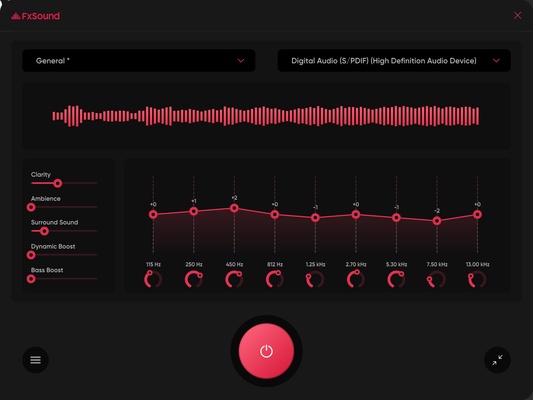
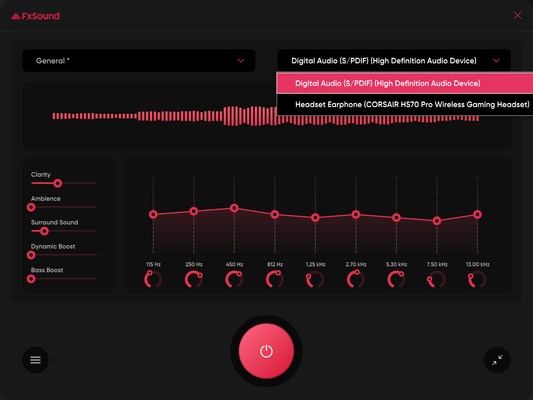
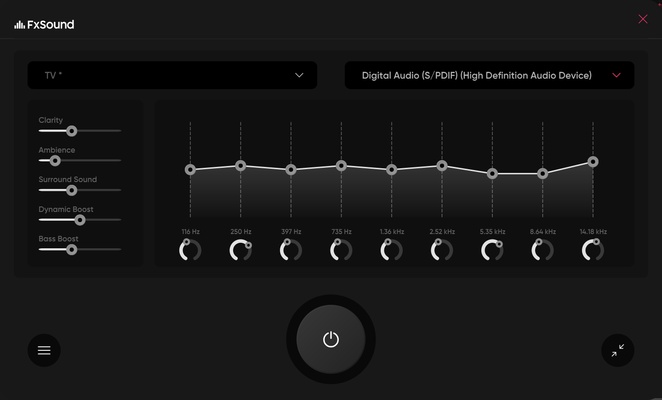
As soon as FxSound is opened, a default setting called General is applied, which immediately improves the sound quality. To do this, this profile increases the clarity, bass, and dynamism of whatever you're listening to, delivering a more accurate and fuller sound. At the same time, you can adjust individual settings in nine different frequency groups.

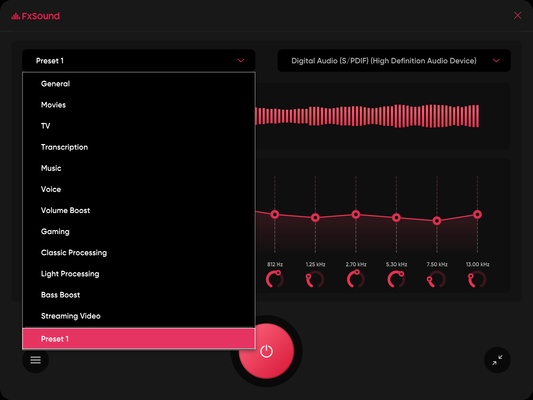
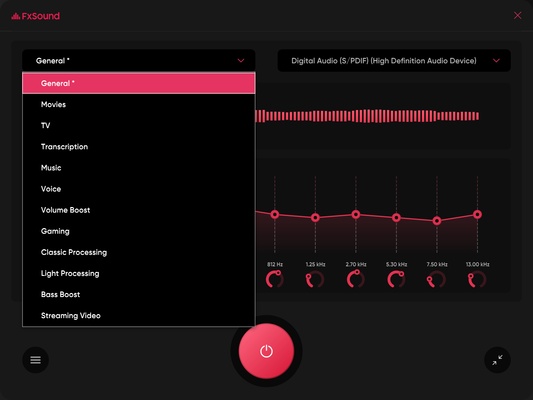
In addition to the general setting, this equalizer has more than a dozen predefined settings aimed at improving a multitude of uses on your device. Among them, there is one for movies, one for television, one for voices, one for gaming, etc. Each one improves specific aspects to enhance the sounds that are usually heard in each of these environments. For example, for movies, it increases the dynamism of the sound to give a surround sound effect.

FxSound has a button at the bottom that allows you to turn the sound equalization on or off. Thanks to this, you can activate or deactivate it depending on when you want to use it. So, if you want to improve the sound quality on Windows, don't hesitate to download FxSound.

Information about FxSound

License Free
Op. System Windows
Category Audio
Language English 14 more
Author FxSound
permission icon Permissions Not applicable
Date 2026-06-02
Size 68.81 MB
File type EXE

Apps recommended for you

XRecode II icon
XRECODE is a versatile audio converter that supports a wide range of formats, allowing users to easily convert and manage audio files.
Bitwig Studio 6.1 icon
Multi-platform music creation system for production, performance and DJing!
Karaoke 5 icon
Create, play, and manage karaoke tracks with Karaoke 5 for Windows, the professional karaoke software supporting MP3, MIDI, MP4, K5, and live performance features.
Spicetify icon
Modify Spotify's interface and features on your PC
Pianoteq icon
Create realistic piano sounds and virtual instruments with Pianoteq for Windows, the advanced physically modeled piano software for musicians and producers.
ProgDVB icon
ProgDVB for Windows is a versatile software that allows users to watch and record satellite, cable, and IPTV broadcasts on their PC.
FoneTool icon
iPhone Data Management Tool
n-Track Studio icon
Transform your PC into a recording studio
Ableton Live 12.4.6 icon
A software music sequencer and digital audio workstation for Windows
Dolby Access 3.27.12250 icon
Spectacular sound for all your entertainment!
VoiceMeeter Standard 1.1.3.0 icon
To mix your voice and video game audio on Skype and more!
JRiver Media Center 36.0.38 (64-bit) icon
Allows the user to play and organize various types of media!
Deezer Desktop 7.1.340 icon
Introducing the new Deezer desktop app for Windows PC!
REAPER 7.80 (64-bit) icon
Multitrack audio and MIDI recorder for your Windows PC
XRECODE 1.189 (64-bit) icon
Great audio converter which supports most of the common audio formats!
Bitwig Studio 6.1.1 icon
Multi-platform music creation system for production, performance and DJing!
Ultimate Vocal Remover icon
Separate the vocals in any song
muffon icon
Listen to your favorite music from any source
XRECODE 1.189 (64-bit) icon
Great audio converter which supports most of the common audio formats!
Audacity 4.0.0 icon
Easy-to-use, multi-track audio editor and recorder for Windows
Spotube icon
A free client for listening to music
Audials One icon
Download and play music, videos, podcasts,...
TapinRadio icon
TapinRadio for Windows is an internet radio player that lets users listen to and record live radio stations from around the world.
Windows Sound Recorder icon
The official Windows Sound Recorder app