
Go to Windows platform Display platforms icon
Go to Windows platform Go to Mac platform Go to Android platform
Iriun Webcam 2.9.7 icon

Iriun Webcam 2.9.7

2.9.7
Iriun Team
5.0
2.59 MB size

Use your mobile phone camera as a wireless webcam in PC

Iriun Webcam is a lightweight webcam software that allows users to use their smartphone camera as a wireless webcam for a Windows PC.

It supports both Android and iOS devices, enabling users to connect their phone camera through Wi-Fi or USB and use it for video conferencing, streaming, online meetings, and content creation.

Iriun Webcam provides a simple way to improve video quality without requiring a dedicated external webcam. It works with popular applications such as Zoom, OBS Studio, Microsoft Teams, and other software that supports webcam input.

Features of Iriun Webcam

Smartphone as Webcam

Iriun Webcam allows users to transform their smartphone into a webcam for desktop computers.

The phone camera can be used as a video source for meetings, streaming, and recording applications.

Wireless Connection

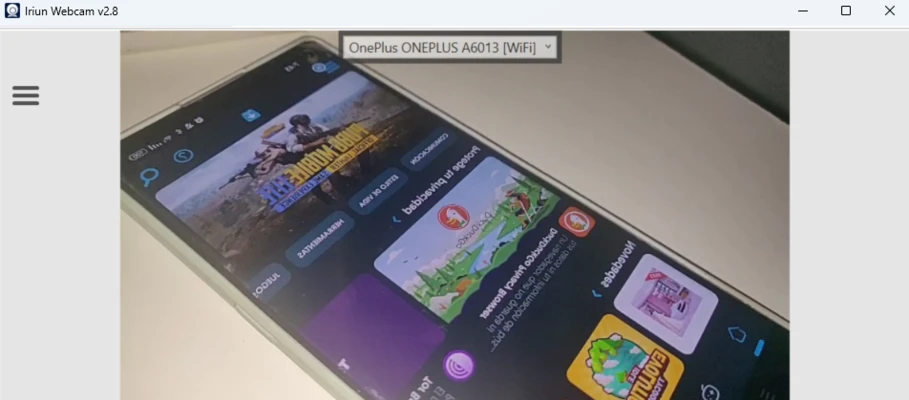
The software supports wireless webcam connections through Wi-Fi.

Users can connect their smartphone and computer on the same network without requiring additional cables.

USB Connection Support

Iriun Webcam also supports USB connections for users who prefer a more stable wired connection.

This helps reduce potential network delays during video streaming.

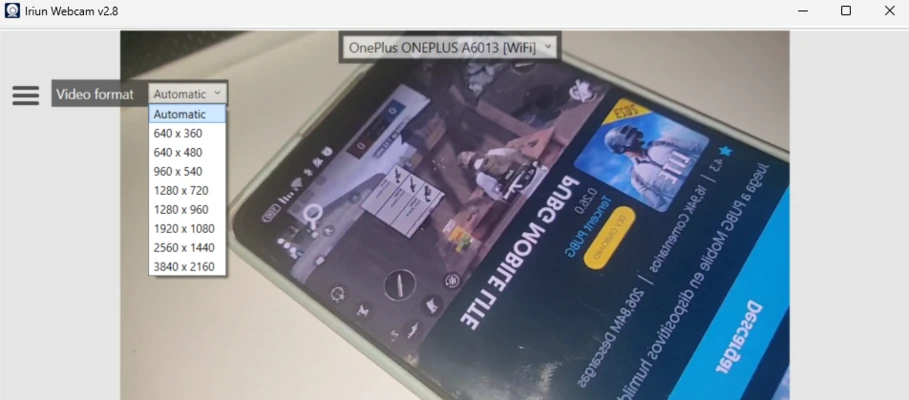
High-Resolution Video Support

The software supports high-quality video output depending on the smartphone camera capabilities.

Users can take advantage of modern phone cameras for improved image quality.

Cross-Platform Support

Iriun Webcam supports multiple platforms, including:

  • Windows
  • macOS
  • Linux
  • Android
  • iOS

Automatic Device Detection

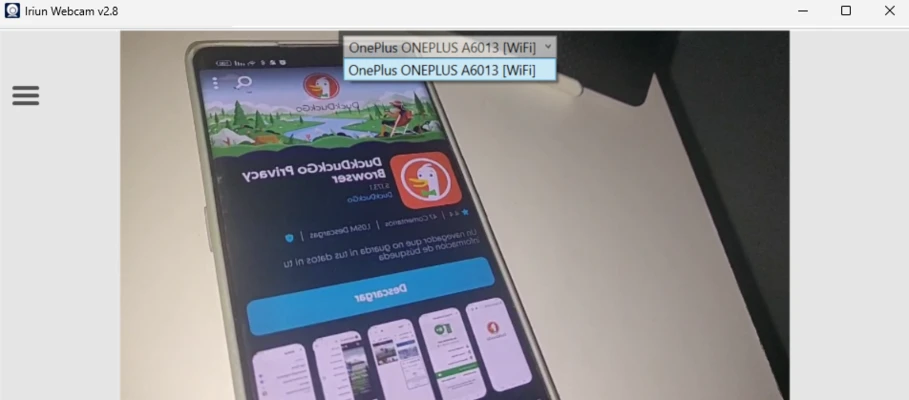
Once connected, supported applications can automatically detect the smartphone camera as an available webcam source.

Users can select Iriun Webcam directly from video input settings.

Streaming and Video App Compatibility

Iriun Webcam works with many popular video and streaming applications, including:

  • OBS Studio
  • Zoom
  • Microsoft Teams
  • Skype
  • Other webcam-enabled software

Front and Rear Camera Support

Users can switch between front and rear smartphone cameras according to their needs.

This provides flexibility for different recording and streaming scenarios.

Simple Setup

Iriun Webcam features a lightweight desktop client and mobile application with a straightforward connection process.

It does not require complicated configuration or professional equipment.

Affordable Webcam Solution

By using an existing smartphone camera, Iriun Webcam provides a convenient option for users who need a webcam solution without purchasing additional hardware.

Information about Iriun Webcam 2.9.7

License Freeware
Op. System Windows
Category Video
Language English
Author Iriun Team
permission icon Permissions Not applicable
Date 2026-07-26
Size 2.59 MB
File type Official Website

Apps recommended for you

Replay Media Catcher icon
Download videos from hundreds of websites
MakeMKV icon
Create MKV files from your DVDs and Blu-rays
Iriun Webcam icon
Turn your smartphone into a high-quality webcam with Iriun Webcam for Windows, the easy-to-use app for video calls, streaming, and online meetings.
Jellyfin icon
A cross-platform and open source media center
DVD-Cloner icon
Clone DVDs with DVD9 support
AbyssMedia BPM Counter icon
Easily detect BPM values for WAV and MP3 files for PC!
HandBrake 1.11.2 icon
Free tool for converting video from nearly any format
WonderFox DVD Video Converter icon
A fine option for converting your DVDs into video files
Ocenaudio 3.20.1 icon
Easy, fast and free powerful audio editor for your Windows OS
OBS Studio 32.2.0 (64-bit) icon
Free Software for Desktop Video Recording and PC Live Streaming!
Wondershare Filmora 15.6.12 icon
Easy video editor everyone can use, support 800+ effects & 50+ formats!
Karaoke 5 54.02 icon
The best PC karaoke software for professionals and beginners!
UniFab All-In-One 4.1.5.1 icon
AI-powered 8-in-1 comprehensive video processing PC tool
VideoPad Video Editor and Movie Maker Free icon
VideoPad Video Editor and Movie Maker Free for Windows is a user-friendly video editing software for creating and editing movies quickly.
Mp3tag 3.35 icon
The universal Tag editor for various audio formats
Blue Iris 6.0.8.1 icon
Video Management Software (VMS) for your Windows PC
DispCam icon
Trial for Windows is a software tool that provides users with a temporary, limited-time version of a program to evaluate its features before purchase.
Free Video Cutter Joiner icon
The easiest way to cut and join videos
Ocenaudio 3.20.1 icon
Easy, fast and free powerful audio editor for your Windows OS
REAPER 7.74 (64-bit) icon
Multitrack audio and MIDI recorder for your Windows PC
YTSage icon
YTSage for Windows is a tool that helps users search, download, and manage high-quality YTS torrent movies with ease.
Wirecast icon
Wirecast for Windows is a live video streaming software that enables users to produce and broadcast professional-quality streams easily.
Cyberlink PowerDirector icon
Edit video clips and create complete original DVD's
Multiviewer icon
Watch multiple F1, Indycar and NASCAR streams at the same time