

Plex Media Server is a powerful media management and streaming application that turns your Windows PC into a personal media hub.
It allows users to organize, manage, and stream movies, TV shows, music, photos, and other digital content to computers, smartphones, smart TVs, and streaming devices.
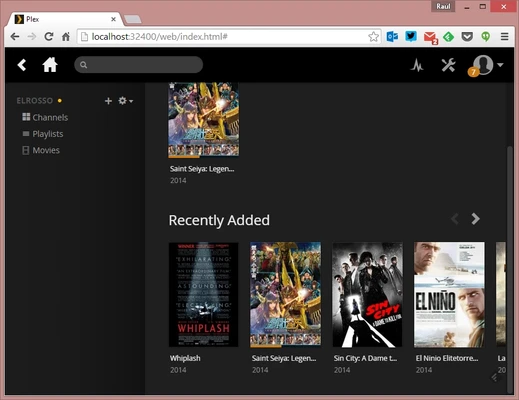
With automatic metadata fetching, artwork, categories, and remote access support, Plex provides a Netflix-style experience for your personal media library.
Features
- Media Library Management
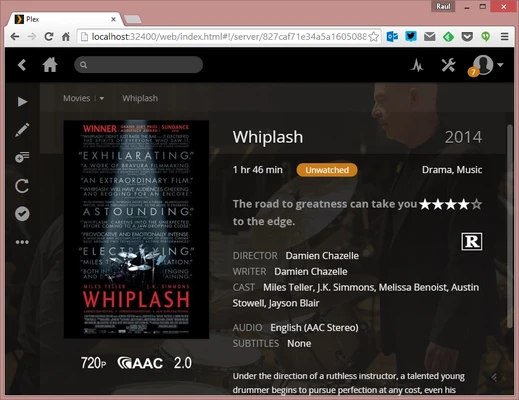
Automatically organizes movies, TV shows, music, and photos with posters, descriptions, ratings, and metadata. - Multi-Device Streaming
Stream your personal media collection to Windows, macOS, Android, iOS, Smart TVs, and other supported devices. - Remote Access
Access your media library from anywhere with an internet connection. - Automatic Metadata Matching
Downloads movie posters, subtitles, descriptions, trailers, and other information. - User Sharing
Share your media libraries with family and friends using separate accounts. - Live TV & DVR Support
Watch and record live TV with compatible tuners and antennas. - Hardware Transcoding
Convert media formats automatically for devices with different playback requirements. - Playlist and Playback Management
Create playlists, resume playback, and manage your entire media collection easily.
How to Use
- Download and install Plex Media Server.
- Create a Plex account or sign in.
- Add folders containing your media files.
- Allow Plex to scan and organize your library.
- Open Plex apps on supported devices and start streaming.
System Requirements
- OS: Windows 10 / Windows 11 (64-bit)
- CPU: Intel Core i3 or equivalent processor
- RAM: 2 GB minimum (4 GB or more recommended)
- Storage: Enough space for media files and metadata
- Network: Stable Wi-Fi or Ethernet connection
PROS
- Easy-to-use media organization
- Supports many devices and platforms
- Automatic metadata and artwork
- Remote streaming support
- Clean and modern interface
- Active development and community support
CONS
- Some advanced features require Plex Pass
- Hardware transcoding needs a powerful CPU/GPU
- Initial setup may be confusing for beginners
Pricing
Plex Media Server is free to download and use.
Optional Plex Pass subscription adds advanced features such as hardware transcoding, DVR support, offline sync, and additional media tools.
Alternatives
- Emby – A flexible media server with similar streaming and organization features.
- Kodi – A customizable open-source media center for local playback.
- MediaPortal – A Windows-based media center focused on TV and DVR features.
Conclusion
Plex Media Server is one of the best solutions for creating a personal media streaming system. It provides powerful organization tools, broad device compatibility, and an easy way to access your movies, music, and photos anywhere.
For users who want to build their own private Netflix-style library, Plex offers a reliable and feature-rich experience.
Note: Plex Pass is required for some premium features, including hardware transcoding, DVR, and offline sync.