


Subtitle Edit for Windows Download – Edit and Sync Subtitles with Ease
Subtitle Edit for Windows is a powerful and user-friendly subtitle editing tool that allows you to create, edit, and synchronize subtitles for videos. Whether you're a filmmaker, video editor, or just someone who needs to adjust subtitles for personal use, Subtitle Edit provides all the tools you need for accurate and efficient subtitle management. With support for a wide range of subtitle formats and an intuitive interface, Subtitle Edit is the perfect software for anyone looking to work with subtitles.
Create, edit, and sync subtitles seamlessly with Subtitle Edit!
Create and Edit Subtitles
Subtitle Edit makes it easy to create new subtitles from scratch or edit existing ones. You can adjust subtitle timing, modify text, and correct any errors in the subtitles. The software supports multiple subtitle formats, including SRT, ASS, SSA, and many others, making it compatible with almost all types of video files.
Subtitle Synchronization
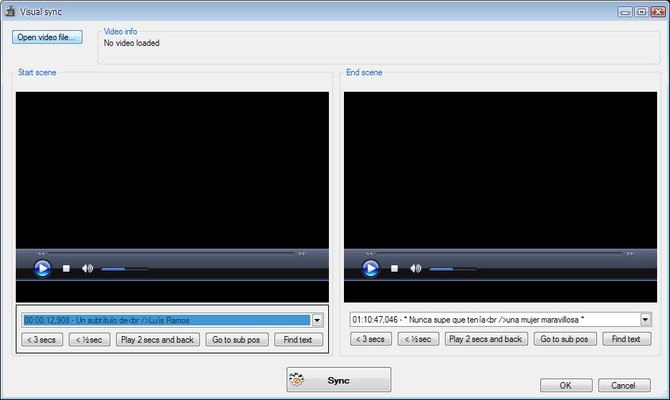
One of the key features of Subtitle Edit is its automatic synchronization tool, which helps you adjust subtitle timings to match the video perfectly. If the subtitles are out of sync, the software provides several ways to synchronize them with the audio or video, ensuring that each subtitle appears at the right time. Whether you're syncing subtitles manually or using the automatic alignment feature, Subtitle Edit makes the process fast and easy.
Multi-Language Support
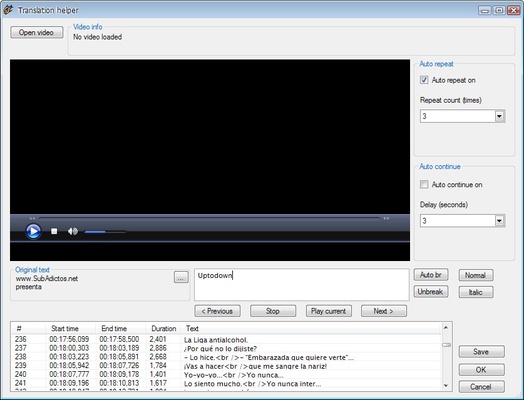
Subtitle Edit supports multiple languages and allows you to translate subtitles between different languages easily. With the built-in translation features, you can quickly add or edit subtitles in any language, making it an excellent choice for international audiences or multilingual projects. It also includes support for Unicode, ensuring proper character encoding for non-Latin scripts.
Visual Preview of Subtitles
The software offers a visual preview feature that allows you to view your subtitles in the video itself. You can see how the subtitles look, make adjustments, and ensure everything aligns with the dialogue and timing. This feature is especially useful for fine-tuning subtitles and making sure they are perfectly synchronized with the video.
Easy-to-Use Interface
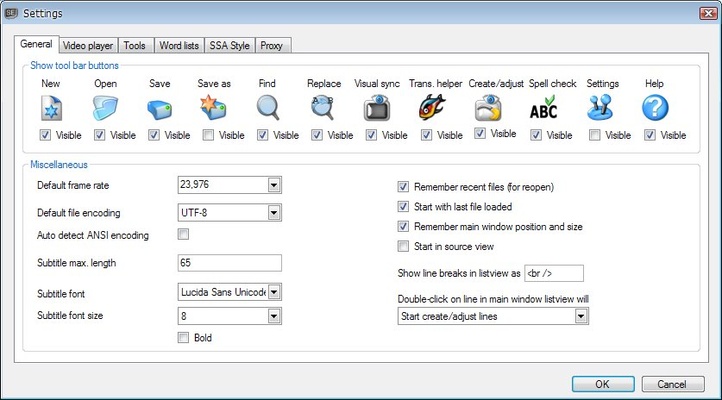
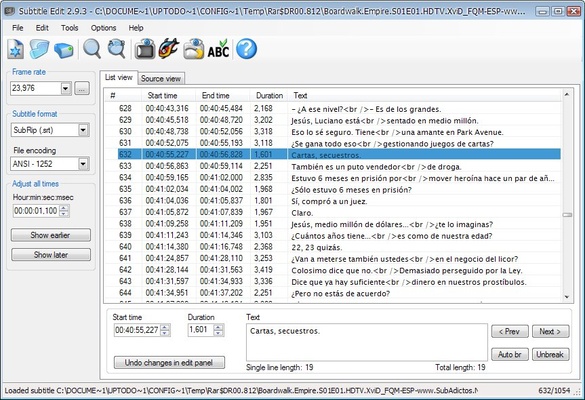
Subtitle Edit features a clean and intuitive interface designed for both beginners and advanced users. Whether you're working with a simple text-based subtitle file or a complex video project, the interface makes it easy to manage all aspects of subtitle editing. The software includes helpful toolbars, menus, and keyboard shortcuts that streamline the editing process, allowing you to focus on the creative aspects of your project.
Batch Subtitle Processing
For users working with multiple subtitle files, Subtitle Edit offers batch processing capabilities. This feature allows you to apply changes to multiple subtitle files simultaneously, saving you time and effort. You can adjust timings, change text, or convert file formats in bulk, making it a valuable tool for professionals and anyone managing large subtitle projects.
Subtitle Translation and Google Translate Integration
Subtitle Edit comes with built-in support for Google Translate, allowing you to quickly translate subtitles into other languages. This feature can be a huge time-saver for those working with international content or looking to localize their videos for a global audience. Simply input the original language, select the target language, and let Subtitle Edit handle the translation.
Final Overview
Subtitle Edit for Windows is an essential tool for anyone working with subtitles. Whether you're creating, editing, translating, or synchronizing subtitles, this software provides all the necessary features to get the job done efficiently. With its multi-format support, automatic synchronization, and easy-to-use interface, Subtitle Edit is perfect for both beginners and professionals. Download Subtitle Edit today and start creating accurate, synchronized subtitles for your videos!