
Go to Windows platform Display platforms icon
Go to Windows platform Go to Mac platform Go to Android platform
Kingshiper Screen Recorder icon

Kingshiper Screen Recorder

4.0.1
Kingshiper Software
0
44.95 MB size

An easy-to-use Windows desktop screen recording software.

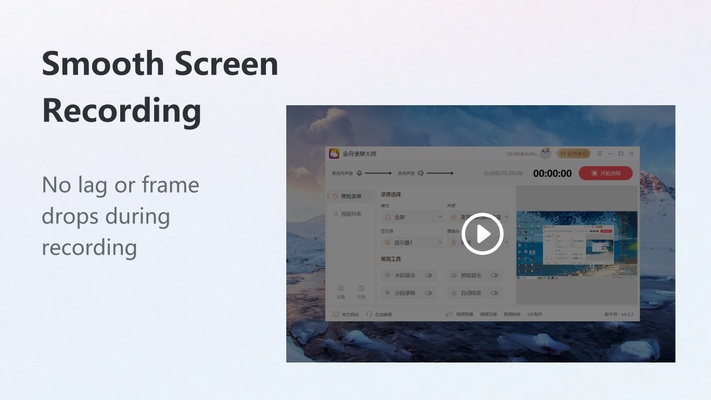
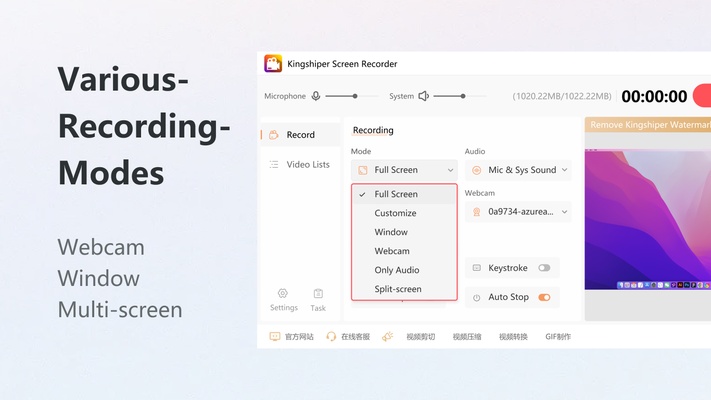
Kingshiper Screen Recorder is a powerful and user-friendly online screen recording software for Windows that supports high-definition and smooth recording, catering to various screen recording needs. It can handle multiple modes, including full-screen recording, custom recording, webcam recording, and split-screen recording. Kingshiper Screen Recorder supports a variety of output formats, such as MP4, AVI, MKV, WMV, FLV, GIF, MOV, and WTV, meeting the requirements of different platforms and devices. It is suitable for demonstrations, game recordings, meeting records, or video creation.

WHY CHOOSE Kingshiper Screen Recorder?

1. One-click full-screen recording with adjustable video quality. You can use tools like brushes and selection boxes for annotations during the recording.

2. Split-screen and synchronized webcam recording for teaching, streaming, and more.

3. Supports system sound, and microphone, and records both system sound and microphone for clear recordings.

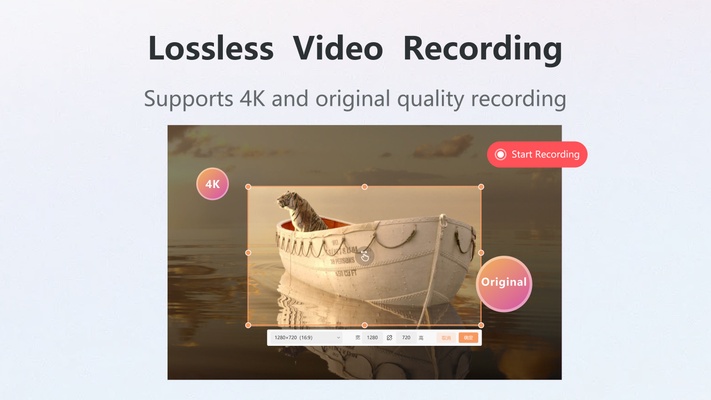
4. Various video output formats to meet the needs of different platforms. You can set the video quality in HD, ultra-quality, original quality, etc/

5. Displays keystrokes and mouse clicks in real-time during recording, making it ideal for creating tutorial videos.

HOW TO TRY IT FOR FREE?

After installing, you can screen records up to 3 minutes in length, but exported videos will include a watermark.

Upgrade your plan so that you can experience all the features without limitations, and export videos without watermarks.

Information about Kingshiper Screen Recorder

License Trial
Op. System Windows
Category Video
Language English
Author Kingshiper Software
permission icon Permissions Not applicable
Date 2026-06-02
Size 44.95 MB
File type EXE

Apps recommended for you

Blue Iris 6.1.1.3 icon
Video Management Software (VMS) for your Windows PC
MKVToolnix icon
Convert and edit MKV videos
TinyMediaManager icon
Create your own movie database
StaxRip icon
Convert your DVD movies into DivX or MPG
Emby Server icon
The Emby Theater server
AnyRec Screen Recorder icon
AnyRec Screen Recorder for Windows is a lightweight tool that allows users to capture screen activity, audio, and webcam video easily.
Shark007 Codecs icon
A complete audio and video codec package
Multiviewer icon
Watch multiple F1, Indycar and NASCAR streams at the same time
XviD4PSP 8.2.16 icon
Addapt your videos and view them in your PSP
K-Lite Codec Pack (Full) 20.2.0 icon
Unlimited playback with this complete codec pack
AVS Media Player 26.0.3.6 icon
How to play your video and audio
Camtasia 26.2.5.21144 icon
Video recording and editing toolkit
Movies & TV 2019.26091.10016.0 icon
Buy or rent movies and series without ads
KinoFlux Editor 0.1.2 icon
Convert, compress, edit, etc - videos, audio, images, pdf's - Offline.
Kinoflux Player 1.2.0 icon
The sleek, fast, minimal, free video player for your movies.
AbyssMedia BPM Counter icon
Easily detect BPM values for WAV and MP3 files for PC!
Flip PDF Plus Pro icon
Flip PDF Plus Pro is a powerful feature-rich flipbook maker
K-Lite Codec Pack (Mega) icon
Play any video with this recommended kit
Jellyfin icon
A cross-platform and open source media center
Movavi Video Converter icon
Good choice to convert videos to iPod or PSP format
Any Video Downloader icon
Any Video Downloader for Windows allows users to download videos from various websites in different formats and resolutions for offline viewing.
TubeDigger icon
TubeDigger for Windows is a powerful tool that enables users to download videos and audio from streaming websites with ease.
Camtasia Studio icon
Camtasia Studio for Windows is a powerful screen recording and video editing software that allows users to create professional videos with ease.