

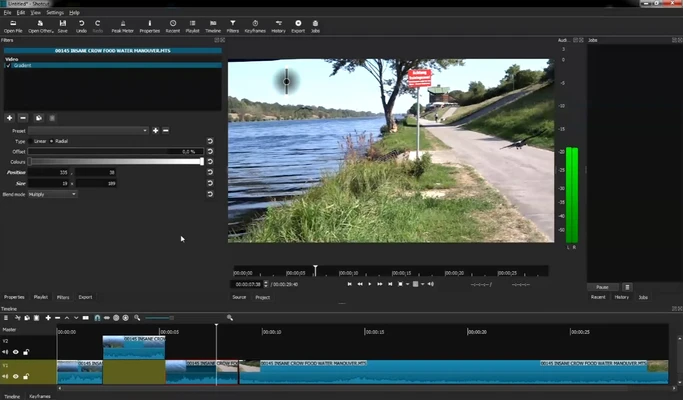
Shotcut is a free and open-source video editing software for Windows, macOS, and Linux. It provides professional-level editing tools, wide format support, and advanced features without requiring a paid subscription.
Developed by Meltytech, Shotcut is designed for content creators, YouTubers, educators, and video enthusiasts who need powerful editing capabilities with a lightweight and flexible workflow.
Unlike many beginner-focused video editors, Shotcut uses a non-linear editing system with advanced filters, effects, timeline controls, and support for high-resolution video projects.
Features and Highlights
Wide Format Support
Shotcut supports a large number of video and audio formats through FFmpeg, allowing users to edit various media files without conversion.
Non-Linear Timeline Editing
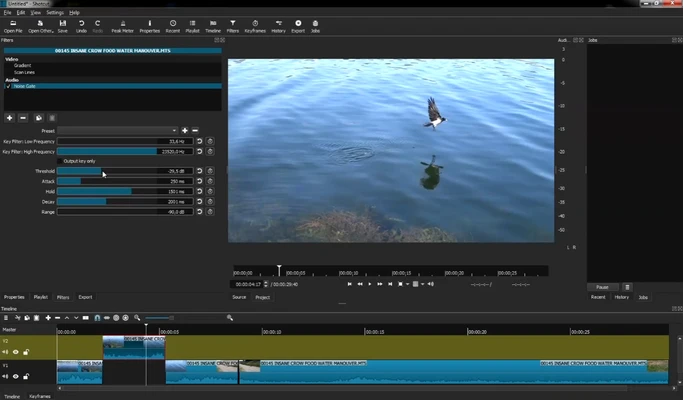
Edit videos directly on a flexible timeline with support for:
- Cutting and trimming clips
- Multiple tracks
- Transitions
- Layered editing
- Timeline-based effects
4K Video Support
Shotcut supports HD, Full HD, and 4K video editing, making it suitable for modern content creation workflows.
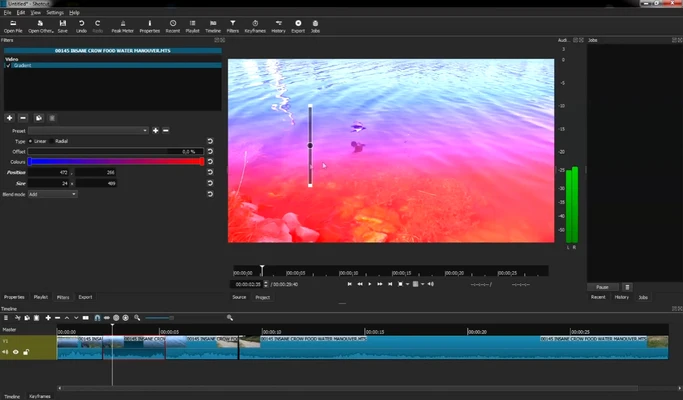
Video Effects and Filters
Includes a wide range of built-in filters, such as:
- Color correction
- Chroma key (green screen)
- Blur effects
- Sharpening
- Video adjustments
- Image processing filters
Audio Editing Tools
Provides audio mixing and processing features, including:
- Equalizer
- Compressor
- Reverb
- Volume control
- Audio meters
Keyframe Animation
Users can create animations and control effect parameters over time using keyframes.
Hardware Acceleration
Supports GPU acceleration for faster rendering and improved performance on compatible hardware.
Customizable Interface
The modular interface allows users to rearrange panels, customize layouts, and create a workflow that matches their editing style.
User Interface
Shotcut features a clean and customizable interface designed for advanced editing workflows.
While beginners may need some time to learn the layout, experienced users can quickly access powerful editing tools, filters, and timeline controls.
How to Use
- Install Shotcut and create a new project.
- Import video, audio, and image files.
- Drag media files to the timeline.
- Edit clips, add effects, transitions, and audio adjustments.
- Export the final project using the desired video format.
System Requirements
- Windows 7, 8, 10, or 11 (64-bit)
- Intel or AMD x86-64 processor
- 4 GB RAM minimum (8 GB or more recommended)
- GPU with hardware acceleration support recommended
- Around 500 MB free disk space
PROS
- Completely free and open-source
- No watermark or feature restrictions
- Supports many video formats
- Powerful timeline editing tools
- 4K video support
- Cross-platform availability
CONS
- Learning curve for beginners
- No built-in stock media library
- Limited collaboration features
- Performance depends on hardware configuration
Conclusion
Shotcut is a powerful free video editor that provides professional editing features without the cost of commercial software.
With extensive format support, advanced effects, and flexible timeline editing, Shotcut is an excellent choice for creators, educators, and users looking for a capable open-source alternative to premium video editing applications.