

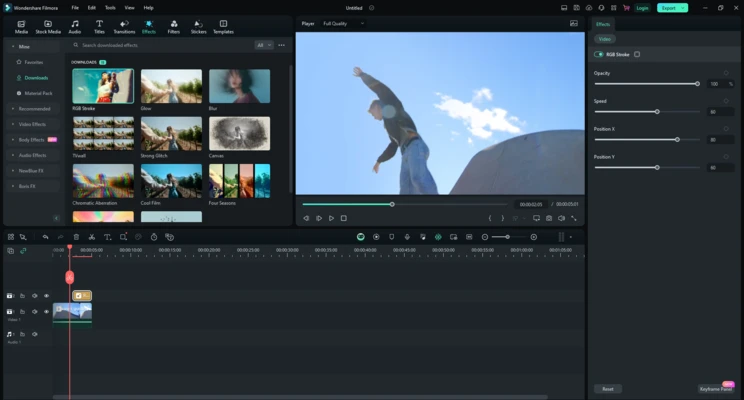

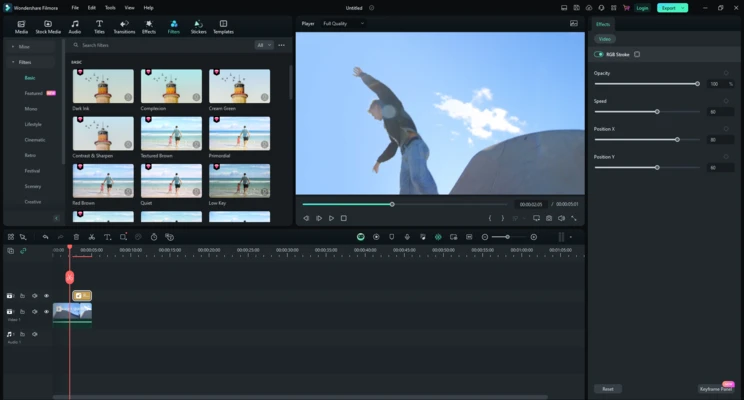
Filmora is an easy-to-use video editing software for Windows that combines a beginner-friendly interface with a wide range of editing tools and AI-powered features. It is designed for content creators, educators, marketers, and casual users who want to produce professional-looking videos without the steep learning curve of traditional video editing applications.
Built around a drag-and-drop workflow, Filmora allows users to edit videos, photos, and audio on a multi-track timeline while applying transitions, titles, filters, effects, animations, and motion graphics. It also includes a large built-in media library, AI-assisted editing tools, and support for exporting videos in resolutions up to 4K.
The software supports over 50 media formats and includes hundreds of video effects, templates, stickers, transitions, and royalty-free audio resources. Whether you're creating YouTube videos, social media content, presentations, tutorials, or promotional videos, Filmora provides an efficient editing environment suitable for both beginners and experienced users.
What's New in Filmora 15 (2026)
AI Editing
- Smart Short Clips automatically converts long videos into vertical clips optimized for social media.
- AI Sound Effect generates custom sound effects from text prompts.
- AI Video Enhancer improves low-resolution and blurry footage.
- AI Voice Enhancer reduces background noise and improves speech clarity.
- AI Translation & Lip Sync translates dialogue while synchronizing lip movements.
- AI Face Mosaic automatically detects and blurs faces.
- AI Portrait Cutout delivers more accurate background removal with improved edge detection.
- AI Image generates images from text prompts.
- AI Color Palette applies cinematic color grading while preserving natural skin tones.
Editing Improvements
- Multi-Camera Editing for editing multiple camera angles on a single timeline.
- Planar Tracking for attaching graphics, text, and objects to moving surfaces.
- Keyframe Path Curve for smoother animation control.
- Magnetic Timeline automatically snaps clips together for faster editing.
- Advanced Compression reduces file size while maintaining image quality.
- Improved performance and faster project loading.
Key Features
Drag-and-Drop Video Editing
Create videos quickly using an intuitive timeline that supports drag-and-drop editing.
Large Built-in Media Library
Access billions of stock media resources, preset templates, stickers, music, sound effects, and animated titles.
AI Editing Tools
Speed up editing with AI-powered features including background removal, voice enhancement, auto subtitles, object tracking, image generation, and video enhancement.
Creative Effects
Apply filters, overlays, transitions, motion graphics, 3D LUTs, and visual effects to enhance your projects.
Advanced Audio Editing
Edit audio with keyframes, equalizer controls, background noise reduction, voice enhancement, and audio separation.
Speed Control
Create slow-motion sequences, fast-motion effects, time-lapse videos, or reverse playback with adjustable speed controls.
Green Screen Support
Replace backgrounds using chroma key technology for presentations, gaming videos, and creative productions.
Motion Tracking
Track moving subjects and attach text, graphics, or effects that follow the selected object automatically.
GIF Support
Import, edit, and export animated GIF files.
Wide Format Compatibility
Supports more than 50 video, audio, and image formats, including 4K video editing and export.