

Go to Windows platform Display platforms icon
Go to Windows platform Go to Mac platform Go to Android platform
WonderFox DVD Ripper icon

WonderFox DVD Ripper

23.8
WonderFox Soft.
0
62.3 MB size

Rip your DVDs to save in any of the most common formats

WonderFox DVD Ripper is a simple tool to copy the content of any DVD and either save all the chapters in separate video files or create a larger file with the entire movie. According to its developers, you need just five minutes to create a backup of any DVD.

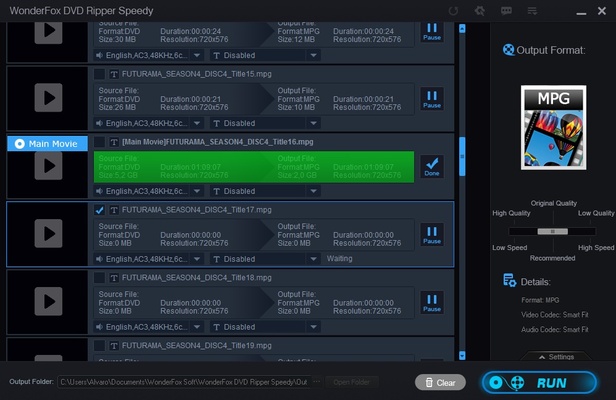
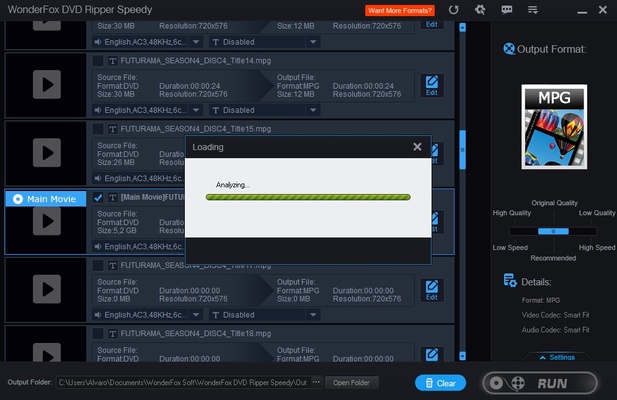
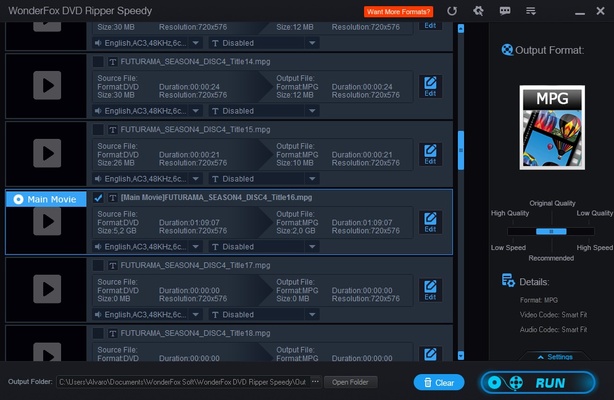
This program analyzes all the information on the DVD and displays their full contents, alongside the length and format of each chapter and the included audio channels and subtitles.

Select the parts you want to rip to make your custom copy, then decide the final quality and format of the backup file. You can choose from AVI, MP4, MPG, and WMV, or formats specially created for iOS and Android. You can also choose the conversion speed, depending on whether you need to do a backup quickly or prefer something of better quality that will take a bit longer.

WonderFox DVD Ripper lets you compress dual-layer DVDs into digital copies of just one gigabyte. It also includes preview options, multizone support, and editing functions so you can choose what you want to rip according to your needs.

Information about WonderFox DVD Ripper

License Free
Op. System Windows
Category Video
Language English
Author WonderFox Soft.
permission icon Permissions Not applicable
Date 2026-06-02
Size 62.3 MB
File type EXE

Apps recommended for you

TinyMediaManager icon
Create your own movie database
MP4 Player 6.4.21 icon
Play MP4, FLV, and WebM video files that downloaded from video sites!
Wondershare Filmora icon
Create and edit impressive videos in the easiest way possible
Blue Iris 6.1.1.3 icon
Video Management Software (VMS) for your Windows PC
K-Lite Codec Pack Full icon
Play all your audio and video files effortlessly with K-Lite Codec Pack Full for Windows, the comprehensive codec and media playback solution.
Media Player Classic Home Cinema 2.8.1 (64-bit) icon
An extremely light-weight, open source media player for Windows
Media Player Codec Pack icon
Media Player Codec Pack for Windows 10 and 11
Bandicam icon
Records everything that happens on your screen, even video games
K-Lite Codec Pack Full 20.0.0 icon
Free package of media player codecs that can improve audio/video playback
VideoScribe 1.20.1 icon
Easy drag and drop animated video maker for beginners to professionals!
All My Movies 10.1 icon
Your Personal Movie Collection Cataloger and Organizer With IMDb Lookup!
Media Player Classic Home Cinema 2.8.2 (64-bit) icon
An extremely light-weight, open source media player for Windows
MP4 Player 6.4.21 icon
Play MP4, FLV, and WebM video files that downloaded from video sites!
MKVToolNix 102.0.0 (64-bit) icon
Create, modify and inspect Matroska (MKV) files for Windows PC
Subtitle Workshop 6.3.6 icon
Free software for creating, editing and converting text-based subtitle files
Blue Iris 6.1.1.3 icon
Video Management Software (VMS) for your Windows PC
Jellyfin icon
A cross-platform and open source media center
Video Download Manager icon
Video Download Manager for Windows is a tool that helps users download and organize videos from multiple websites in different formats and resolutions.
Ocenaudio 3.20.1 icon
Easy, fast and free powerful audio editor for your Windows OS
scrcpy icon
Control your smartphone and tablet from your computer
ShareX Portable icon
ShareX Portable for Windows is a lightweight, open-source screen capture tool that allows users to capture screenshots, record screen activities, and share media quickly.
Blue Iris 6.0.8.1 icon
Video Management Software (VMS) for your Windows PC
Rclone icon
The command-line app for transferring files and synchronizing directories
Movavi Video Converter icon
Good choice to convert videos to iPod or PSP format