Go to Windows platform Display platforms icon
Go to Windows platform Go to Mac platform Go to Android platform
FFmpeg icon

FFmpeg

7.1.1
FFmpeg
5
51.74 MB size

One of the best open codecs for video playback

FFmpeg is one of the most popular open codec collections on the Internet. This collection is a must-have for decoding, encoding, transcoding, muxing, demuxing, streaming, filtering, and playing all kinds of multimedia content, including the support you need for legacy and modern formats.

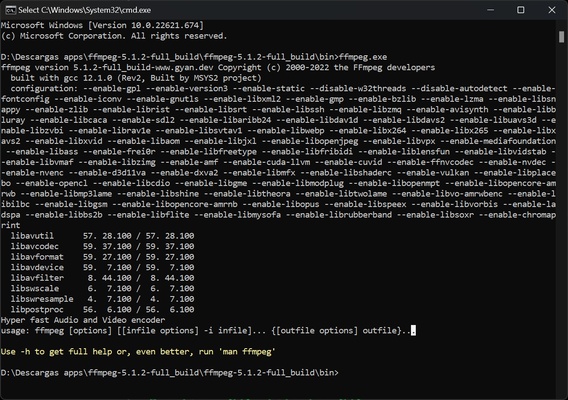
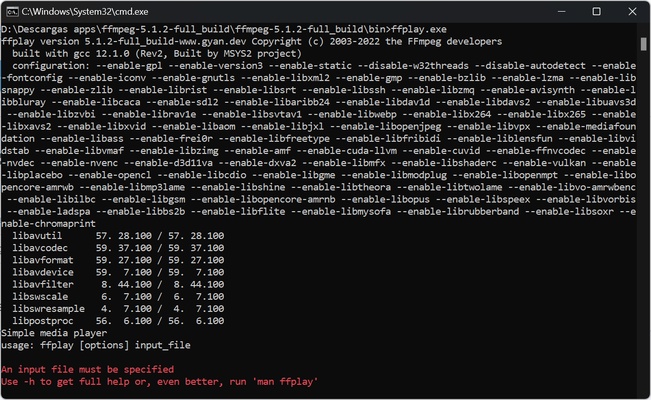
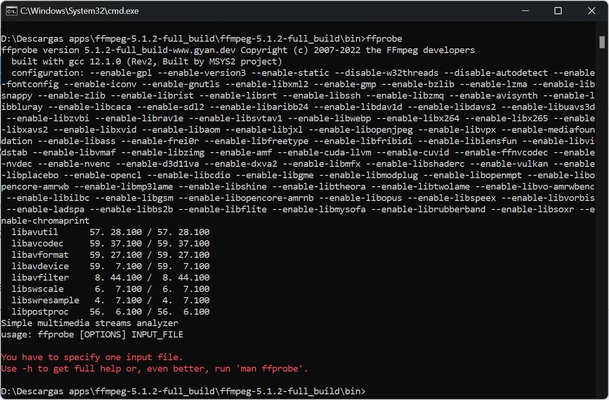
FFmpeg contains the libavcodec, libavutil, libavformat, libavfilter, libavdevice, libswscale, and libswresample libraries. It also includes ffmpeg, ffplay, and ffprobe, which can be used by end users to decode and encode content you have saved to your computer.

With ffmpeg, you can convert audio or video from one format to another, as well as capture images in real time. With ffserver, you can stream content through HTTP protocol. Finally, with ffplay, you can play content.

The FFmpeg codecs are mostly developed from scratch to ensure the highest possible efficiency when working with multimedia content. Among the implemented video codecs, you'll find MPEG-1, MPEG-2, MPEG-4, H.261, H.263, H.264/MPEG-4 AVC, x264, H.265/HEVC/x265, AV1, WMV, Cinepak, Sorenson, MJPEG, Huffyuv, Snow, Theora, VP3, VP5, VP6, and VP8/WebM. For audio, you'll find FLAC, MP2, MP3, ALAC, AAC, Cook, Shorten, QDM2, RealAudio, Vorbis, WavPack, DTS-HD, Dolby TrueHD, and WMA.

Although initially designed for Linux, this version was compiled specifically for Windows, with constant updates to include all the latest developments.

Therefore, if you want to enjoy one of the best open codec collections available online, don't waste any time in downloading FFmpeg.

Information about FFmpeg

License Free
Op. System Windows
Category Video
Language English
Author FFmpeg
permission icon Permissions Not applicable
Date 2026-06-02
Size 51.74 MB
File type 7Z

Apps recommended for you

Blue Iris 6.0.8.1 icon
Video Management Software (VMS) for your Windows PC
K-Lite Codec Pack Full 19.9.5 icon
Free package of media player codecs that can improve audio/video playback
Blue Iris 6.1.1.3 icon
Video Management Software (VMS) for your Windows PC
Subtitle Workshop icon
Add subtitles to your movies
Kinoflux Player 1.2.0 icon
The sleek, fast, minimal, free video player for your movies.
Winxvideo AI icon
Enhance, upscale, compress, and convert videos with Winxvideo AI for Windows, the AI-powered video processing software for high-quality media editing.
Wondershare Filmora icon
Create and edit impressive videos in the easiest way possible
XviD4PSP 8.2.16 icon
Addapt your videos and view them in your PSP
K-Lite Codec Pack (Full) 20.2.0 icon
Unlimited playback with this complete codec pack
AVS Media Player 26.0.3.6 icon
How to play your video and audio
Camtasia 26.2.5.21144 icon
Video recording and editing toolkit
Movies & TV 2019.26091.10016.0 icon
Buy or rent movies and series without ads
KinoFlux Editor 0.1.2 icon
Convert, compress, edit, etc - videos, audio, images, pdf's - Offline.
Kinoflux Player 1.2.0 icon
The sleek, fast, minimal, free video player for your movies.
Plex Media Server 1.43.3.10861 icon
Upload media content to a media center to stream movies, music, photos
Winxvideo AI icon
Enhance, upscale, compress, and convert videos with Winxvideo AI for Windows, the AI-powered video processing software for high-quality media editing.
Vidyard for Chrome icon
Vidyard for Chrome is a video recording and sharing extension that allows users to create, share, and track videos directly from their browser.
Secret Video Downloader icon
Secret Video Downloader for Windows allows users to download videos from various websites anonymously and securely for offline viewing.
Camtasia 26.2.5.21144 icon
Video recording and editing toolkit
HandBrake icon
Modify formatting and features for any DVD
OBS Studio 32.2.0 (64-bit) icon
Free Software for Desktop Video Recording and PC Live Streaming!
Orbit Video Downloader icon
Orbit Video Downloader for Windows is a fast and easy-to-use tool for downloading videos from various websites and saving them in different formats.