

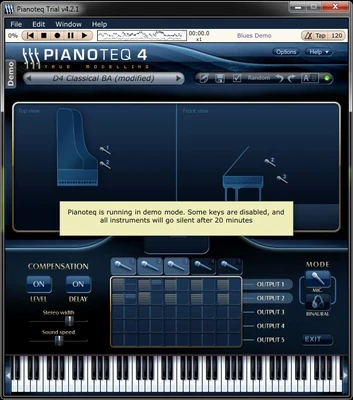
Pianoteq Overview
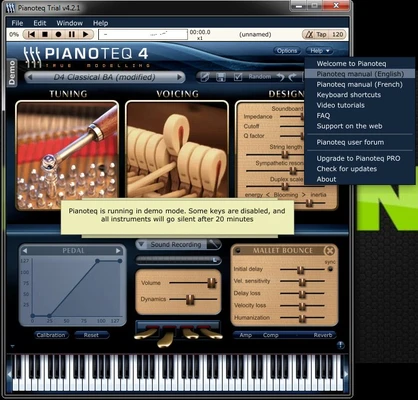
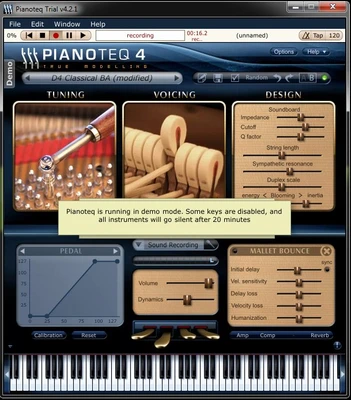
Pianoteq is an advanced virtual piano instrument that uses physical modeling technology instead of traditional sample-based audio. Unlike conventional virtual instruments that rely on large libraries of recorded sounds, Pianoteq generates sound in real time using mathematical models of acoustic behavior, resulting in a highly responsive and lightweight instrument.
This approach allows Pianoteq to deliver expressive and natural piano sound while maintaining extremely small file size and low system resource usage. It is widely used by professional musicians, composers, and music producers for both performance and studio production.
Pianoteq supports a variety of instruments beyond acoustic pianos, including electric pianos, harpsichords, and historical keyboard instruments. It also offers deep sound customization options, making it suitable for sound design and advanced music production workflows.
Key Features
-
Physical modeling sound engine (no sample libraries required)
-
Highly expressive and dynamic piano response
-
Lightweight installation with minimal disk and RAM usage
-
Multiple instruments including grand piano, upright, electric piano, and more
-
Advanced sound shaping controls (tuning, resonance, timbre, and mechanics)
-
MIDI and MPE controller support
-
Standalone application and VST/AU plugin support
-
Built-in effects including reverb, EQ, chorus, and tremolo
-
Real-time sound parameter customization
-
Compatible with major DAWs on Windows, macOS, and Linux
Pros
-
Extremely lightweight compared to sample-based piano instruments
-
Highly realistic and responsive sound engine
-
Deep customization for professional sound design
-
Works well on low and high-end systems
-
Flexible plugin and standalone usage
Cons
-
Less suitable for users who prefer traditional sample-based piano sound
-
Requires learning curve to fully utilize sound customization features
-
Premium instrument packs require paid expansion
Conclusion
Pianoteq is one of the most innovative virtual piano instruments available today. By using physical modeling instead of samples, it delivers a highly responsive and customizable playing experience while remaining extremely lightweight. It is an excellent choice for professional musicians, composers, and sound designers who require flexibility and realism in a compact package.