

Postman is a powerful API development and testing platform for Windows, macOS, and Linux. It helps developers design, send, test, debug, document, and manage APIs from a single application.
Postman supports REST, GraphQL, WebSockets, and other API technologies, making it useful for developers, QA engineers, DevOps teams, and anyone who needs to work with APIs.
What's New
Recent Postman releases have expanded its AI and API development capabilities, with improvements focused on API discovery, automated testing, collaboration, and workflow automation.
-
AI-powered tools for API and agent development
-
LLM testing and evaluation features
-
Improved API discovery and integration
-
Visual tools for building multi-step workflows
-
Enhanced API testing and automation
-
Improved collaboration and workspace management
-
Additional integrations for development and CI/CD workflows
Key Features
API Testing: Create and send API requests, inspect responses, and identify errors during development and testing.
Collections: Organize API requests into collections and folders for easier management and reuse.
Environments: Create separate environments for development, testing, and production, with reusable variables for URLs, API keys, tokens, and other values.
Automated Testing: Write JavaScript-based tests to validate API responses and automate repetitive testing tasks.
Mock Servers: Simulate API endpoints when a production or development backend is not available.
API Documentation: Generate and share API documentation based on collections and API definitions.
Postman CLI: Run collections and automated tests from the command line and integrate them into CI/CD pipelines.
GraphQL Support: Create and test GraphQL queries and mutations directly within Postman.
WebSocket Support: Test real-time communication and WebSocket-based APIs.
Authentication: Supports common authentication methods and allows developers to manage API credentials, tokens, and environment variables.
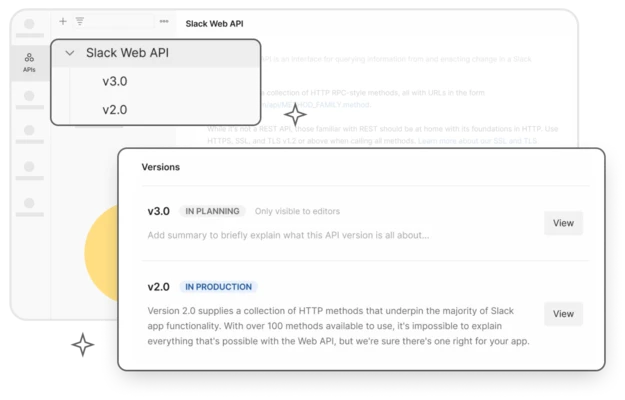
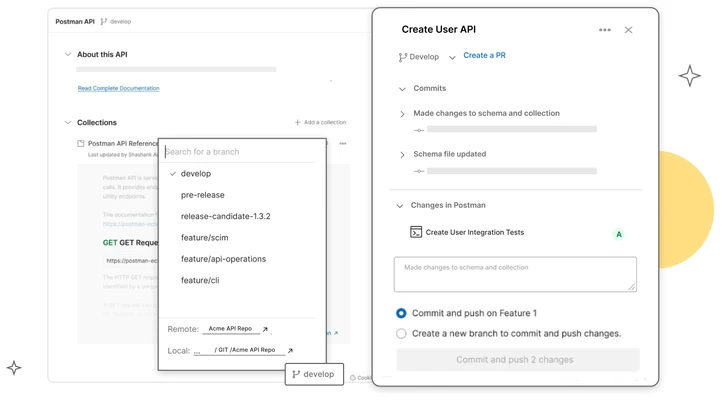
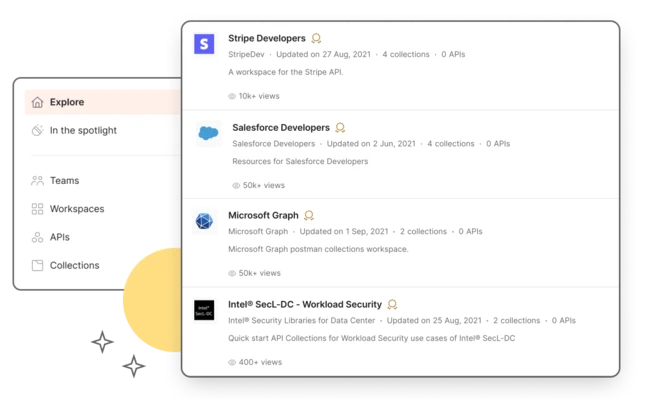
Collaboration: Share collections, environments, documentation, and workspaces with team members.
API Workflows: Build automated workflows that connect multiple requests and API operations.
Integrations: Connect Postman with development and DevOps tools to integrate API testing into existing workflows.
User Interface
Postman uses a modern workspace-based interface designed around API requests and collections.
The sidebar provides quick access to collections, environments, APIs, history, and other resources. The main workspace allows developers to configure HTTP methods, URLs, parameters, headers, authentication, and request bodies.
Responses are displayed directly within the application, making it easy to inspect status codes, headers, response data, and test results.
The interface is relatively easy for beginners to understand while providing advanced tools for experienced API developers.
Installation and Setup
-
Download the latest version of Postman for Windows, macOS, or Linux.
-
Run the installer and follow the on-screen instructions.
-
Launch Postman after installation.
-
Sign in or create a Postman account if you want to use cloud-based features.
-
Create a workspace or open an existing project.
-
Create your first API request and enter the endpoint URL.
-
Configure authentication, headers, parameters, and request data as required.
The desktop application can be used locally, while certain collaboration and cloud features require an internet connection and Postman account.
How to Use
Create a Request: Open a new request and select the required HTTP method, such as GET, POST, PUT, or DELETE.
Enter the API URL: Enter the endpoint you want to test.
Configure the Request: Add query parameters, headers, authentication credentials, or a request body.
Send the Request: Click Send to execute the API request.
Inspect the Response: Review the response status code, headers, body, cookies, and other information.
Save the Request: Save frequently used requests to a collection for future testing.
Create Environments: Use environment variables to manage different API endpoints and credentials for development, testing, and production.
Add Tests: Create JavaScript-based tests to automatically validate API responses.
Run Collections: Run multiple requests together using the Collection Runner or Postman CLI.
FAQ
Is Postman free?
Yes. Postman provides a free plan with core API development and testing features. Advanced collaboration, administration, and enterprise capabilities are available through paid plans.
Can I use Postman without an internet connection?
Yes. The desktop application can be used for local API testing without an internet connection. Cloud synchronization, collaboration, monitoring, and other online features require internet access.
Does Postman support GraphQL?
Yes. Postman supports GraphQL queries and mutations in addition to REST and other API technologies.
Can Postman automate API testing?
Yes. You can create JavaScript-based tests and run collections automatically using Postman tools and the Postman CLI.
Does Postman support WebSockets?
Yes. Postman can be used to create and test WebSocket connections and real-time API communication.
Can I use Postman for CI/CD?
Yes. The Postman CLI allows developers to run collections and automated tests from scripts and CI/CD environments.
Do I need a Postman account?
An account is not required for every local workflow, but an account is useful for cloud synchronization, collaboration, and other online features.
Is Postman suitable for beginners?
Yes. Its graphical interface makes basic API testing relatively easy, while more advanced features are available for experienced developers and QA teams.
Alternatives
Insomnia: A modern API client supporting REST, GraphQL, gRPC, WebSockets, and other API technologies.
cURL: A lightweight command-line tool for making HTTP requests and testing APIs without a graphical interface.
Hoppscotch: A lightweight web-based API development and testing tool supporting several API protocols.
SoapUI: A testing tool focused on SOAP and REST APIs with advanced testing capabilities.
Pricing
Free – $0
-
API client
-
Up to 3 collaborators
-
Cloud integrations
-
Limited collection runs
-
Flows
-
Limited Postbot activities
-
Basic API development and testing features
Basic – $14/user/month
Billed annually. Includes the Free plan features plus:
-
Unlimited collaborators
-
Extended collection recovery
-
Mock server and monitoring requests
-
Additional paid add-ons
Professional – $29/user/month
Billed annually. Includes Basic features plus:
-
Private workspaces
-
Additional workspace options
-
Role-based access controls
-
More packages
-
Extended collection recovery
Enterprise – $49/user/month
Billed annually. Includes Professional features plus:
-
Private API network
-
SSO, SCIM, and SAML
-
Reporting and analytics
-
Audit logs
-
User groups
-
Advanced role-based access control
-
Higher usage limits
-
Enterprise support and administration features
Pricing and available features may change depending on the subscription and billing period.
System Requirements
-
Operating System: Windows 10 or Windows 11 (64-bit)
-
Processor: Intel Core i3 or equivalent
-
RAM: 4 GB minimum; 8 GB or more recommended
-
Storage: At least 500 MB of free disk space
-
Internet Connection: Required for cloud-based features and online API services
Pros
-
Comprehensive API development and testing tools
-
Supports REST, GraphQL, and WebSockets
-
Automated API testing
-
Collections and environment management
-
Mock server support
-
API documentation tools
-
Postman CLI for automation and CI/CD
-
Strong collaboration features
-
Free plan available
-
Cross-platform support
Cons
-
Can consume significant memory with large projects
-
Some advanced features require a paid plan
-
Cloud features require a Postman account
-
Large collections may affect performance
-
Advanced API testing features can take time to learn
Conclusion
Postman is a comprehensive API development and testing platform that provides developers with the tools needed to create, test, debug, document, and automate API workflows.
Its combination of API requests, collections, environments, automated testing, mock servers, documentation, CLI support, and collaboration features makes it suitable for both individual developers and professional development teams.
For users who regularly work with REST, GraphQL, or WebSocket APIs, Postman is a practical and feature-rich choice for API development and testing.
Note: Some collaboration, automation, monitoring, and enterprise features require a paid subscription.