

Arduino IDE – Free Open-Source Development Environment for Arduino Boards
The Arduino IDE (Integrated Development Environment) is the ultimate open-source software for programming Arduino microcontrollers, designed for beginners, hobbyists, and professional developers alike. Compatible with Windows, macOS, and Linux, it provides a simple yet powerful platform to write, compile, and upload code to Arduino boards.
Whether you’re creating LED projects, robotics, IoT devices, or electronic prototypes, the Arduino IDE makes coding intuitive and accessible.
Key Features
- Cross-Platform Support: Runs on Windows 7/8/10/11, macOS, and Linux, allowing seamless coding on your preferred OS.
- Easy-to-Use Editor: Includes syntax highlighting, autocompletion, and error checking for faster coding.
- Library & Board Manager: Access thousands of pre-built libraries and board definitions for quick project setup.
- Serial Monitor: Monitor real-time data and debug projects directly from the IDE.
- Integrated Examples: Built-in sketches for learning, testing, and prototyping.
- Third-Party Library Support: Extend functionality with external Arduino libraries.
- Plug-and-Play Connectivity: Automatic detection and configuration of Arduino boards.
- Arduino Web Editor: Code online, store sketches in the cloud, and manage multiple boards easily.
User Interface
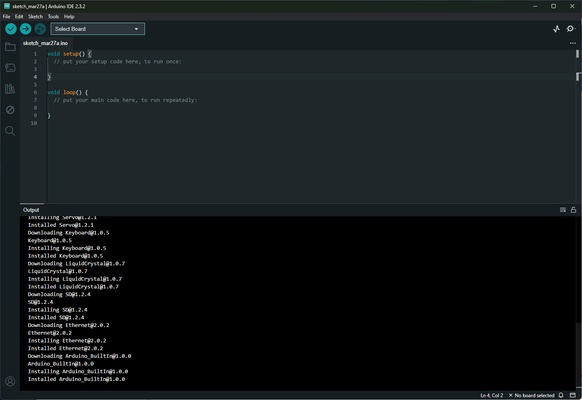
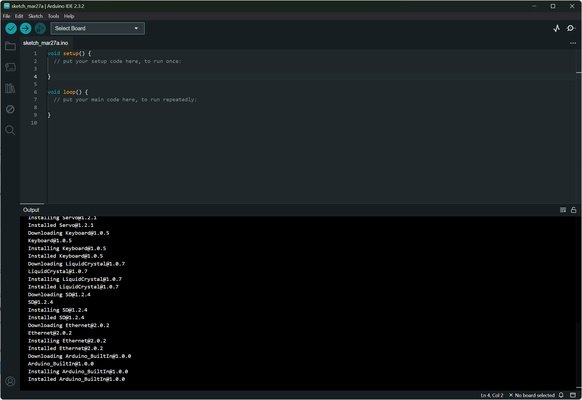
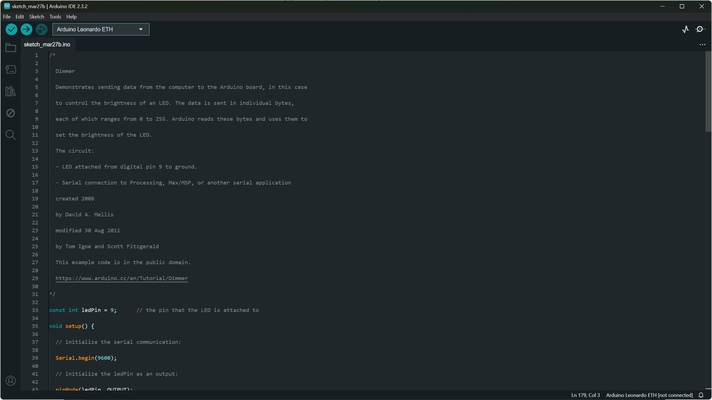
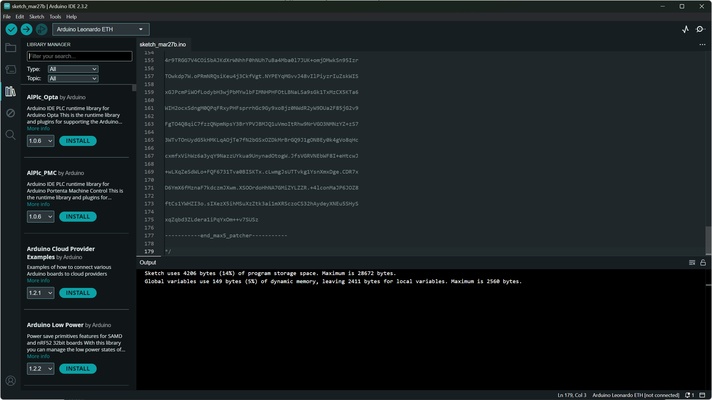
The Arduino IDE features a clean and intuitive interface divided into:
- Toolbar: Quick access to uploading, verifying, and opening examples.
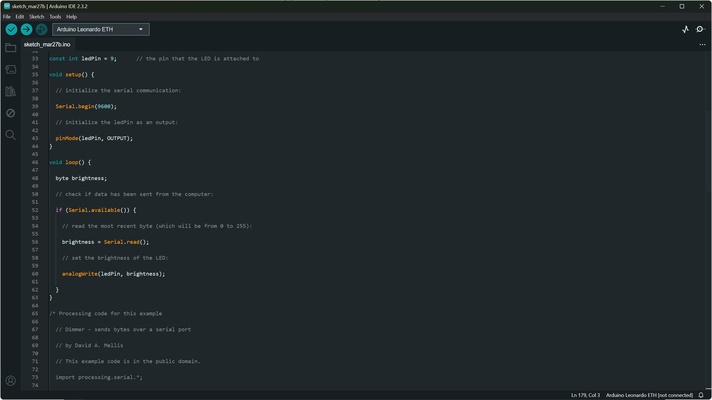
- Code Editor: Syntax highlighting, line numbering, and autocompletion enhance readability and efficiency.
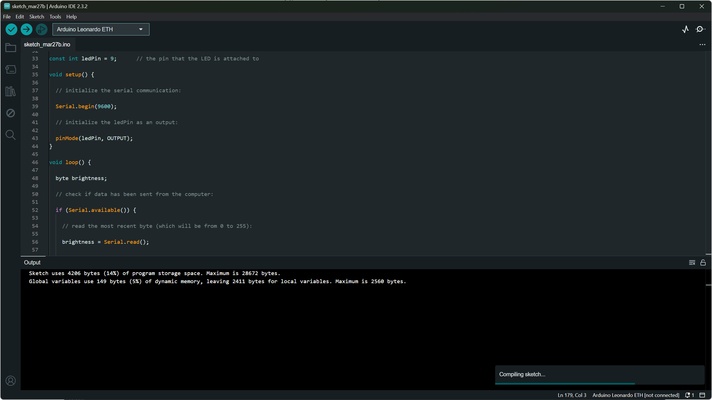
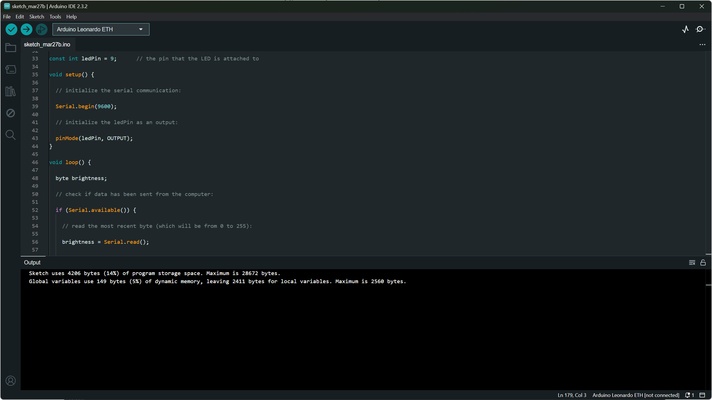
- Message Area: Displays compiler output, errors, and debugging information for easy troubleshooting.
How to Install & Use
- Download: Get the latest Arduino IDE version from the official website or FileHorse.
- Install: Run the installer and follow on-screen instructions, including driver setup for Arduino boards.
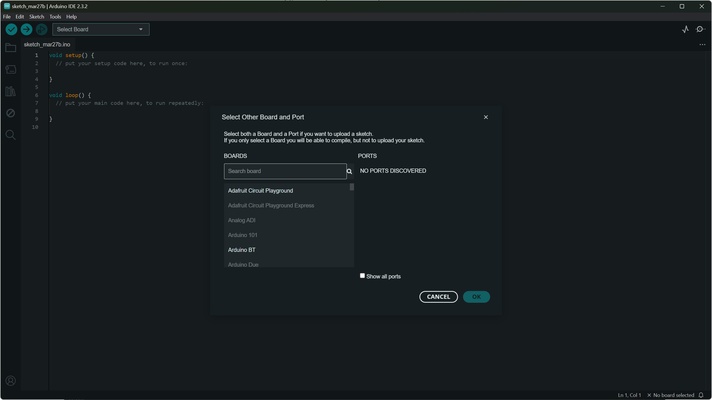
- Connect Board: Plug in your Arduino via USB; select the correct board and port under “Tools.”
- Write Code: Use the code editor, library manager, and examples to create your project.
- Upload & Monitor: Click Upload to transfer your code and use the Serial Monitor to observe real-time output.
FAQs
Q: Can I use Arduino IDE with other microcontrollers?
A: Yes, it supports compatible boards like ESP8266, ESP32, and other Arduino clones.
Q: Is it beginner-friendly?
A: Absolutely! Extensive documentation, example sketches, and a large community make it easy for newcomers.
Q: Can I extend functionality?
A: Yes, third-party libraries and board definitions can be integrated for advanced projects.
Q: Does it work on Chromebooks?
A: For Chromebooks, use the Arduino Web Editor via Arduino Cloud; desktop IDE is not compatible.
Alternatives
- PlatformIO IDE for VSCode: Professional IDE supporting multiple platforms and microcontrollers.
- Atmel Studio: Advanced IDE for Atmel microcontrollers.
- MPLAB X IDE: Comprehensive environment for Microchip PIC development.
- Visual Studio Code + Arduino Extension: Flexible editor with full Arduino support.
Pricing
The Arduino IDE is completely FREE and open-source, making it accessible to students, hobbyists, and professionals worldwide.
System Requirements
- OS: Windows 7/8/10/11, macOS, Linux
- CPU: 1 GHz or faster
- RAM: 512 MB minimum
- Disk Space: 150 MB
- USB: Required for board connection
Pros & Cons
Pros:
- Beginner-friendly and open-source
- Extensive library support
- Compatible with all Arduino boards
- Cross-platform for Windows, Mac, and Linux
- Active community and documentation
Cons:
- Basic interface may feel simplistic for advanced users
- Fewer advanced debugging features than professional IDEs
- Occasional compatibility issues with certain third-party boards
Conclusion
The Arduino IDE is an essential tool for anyone interested in electronics, robotics, or IoT. Its user-friendly interface, library support, and cross-platform compatibility make it ideal for both beginners and experienced developers.
From simple LED blink projects to complex robotics and IoT applications, Arduino IDE empowers creativity and innovation. Download it today and start building your electronic projects instantly.