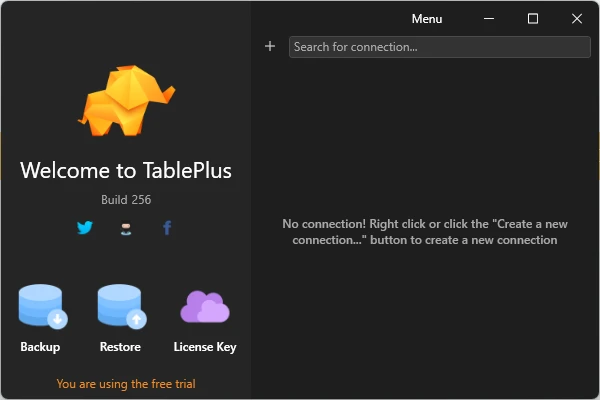
TablePlus is a modern and lightweight database management tool for Windows that provides a graphical interface for working with relational and NoSQL databases. It supports popular database systems including MySQL, PostgreSQL, SQLite, MariaDB, Microsoft SQL Server, Redis, MongoDB, and more.
TablePlus allows users to browse, edit, query, filter, import, and export database data from a clean and intuitive interface. It also includes built-in SSH support, multiple tabs and windows, SQL editing tools, and customizable keyboard shortcuts.
What's New
-
Improved database compatibility and connection stability.
-
Performance improvements for database browsing and querying.
-
UI and usability improvements.
-
Updates to supported database drivers and features.
-
Bug fixes and general stability improvements.
Key Features
-
Supports MySQL, PostgreSQL, SQLite, MariaDB, SQL Server, Redis, MongoDB, and other databases.
-
Browse and edit database records through a spreadsheet-style interface.
-
Execute SQL queries using the built-in query editor.
-
Use advanced filters to find specific records quickly.
-
Manage tables, columns, indexes, views, and other database objects.
-
Import and export database data and SQL dumps.
-
Built-in SSH support for remote database connections.
-
Multiple tabs and windows for working with several connections.
-
Keyboard shortcuts for faster database management.
-
Code Review helps track changes made to database structures and data.
-
Plugin support for extending functionality.
-
Search and quickly navigate to databases, tables, schemas, and other objects.
User Interface
TablePlus features a clean, modern interface designed to make database management easier. Database records are displayed in a spreadsheet-style view, while the sidebar provides quick access to databases, tables, schemas, and other objects.
The interface supports multiple tabs and windows, allowing users to work with several database connections at the same time.
Installation and Setup
-
Download the TablePlus installer for Windows.
-
Run the installer and follow the setup instructions.
-
Launch TablePlus after installation.
-
Create a new database connection.
-
Enter the server address, port, username, password, and other required connection details.
-
Connect to the database and begin managing your data.
How to Use
-
Open TablePlus and create a new connection.
-
Select the database type you want to use.
-
Enter your database connection information.
-
Connect to the database.
-
Browse tables and database records from the main interface.
-
Edit records directly or use the SQL editor to run queries.
-
Use filters and search tools to locate specific data.
-
Import or export data when required.
-
Manage database structures such as tables, columns, and indexes.
FAQ
What is TablePlus?
TablePlus is a graphical database management tool for connecting to, querying, and managing different types of databases.
Which databases does TablePlus support?
It supports databases including MySQL, PostgreSQL, SQLite, MariaDB, Microsoft SQL Server, Amazon Redshift, Oracle, CockroachDB, Snowflake, Cassandra, Redis, Vertica, and MongoDB.
Is TablePlus free?
TablePlus offers a free version with limitations. Additional features are available in the paid version.
Does TablePlus support SSH connections?
Yes. TablePlus includes built-in SSH support for connecting to remote databases through an SSH tunnel.
Can I manage multiple databases at the same time?
Yes. You can use multiple tabs and windows to work with different database connections.
Can I edit database records directly?
Yes. TablePlus allows users to edit records directly through its graphical interface.
Alternatives
DBeaver – A powerful cross-platform database management tool with broad database support and extensive features.
MySQL Workbench – A database development and administration tool designed primarily for MySQL.
DataGrip – A professional database IDE with advanced SQL editing and database management features.
Pricing
TablePlus offers a free version with limitations. The paid version provides additional features and removes restrictions on database management and usage.
System Requirements
-
Operating System: Windows 10 or later
-
Internet connection may be required for activation, updates, and some features
-
Supported database server or local database connection
PROS
-
Clean and modern interface
-
Supports many database systems
-
Fast database browsing and editing
-
Built-in SSH support
-
Multiple tabs and windows
-
Useful keyboard shortcuts
-
Import and export tools
-
Plugin support
CONS
-
Free version has usage limitations
-
Some advanced features require a paid license
-
Advanced SQL development features are more limited than those found in dedicated database IDEs
Conclusion
TablePlus is a fast and user-friendly database management tool for Windows users who need to work with multiple database systems. Its clean interface, broad database support, built-in SSH connections, SQL editor, and data management tools make it suitable for developers, database administrators, and other users working with databases.