

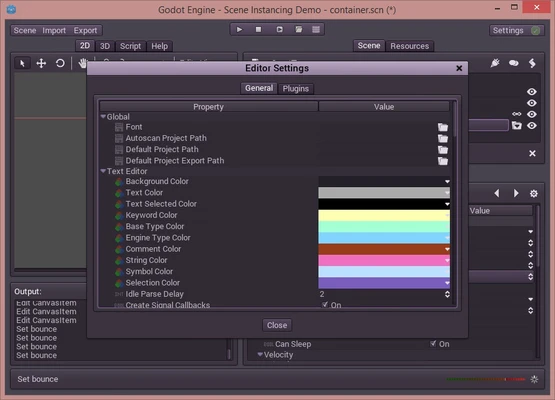
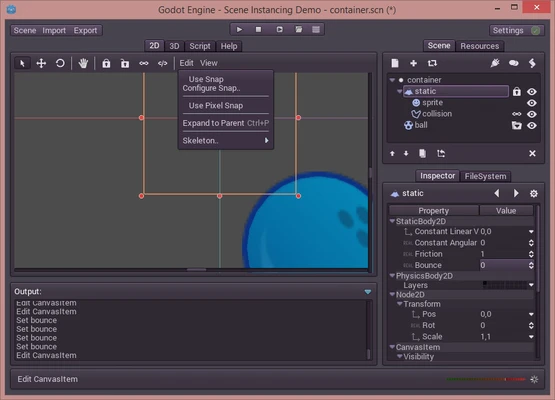
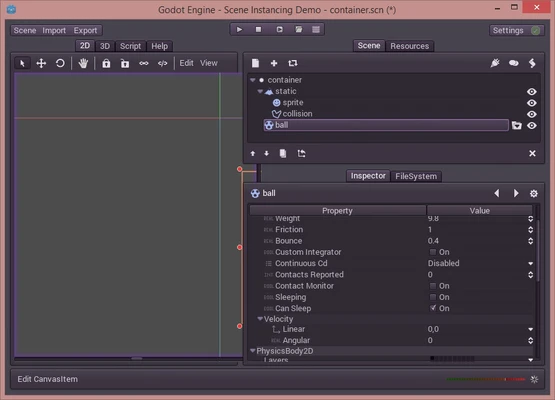
Godot Engine 64-bit is a powerful, open-source game engine for creating both 2D and 3D games on Windows PC. It provides a complete set of development tools, allowing developers to focus on game creation without building core systems from scratch.
Overview
Godot is a feature-rich, cross-platform game engine released under the MIT license. It is completely free to use with no royalties or restrictions.
It includes a fully integrated editor, built-in scripting system, animation tools, and export pipelines that allow developers to deploy games across multiple platforms with ease.
Key Features
Powerful Game Development Tools
- Fully featured visual editor
- Scene-based architecture with instancing and inheritance
- Context-sensitive UI for efficient workflow
- Visual shader editor for 2D and 3D
- Live editing with instant updates
Advanced 2D Game Engine
- Dedicated 2D rendering system (no hacks)
- Pixel-perfect workflow
- Custom 2D physics engine
- Flexible collision and kinematic controllers
- 2D/3D hybrid rendering support
High-Quality 3D Capabilities
- Import support for Blender, Maya, and 3ds Max
- Physically-based rendering pipeline
- Real-time lighting and shadows
- HDR, bloom, fog, and post-processing effects
- Skeleton and blend shape animation support
Animation System
- Timeline-based animation editor
- Support for rigs, bones, and IK systems
- Animate any property or object
- Custom easing curves and tweening tools
- AnimationTree for advanced character animation
Built-in Scripting System
- GDScript (Python-like language)
- Real-time code completion and syntax highlighting
- Integrated debugger and profiler
- C++ support for performance optimization
- Full documentation browser
Cross-Platform Export
- Windows, macOS, Linux, BSD
- iOS and Android mobile platforms
- HTML5 web export
- One-click deployment system
- Custom build support
Why Choose Godot Engine
Godot is ideal for developers who want a lightweight, flexible, and fully open-source game engine. It provides complete control over game development without licensing fees or restrictions.
Its node-based architecture and scene system make it especially powerful for both indie developers and professional studios.
Best For
- Indie game developers
- 2D game creators
- 3D prototyping projects
- Mobile game developers
- Open-source developers
- Game development learning
Pros
- Completely free and open-source
- Lightweight and fast
- Excellent 2D engine
- Cross-platform export support
- Active community and updates
Cons
- Smaller asset ecosystem
- Steeper learning curve for GDScript beginners
- Limited AAA-level 3D features
- Less industry adoption compared to Unity/Unreal
System Requirements
- Windows 10 / 11 (64-bit)
- GPU supporting OpenGL 3.3 or Vulkan 1.0
- 4 GB RAM minimum (8 GB recommended)
- 500 MB available storage space
- Optional: .NET SDK for C# support
Alternatives
- Unreal Engine – High-end 3D game development
- Unity – Industry-standard cross-platform engine
- GameMaker Studio – Beginner-friendly 2D engine
- CryEngine – Advanced graphics-focused engine
- Cocos Creator – Lightweight mobile game engine
- Construct 3 – No-code 2D game builder
- RPG Maker – Specialized RPG development tool
Conclusion
Godot Engine 64-bit is a powerful and flexible open-source game engine that offers full control over 2D and 3D game development. It is an excellent choice for indie developers and professionals seeking a free alternative to commercial engines.