

Git for Windows is a free and open-source version control system that brings Git's powerful distributed version control features to Windows PCs. It allows developers to track changes, manage source code, create branches, collaborate with other developers, and work with remote repositories.
It includes Git Bash, Git GUI, and Windows integration, making it suitable for both command-line users and developers who prefer graphical tools.
Git is widely used with platforms such as GitHub, GitLab, and Bitbucket and supports projects ranging from small personal applications to large software development projects.
Key Features
Distributed Version Control – Every Git repository contains the complete project history, allowing users to work without constantly connecting to a central server.
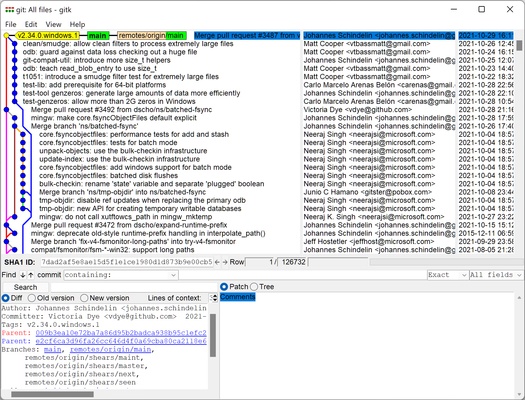
Branching and Merging – Create branches for new features, experiments, or bug fixes and merge changes when development is complete.
Fast Performance – Git is designed to handle source code and large repositories efficiently.
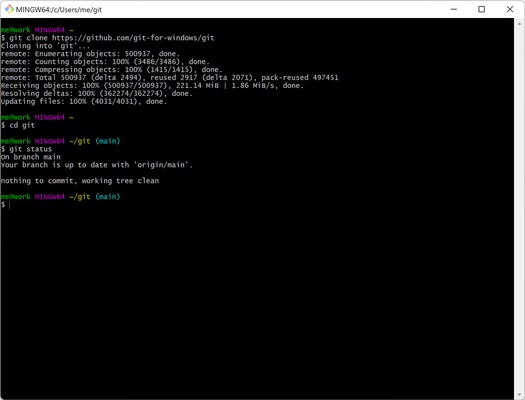
Git Bash – Provides a Unix-style command-line environment on Windows for running Git commands and other development tools.
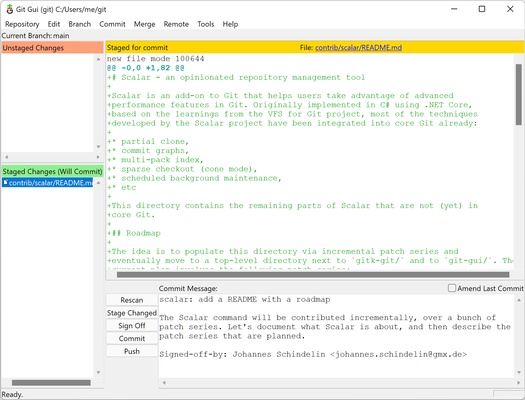
Git GUI – Provides a graphical interface for common Git operations.
Remote Repository Support – Connect to remote repositories hosted on GitHub, GitLab, Bitbucket, and other Git-compatible services.
SSH Authentication – Supports SSH keys for secure access to remote repositories.
Windows Integration – Integrates with Windows Explorer for convenient access to Git commands and repositories.
Open Source – Git for Windows is free to use for personal and commercial projects.
How to Use
- Install Git for Windows on your PC.
- Open Git Bash or Git GUI.
- Configure your username and email address.
- Create a new repository or clone an existing repository.
- Add and stage your files.
- Commit your changes.
- Create branches when working on different features.
- Merge branches when development is complete.
- Push changes to a remote repository.
- Pull updates from the remote repository when needed.
FAQ
Is Git for Windows free?
Yes. Git for Windows is free and open-source software.
What is Git Bash?
Git Bash is a terminal environment included with Git for Windows. It provides access to Git commands and many familiar Unix-style command-line tools.
Can Git for Windows work with GitHub?
Yes. Git for Windows works with GitHub and other Git hosting platforms that support Git repositories.
Does Git for Windows include a graphical interface?
Yes. Git for Windows includes Git GUI, although many developers prefer Git Bash or third-party Git clients.
Can I use Git without an internet connection?
Yes. Most Git operations can be performed locally without an internet connection. An internet connection is only required when interacting with remote repositories.
Alternatives
GitHub Desktop – A user-friendly graphical Git client designed for working with GitHub repositories.
Sourcetree – A graphical Git client with visual branch and repository management.
TortoiseGit – Windows Explorer integration for Git with a graphical interface.
Fork – A fast and modern Git client designed for Windows and macOS.
System Requirements
- OS: Windows 7, 8, 10, or 11
- CPU: 1 GHz processor or faster
- RAM: 512 MB minimum
- Storage: At least 200 MB of free disk space
- Internet: Required for remote repository operations
PROS
- Free and open-source
- Powerful distributed version control
- Excellent branching and merging capabilities
- Works with GitHub, GitLab, and other Git hosting services
- Includes Git Bash and Git GUI
- Suitable for both personal and professional development
CONS
- Command-line interface can be difficult for beginners
- Merge conflicts can be complicated to resolve
- Requires some Git knowledge to use effectively
- Graphical interface is relatively basic
Conclusion
Git for Windows is an essential version control tool for Windows developers. It provides the complete Git workflow, including repository management, branching, merging, commits, and remote repository access.
With Git Bash, Git GUI, and Windows integration included, it provides everything most developers need to manage source code and collaborate on software projects.