Go to Windows platform Display platforms icon
Go to Windows platform Go to Mac platform Go to Android platform
Windows Sound Recorder icon

Windows Sound Recorder

2021.2502.0.0
5
size

The official Windows Sound Recorder app

Windows Sound Recorder is the official Microsoft Windows app for recording sounds, with which you can use your PC's microphone to record all kinds of audio, including lectures, classes, audio notes and more.

Choose the device you want to record

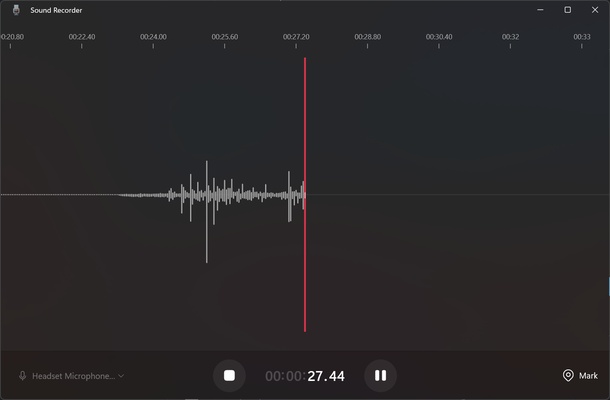
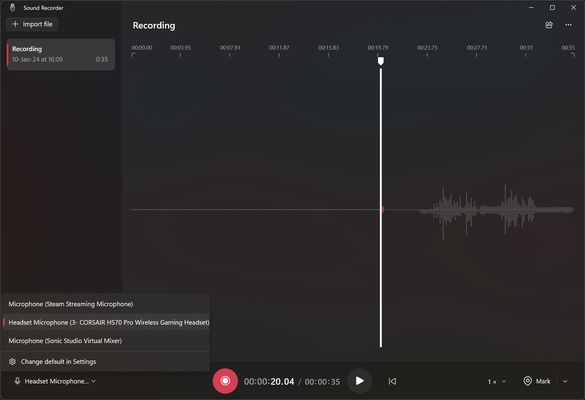
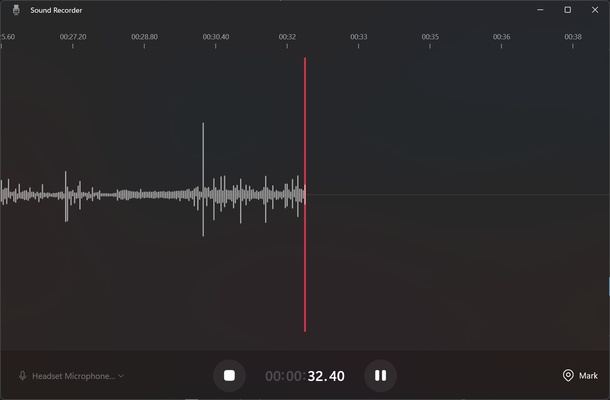
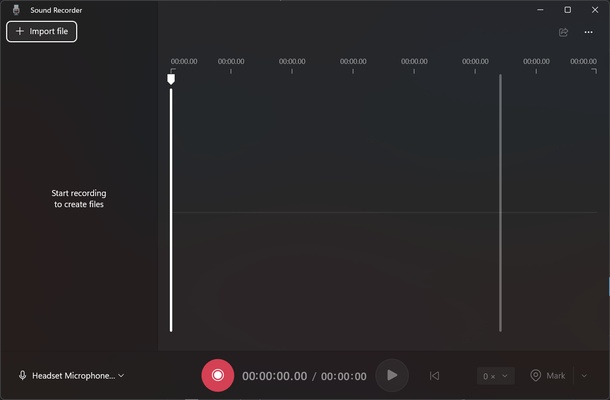
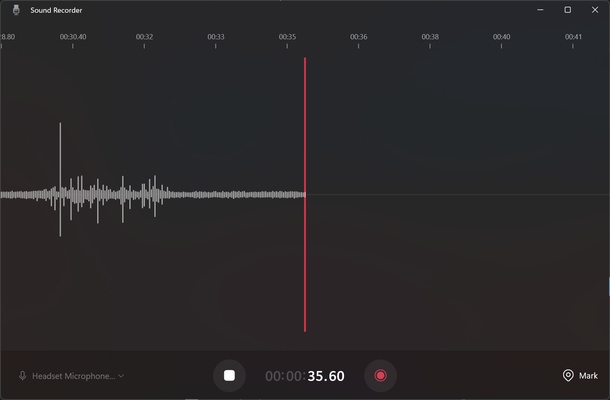
When you open the app, you can start recording sound with the device you want. Windows Sound Recorder will detect all connected recording devices, such as a microphone or wireless headphones. After that, you can watch how the sound waves rise and fall depending on the gain of the sound you're picking up.

Choose between five audio formats and the best quality

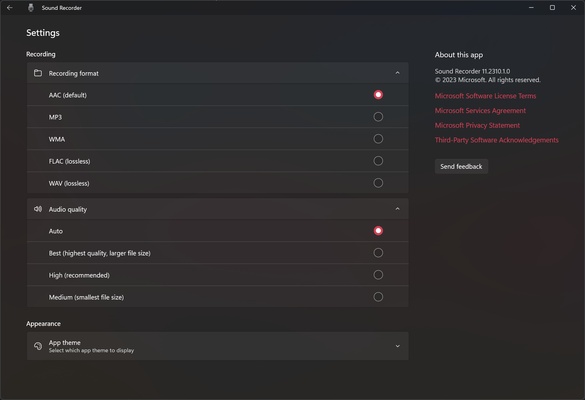
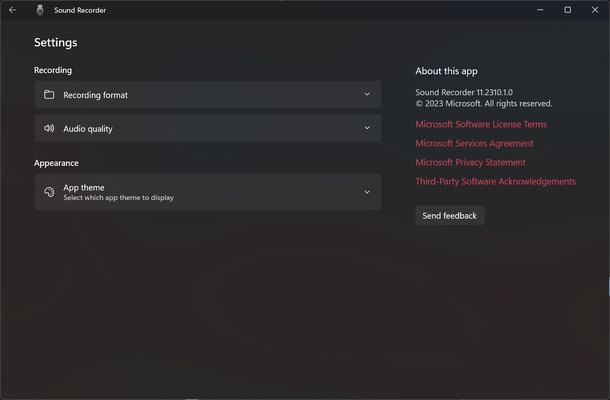
In the app settings, you can choose between AAC, MP3, WMA, FLAC and WAV for the recording format. By default, recordings are made in AAC, which compresses better than MP3. If you want to record sound without losing quality, you'll have to choose FLAC or WAV, although the resulting file will take up more space. You can also set the sound quality of the recording between best, high and medium. It is recommended you always choose the highest possible quality. The app defaults to the appropriate quality based on the quality of the input audio.

Playback at the speed you want

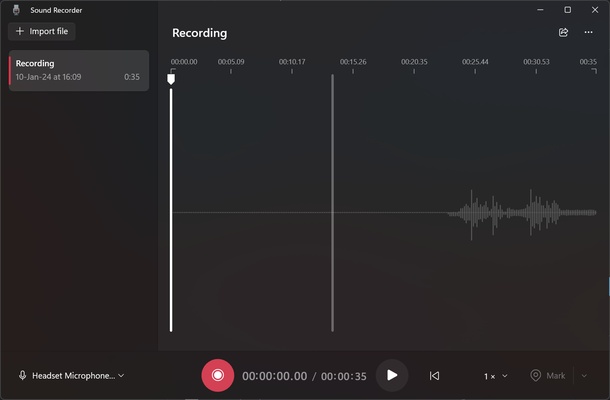
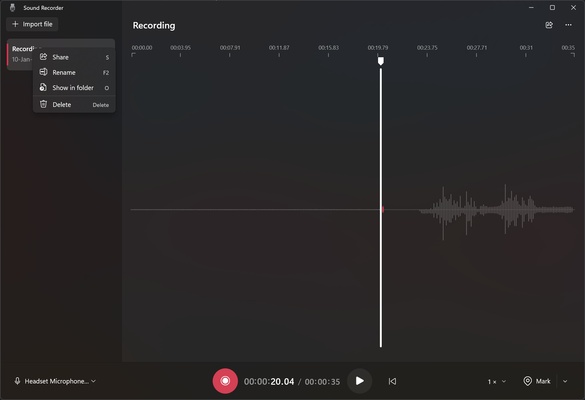
After the recording is finished, you can pause and then resume it or stop it completely. On the left of the screen, you can see all your recordings and rename them if you wish. You can play them back in the same recording app, with the convenient option of adding markers or choosing a playback speed of 0.25x, 0.5x, 1x, 1.5x, 2x and 4x.

Download Windows Sound Recorder and enjoy a simple, all-in-one sound recording app for Windows.

Information about Windows Sound Recorder

License
Op. System
Category Audio
Language
Author
permission icon Permissions
Date 2026-06-02
Size
File type

Apps recommended for you

EF Duplicate MP3 Finder icon
Get rid of all the duplicate songs in your music library
XRECODE 1.189 (64-bit) icon
Great audio converter which supports most of the common audio formats!
FoneTool icon
iPhone Data Management Tool
Balabolka Portable icon
Convert text to speech effortlessly with Balabolka Portable for Windows, the lightweight text-to-speech software with support for multiple voice engines and audio formats.
AVS Audio Editor icon
Online Media Technologies
Vocaluxe icon
An open source karaoke program
Serato DJ Pro 4.0.8 icon
Professional DJ software for professional DJs
Nuclear Music Player icon
Play music from various online sources
Ableton Live 12.4.6 icon
A software music sequencer and digital audio workstation for Windows
Dolby Access 3.27.12250 icon
Spectacular sound for all your entertainment!
VoiceMeeter Standard 1.1.3.0 icon
To mix your voice and video game audio on Skype and more!
JRiver Media Center 36.0.38 (64-bit) icon
Allows the user to play and organize various types of media!
Deezer Desktop 7.1.340 icon
Introducing the new Deezer desktop app for Windows PC!
REAPER 7.80 (64-bit) icon
Multitrack audio and MIDI recorder for your Windows PC
XRECODE 1.189 (64-bit) icon
Great audio converter which supports most of the common audio formats!
Bitwig Studio 6.1.1 icon
Multi-platform music creation system for production, performance and DJing!
FoneTool icon
iPhone Data Management Tool
Text File Editor icon
JMMG Communications
Apple Music icon
The music streaming platform for your PC
Soundop icon
Edit, mix, and record, all with the same application
ChrisPC YT Downloader MP3 Converter icon
ChrisPC YT Downloader MP3 Converter for Windows allows users to download and convert YouTube videos into MP3 audio files with ease.
Wave Editor icon
Wave Editor
Guitar Pro icon
Do you like playing the guitar, compose your own
REAPER 7.80 (64-bit) icon
Multitrack audio and MIDI recorder for your Windows PC