Go to Windows platform Display platforms icon
Go to Windows platform Go to Mac platform Go to Android platform
Replay icon

Replay

7.1.1.0
Weights
0
127.93 MB size

Transform your music with AI

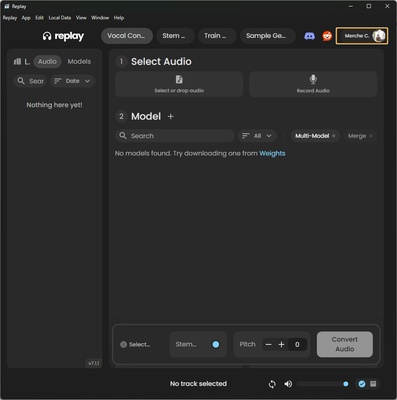
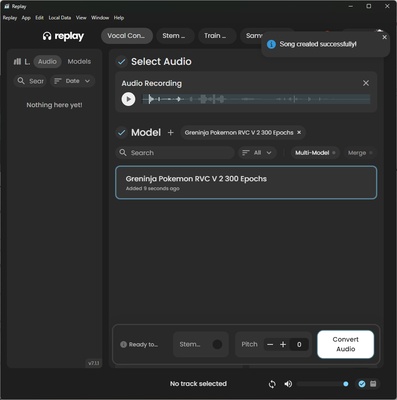
Replay is an innovative audio tool that allows musicians and producers to create cover songs using AI-generated voice models. This free app makes it easy to clone vocals and remix music directly from your computer, without having to be connected to the internet. With Replay you can experiment with different voices and styles, adding a new twist to your favorite songs or your own creations. Download Replay for free and transform your music and audio with the power of AI.

AI voice cloning

Make any song unique by replacing the original vocals with voice models from an extensive library available in the Weights community. Attach an audio track or even record your voice directly using a microphone. Once you have uploaded the vocals you want to modify, all that's left is to find the model you like best from an almost infinite list of options. Replay allows you to replicate the voices of famous actors, characters from animated series, singers, video game characters and, in short, almost anyone, real or animated, that you know.

Track separation

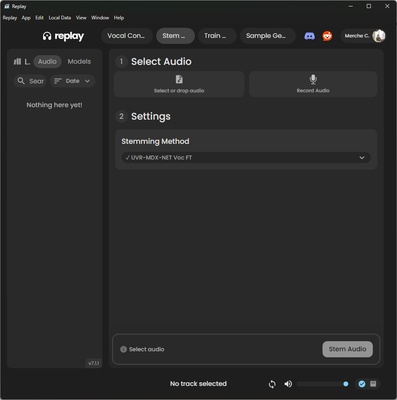
With Replay you can also isolate vocals and instruments from any audio track, making it easy to remix or create new versions. Upload any song to the tool and isolate the vocals thanks to AI. This feature is perfect for DJs or producers looking to create remixes using only the vocals or instruments of a song.

Practical interface

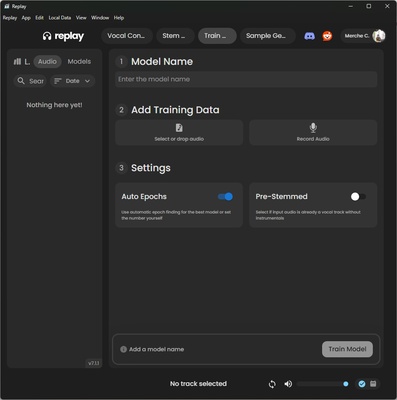
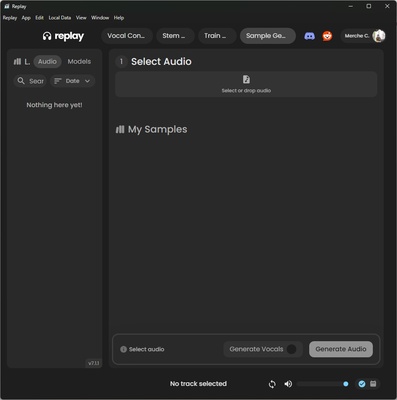
The intuitive interface has been designed to ensure a simple and efficient user experience, ideal for both beginners and audio professionals. Its streamlined design allows you to make modifications quickly and seamlessly, allowing you to focus on the creative side of music production.

Information about Replay

License Free
Op. System Windows
Category Audio
Language English
Author Weights
permission icon Permissions Not applicable
Date 2026-06-02
Size 127.93 MB
File type EXE

Apps recommended for you

Universal Media Server icon
Turn your PC into a multimedia center
QQ Music icon
Play hundreds of songs on your PC
Equalizer APO icon
Equalizer for Windows speakers and headphones
Ableton Live 12.4.6 icon
A software music sequencer and digital audio workstation for Windows
Soundop icon
Edit, mix, and record, all with the same application
WishPlayer icon
Audio player that plays songs based on keywords
PCDJ DEX icon
Create your own mixes, no matter if you are a novice
VoiceMeeter Standard 1.1.3.0 icon
To mix your voice and video game audio on Skype and more!
Ableton Live 12.4.6 icon
A software music sequencer and digital audio workstation for Windows
Dolby Access 3.27.12250 icon
Spectacular sound for all your entertainment!
VoiceMeeter Standard 1.1.3.0 icon
To mix your voice and video game audio on Skype and more!
JRiver Media Center 36.0.38 (64-bit) icon
Allows the user to play and organize various types of media!
Deezer Desktop 7.1.340 icon
Introducing the new Deezer desktop app for Windows PC!
REAPER 7.80 (64-bit) icon
Multitrack audio and MIDI recorder for your Windows PC
XRECODE 1.189 (64-bit) icon
Great audio converter which supports most of the common audio formats!
Bitwig Studio 6.1.1 icon
Multi-platform music creation system for production, performance and DJing!
Mp3TagsForTracks icon
Manuel & Florian Scholz
Neovim icon
Enhanced text editor based on Vim
4K YouTube to MP3 icon
4K YouTube to MP3 for Windows allows users to download and convert YouTube videos into high-quality MP3 audio files.
WACUP icon
Multimedia player inspired by Winamp Classic
Spicetify icon
Modify Spotify's interface and features on your PC
Deezer icon
Listen to all your music with the best quality
MP4 Player icon
MP4 Player is a simple media player that allows users to play MP4 video files with ease and high-quality playback.
VirtualDJ icon
Create superb audio compositions and broadcast them with Virtual DJ