Go to Windows platform Display platforms icon
Go to Mac platform Go to Windows platform Go to Android platform
iMazing 3.6.0 icon

iMazing 3.6.0

3.6.0
DigiDNA
5.0
318.4 MB size

The Swiss Army Knife of iPhone, iPad and iPod Management

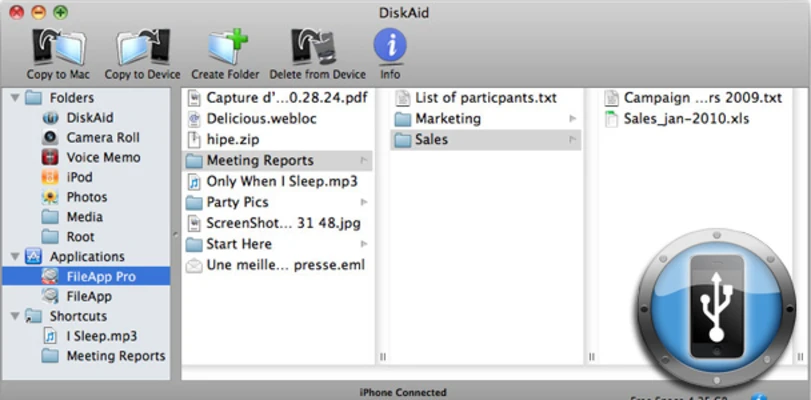
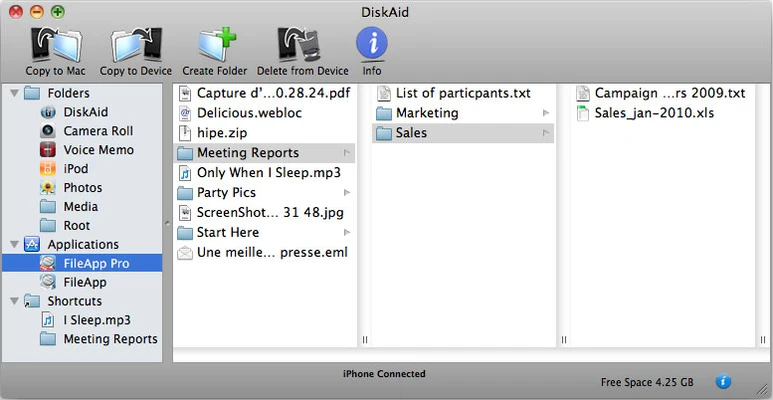
iMazing for Mac is a powerful iPhone and iPad management tool that allows users to transfer, backup, and manage iOS device data without relying on iTunes or iCloud.

It provides complete control over photos, music, messages, contacts, applications, and backups, allowing users to easily move data between Apple devices and Mac computers.

With support for encrypted backups, wireless transfers, and advanced device management features, iMazing is a reliable solution for personal and professional iOS data management.

Features and Highlights

  • Transfer files between iPhone, iPad, iPod, and Mac
  • Create and manage local iOS backups
  • Restore or clone device data easily
  • Export messages, contacts, photos, and call history
  • Transfer music and videos without iTunes restrictions
  • Manage iOS applications and app data
  • Support encrypted backups with strong security
  • Wireless device connection after initial setup
  • Manage multiple Apple devices from one computer

How to Use

  • Install iMazing on your Mac.
  • Connect your iPhone or iPad via USB or Wi-Fi.
  • Select the required feature such as Backup, Transfer, or Export.
  • Choose the data you want to manage.
  • Save or restore files directly from your computer.

System Requirements

  • Operating System: macOS
  • Processor: 64-bit Intel or Apple Silicon processor
  • RAM: 2GB minimum
  • Storage: 150MB free disk space
  • Compatible with iPhone, iPad, and iPod devices

PROS

  • Powerful iOS data management features
  • Easy backup and restore tools
  • Supports wireless transfers
  • Better control than iTunes
  • Clean and intuitive interface

CONS

  • Full features require a paid license
  • Advanced options may be complex for beginners

Conclusion

iMazing for Mac is an excellent iOS management application for users who need more control over their Apple devices.

Its powerful backup, transfer, and data export features make it a strong alternative to traditional iTunes management, especially for users who frequently manage multiple iOS devices.

Note: 15-day trial version available.

Information about iMazing 3.6.0

License Trial / Demo
Op. System Mac
Category Desktop
Language English
Author DigiDNA
permission icon Permissions Not applicable
Date 2026-07-26 11:26:20
Size 318.4 MB
File type Official Website

Apps recommended for you

Xender - Share Music Transfer icon
A cross-platform offline file transfer app with more amazing features!
MacUncle OLM Converter icon
Convert OLM to 8+ Different File Formats in Batches in OLM Converter
TinyFix icon
Fix iPhone/iPad System Issues By Yourself
Ollama icon
Access powerful language models locally
Epic Pen icon
Draw or write on your Mac screen
Kingshiper NTFS icon
Fast way to read and write NTFS drives on your Mac
coconutBattery 4.3.3 for Mac icon
Displays info about your Mac and iOS device battery
Garmin Express 7.29.0 for Mac icon
Garmin Express is software that helps you manage your Garmin devices
MongoDB 8.3.3 for Mac icon
Building on the Best of Relational with the Innovations of NoSQL!
R-Studio for Mac icon
Disk Recovery Program and Hard Drive Recovery Software
Data Recovery Software for Mac icon
Program recovers deleted data from pen drive
Cisdem Window Manager icon
Get the best performance from your screen
vMail OLM to MBOX Converter for macOS icon
Convert Mac Outlook OLM file to other formats
Logitech Options icon
Optimize your Logitech devices
Screaming Frog icon
A complete SEO tool for digital marketers
ShiftIt icon
fikovnik
MockGo icon
Change GPS location virtually on iOS devices in 1 click
EarthDesk icon
Set an interactive world map as wallpaper or screensaver
Mailvita MBOX to PST Converter For Mac Software icon
Mailvita MBOX to PST Converter for Mac
Xender - Share Music Transfer icon
A cross-platform offline file transfer app with more amazing features!
Barrier icon
Control multiple computers with a single keyboard and mouse