

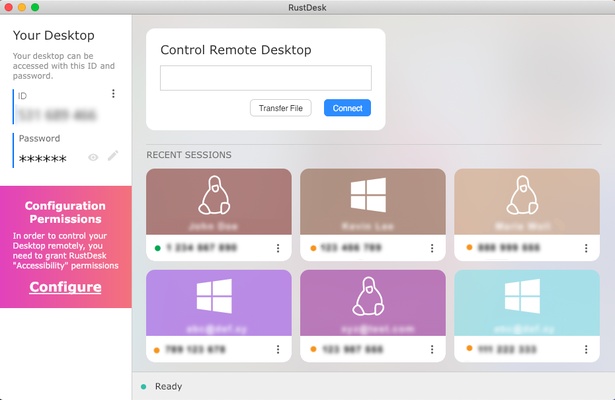
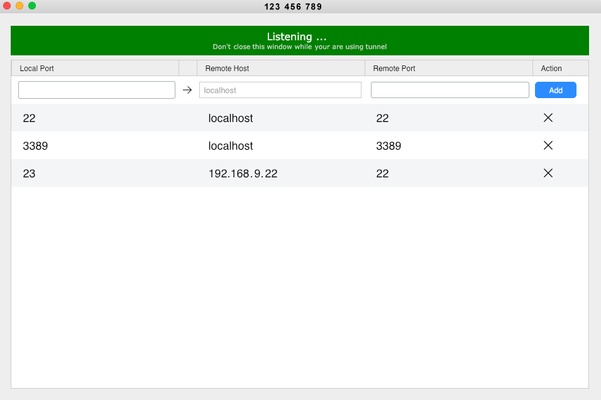
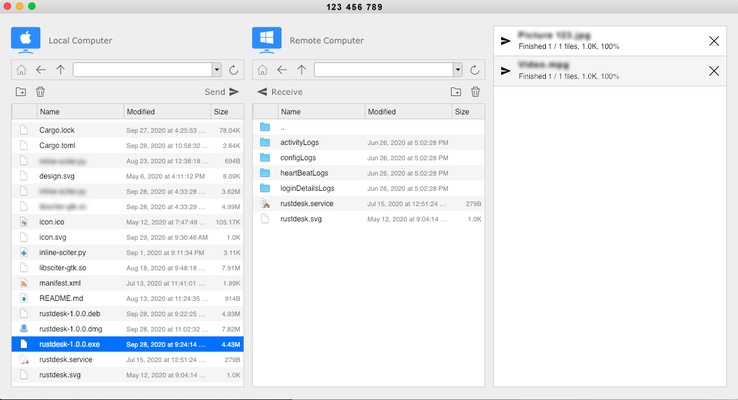
RustDesk is an open-source remote desktop software that offers users seamless and secure access to their computers. Known for its user-friendly interface, robust security features, and cross-platform compatibility, RustDesk for macOS provides an efficient solution for managing remote connections without compromising performance or security.
Key Features of RustDesk for macOS
User-Friendly Interface: RustDesk for macOS features an intuitive interface that simplifies the process of connecting to and controlling remote computers. Whether you are an IT professional or a casual user, the straightforward design ensures you can navigate and utilize the software with ease.
High-Level Security: Security is a top priority for RustDesk. The macOS version incorporates advanced encryption protocols to protect your data during remote sessions. You can trust that your information remains secure from unauthorized access.
Performance and Reliability: RustDesk for macOS delivers high performance with low latency, ensuring a smooth and responsive remote desktop experience. This reliability is crucial for tasks that require real-time interaction, such as troubleshooting or collaborative work.
Cross-Platform Compatibility: Although this description focuses on the macOS version, RustDesk supports multiple operating systems, including Windows and Linux. This cross-platform capability allows you to connect to and from different types of devices, enhancing flexibility and convenience.
Open-Source Benefits: Being an open-source project, RustDesk encourages community involvement and continuous improvement. Users can contribute to the software's development, suggest features, and report issues, fostering a collaborative environment.
Customizable and Extensible: The macOS version of RustDesk is highly customizable, allowing users to tailor the software to their specific needs. Additionally, its extensibility means you can integrate other tools and services to enhance its functionality.
Installation and Setup: Setting up RustDesk on a macOS machine is straightforward. The installation process is quick, and the software provides clear instructions to get you started. Once installed, you can easily configure your remote connections and start using the program immediately.
Remote Support and Assistance: RustDesk for macOS is an excellent tool for providing remote support and assistance. IT professionals can remotely troubleshoot issues, install software, and manage systems, all from the comfort of their own location.
RustDesk for macOS is a versatile and secure remote desktop solution that meets the needs of both professional and personal users. Its ease of use, strong security measures, and high performance make it an excellent choice for anyone looking to manage remote connections effectively. Whether you need to access your work computer from home, provide technical support, or collaborate with colleagues, RustDesk offers the tools and features you need for a seamless remote desktop experience.