

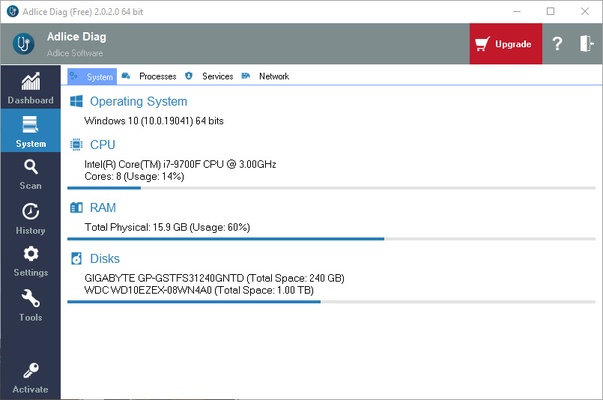
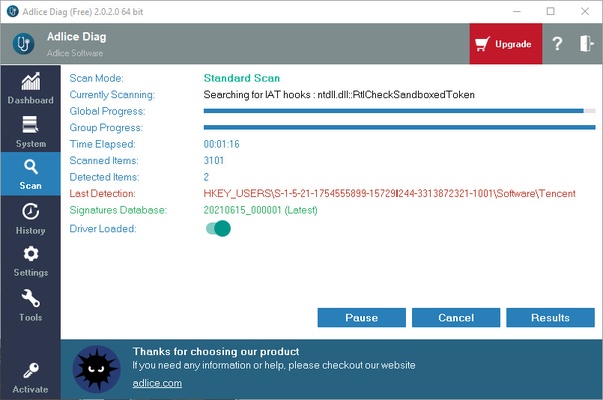
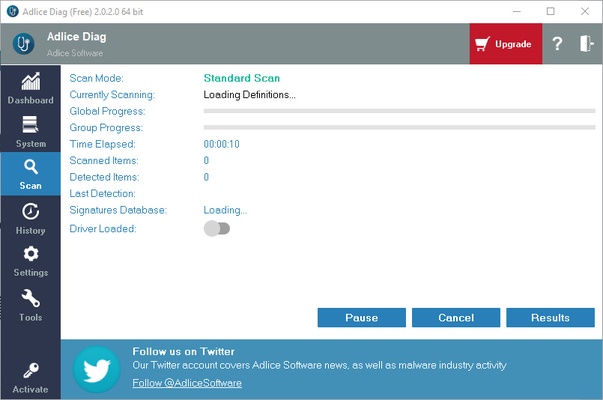
Adlice Diag is a specialized diagnostic and anti-malware tool designed to help you scan, analyze, and uncover hidden threats on your Windows system. Built on top of the powerful RogueKiller engine, this utility stands out because it doesn't just show you infected files—it lists everything running on your computer.
By exposing every single active process, background service, and startup entry without filtering them out, it allows power users, developers, and technicians to spot rogue elements or suspicious software that traditional consumer-grade antivirus scanners might easily miss.
Overview and Key Features
-
Full System Transparency: Displays an unfiltered overview of all active files, services, registry modifications, and hidden tasks instead of hiding them behind simplified reports.
-
RogueKiller Scan Engine: Leverages a highly advanced multi-layered scanning core optimized to find stubborn malware variants like rootkits, rogues, adware, and trojans.
-
Browser Extension Audit: Analyzes all installed extensions across your web browsers to quickly detect and isolate potentially unwanted programs (PUPs) ruining your privacy.
-
Kernel-Level Scanning: Features a specialized anti-rootkit kernel driver module capable of unearthing deep-seated system alterations hiding beneath the OS layer.
-
Color-Coded Syntax Reports: Sorts all discovered files, startup items, and background processes into clean, color-coded threat levels so you can identify safe, suspicious, or dangerous elements instantly.
-
Portable Deployment Mode: Available in a standalone, fully portable edition that requires zero installation, allowing you to run it directly from a USB drive on any machine without leaving forensic traces behind.
-
Cloud Report Sharing: Allows you to seamlessly upload deep system analysis logs directly to secure cloud servers for easy troubleshooting and remote technical assistance.
How to Use
-
Run the downloaded file to complete the quick installation layout, or launch the portable variant directly.
-
Open the main dashboard and click on the Scan tab to select your preferred analysis depth.
-
Toggle the advanced engine options, such as enabling the Kernel Driver module to perform deep anti-rootkit scans.
-
Start the scan and wait a few minutes while the engine analyzes your system files, active memory, and registry hives.
-
Review the resulting color-coded inventory list displaying your processes, scheduled tasks, and auto-start entries.
-
Check the specific items flagged with warnings to evaluate their risk level or structural fields.
-
Select any malicious or unwanted border-line programs and click clean to remove them or move them into safe quarantine.
-
Use the cloud upload button to save your report online if you need to share the diagnostics with a remote technician.
Pros and Cons Pros
-
Complete structural transparency shows you all active tasks, not just what the program considers relevant.
-
Excellent rootkit and rogue software detection capabilities thanks to the integrated RogueKiller framework.
-
The basic scanning, logging, and evaluation engine is completely free for individual home use.
-
Portable version makes it a highly effective tool for rapid IT support and multi-machine cleanups. Cons
-
The layout displays a dense amount of technical data that can overwhelm beginner users who aren't familiar with core system processes.
-
Lacks automated background real-time protection shields, meaning it only acts as an on-demand remediation scanner.
-
Overly aggressive heuristic rules can occasionally trigger false positives on legitimate custom development scripts or tweaks.
Top Alternatives
-
Malwarebytes AdwCleaner: A fast and incredibly lightweight cleanup tool focused entirely on stripping away annoying browser hijackers, adware toolbars, and stubborn PUPs.
-
Emsisoft Anti-Malware: A dual-engine security workspace designed to offer robust, real-time protection alongside advanced behavioral malware hunting blocks.
-
Spybot Search & Destroy: A classic diagnostic program centered on locating tracking spyware, repairing registry discrepancies, and adjusting deep system immunizations.
-
HitmanPro: A rapid, cloud-assisted second-opinion scanner optimized to complement your primary security suite by quickly hunting down zero-day threats.