

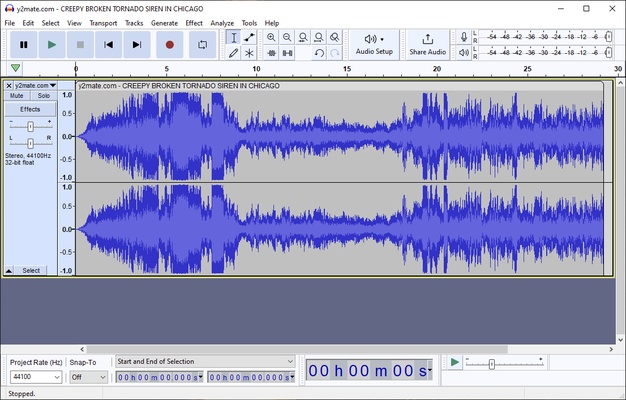
Audacity is a free, open-source audio editor and recorder for Windows, macOS, and Linux. It allows users to record live audio, edit multiple tracks, apply effects, analyze sound, and export projects in popular audio formats.
Audacity is suitable for music editing, podcast production, voice recording, audio cleanup, and digitizing recordings. Its combination of multitrack editing, effects, plugins, and audio analysis tools makes it a powerful option for both beginners and experienced users.
What's New
The latest version of Audacity includes several improvements to audio processing, performance, and usability:
-
Improved real-time effects processing and playback.
-
New master effects for applying processing across an entire project.
-
Redesigned compressor and limiter with gain reduction history.
-
Improved dark and light themes.
-
Better performance when working with large projects.
-
Improved compatibility with modern VST3 plugins.
-
Enhanced waveform rendering and audio processing.
-
Improved recording stability and device detection.
-
Various bug fixes and general performance improvements.
Key Features
Audio Recording – Record audio from microphones, mixers, and other input devices.
Multitrack Editing – Edit and mix multiple audio tracks within the same project.
Audio Effects – Apply effects such as equalization, compression, reverb, noise reduction, fades, and more.
Audio Format Support – Import and export common formats including WAV, MP3, AIFF, FLAC, and OGG.
Plugin Support – Extend Audacity with third-party plugins, including VST3, LADSPA, and Nyquist plugins.
Spectrogram and Analysis Tools – Visualize frequency information and analyze audio using spectrograms and other analysis tools.
Pitch and Speed Adjustment – Change audio pitch or playback speed without requiring complex editing workflows.
Batch Processing – Apply certain operations to multiple audio files to simplify repetitive tasks.
Unlimited Undo – Easily undo and redo editing operations while working on a project.
User Interface
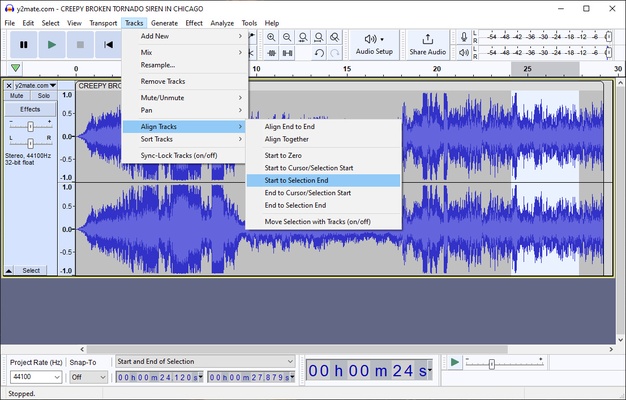
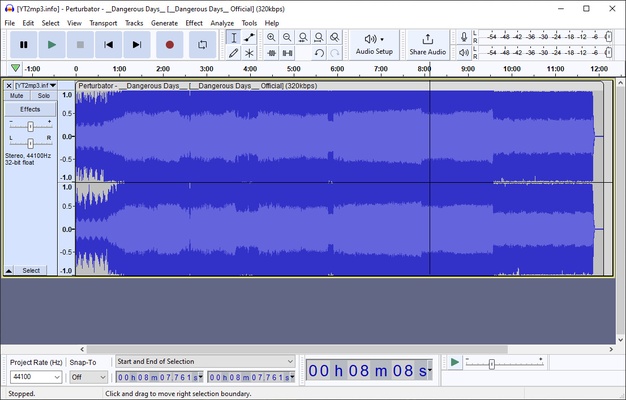
Audacity uses a traditional desktop audio-editing interface with a timeline, waveform display, recording controls, toolbars, and menus for editing, effects, and analysis.
The waveform-based interface makes it easy to select, cut, copy, move, and modify sections of audio. Although the number of tools and options can be overwhelming for new users, the basic editing workflow is relatively easy to learn.
Installation and Setup
Download and install the version of Audacity designed for your operating system, then follow the installation wizard.
After installation, configure your microphone, speakers, and other audio devices under the application preferences. Users working with additional audio formats may also need the appropriate FFmpeg components.
For the best recording experience, make sure the correct input and output devices are selected before starting a project.
How to Use
Recording Audio
Select your microphone or audio input, then click the Record button. Use Pause or Stop when you are finished.
Editing Audio
Select the section you want to modify and use standard editing commands such as cut, copy, paste, and delete. You can also apply effects from the Effects menu.
Removing Background Noise
Select a section containing only the unwanted background noise, use the Noise Reduction effect to capture a noise profile, and then apply the effect to the required portion of the recording.
Exporting Audio
After completing your edits, choose the Export option and select the desired audio format, such as MP3, WAV, FLAC, or OGG.
FAQ
Is Audacity free?
Yes. Audacity is free and open-source software with no subscription required.
Can Audacity be used commercially?
Yes. Audacity can be used for commercial projects under its open-source license.
Does Audacity support MIDI?
Audacity is primarily designed for audio rather than MIDI editing. It can work with MIDI files in limited ways, but it is not a full MIDI sequencer or editor.
What audio formats does Audacity support?
Audacity supports popular formats such as WAV, MP3, AIFF, FLAC, and OGG. Additional format support may be available through FFmpeg.
Alternatives
Adobe Audition – Professional audio editing and production software with advanced mixing and restoration tools.
Ableton Live – A full-featured music production platform focused on recording, composition, and live performance.
Avid Pro Tools – Professional DAW widely used for music production, recording, mixing, and post-production.
Cubase – Comprehensive music production software with advanced recording, composition, and mixing features.
REAPER – Flexible and highly customizable digital audio workstation with a relatively low cost.
WavePad – Lightweight audio editing software designed for quick editing and basic audio processing.
Ocenaudio – User-friendly audio editor with real-time effects and a simple interface.
Pricing
Audacity is free to download and use. It does not require a subscription or paid license for its core audio editing and recording features.
System Requirements
Operating System: Windows 11, Windows 10, Windows 8, Windows 7, macOS, or Linux
Processor: 1 GHz or faster
Memory: 2 GB RAM or more recommended
Storage: At least 100 MB for installation, with additional space required for audio projects
Pros
-
Free and open-source
-
Supports Windows, macOS, and Linux
-
Powerful multitrack audio editing
-
Extensive effects and plugin support
-
Supports many common audio formats
-
Useful audio analysis tools
-
Suitable for recording, podcasts, music, and audio restoration
Cons
-
Interface can feel dated
-
Large number of tools may be confusing for beginners
-
Not designed for advanced MIDI production
-
Some advanced workflows require additional plugins or components
Conclusion
Audacity is one of the most capable free audio editors available for desktop users. It combines recording, multitrack editing, audio effects, format conversion, plugin support, and analysis tools in a single application.
While its interface is less modern than some commercial alternatives, its extensive feature set and open-source model make it a strong choice for recording, podcast editing, music projects, voice processing, and general audio editing.