


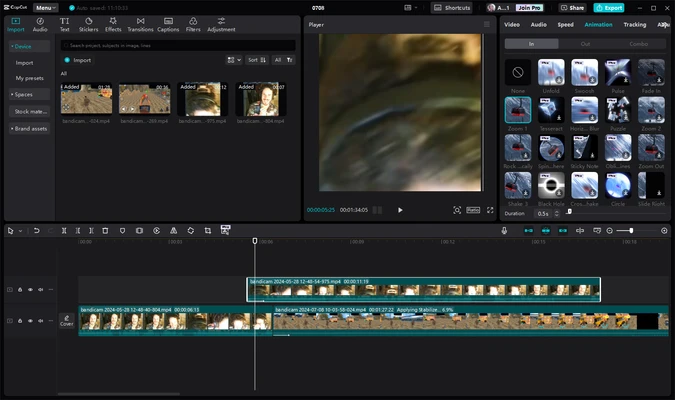
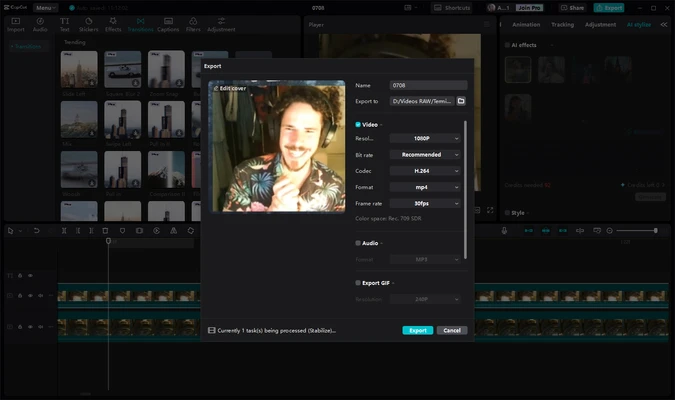
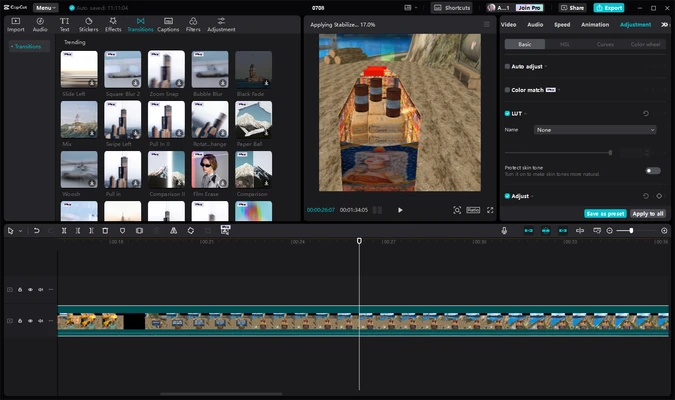
CapCut Desktop is a free and easy-to-use video editing software for Windows that combines traditional editing tools with powerful AI-powered features. Originally popular as a mobile video editor, CapCut now provides a full desktop experience for creating professional-quality videos.
Developed by ByteDance, CapCut offers an intuitive interface suitable for beginners and advanced creators. It includes video trimming, effects, filters, transitions, captions, background removal, AI tools, and support for high-quality video exports.
Key Features
- AI-powered video enhancement and editing tools
- Simple drag-and-drop video editing interface
- Trim, split, merge, crop, and resize videos
- Multi-track timeline editing
- Keyframe animation and motion effects
- Automatic captions and text-to-speech tools
- AI background removal without green screen
- Green screen and chroma key support
- Large library of filters, effects, stickers, and transitions
- Built-in music and sound effects
- Supports 4K video export and high frame rates
- Optimized for TikTok, YouTube, Shorts, and social media content
AI Tools
CapCut includes a variety of AI-powered features designed to simplify video creation:
- AI video enhancement
- AI voice generator
- Automatic subtitle generation
- Background noise removal
- Voice enhancement
- Video translation
- Motion tracking
- Smart background removal
- AI script generation
Video Editing Experience
CapCut provides a beginner-friendly editing workflow while still offering advanced tools for creators. Users can quickly edit videos with templates and automatic features or manually adjust details using timeline controls, animations, and effects.
The software is suitable for creating social media videos, tutorials, short films, promotional content, and personal projects.
System Requirements
- Operating System: Windows 7, 8, 10, 11 (64-bit)
- Processor: Intel or AMD 64-bit CPU
- RAM: 4GB minimum (8GB recommended)
- Graphics: Intel HD Graphics 5000 or newer / NVIDIA GTX 700 series or newer
- Storage: 2GB free disk space
- Internet connection recommended for online features and updates
PROS
- Free and easy-to-use video editor
- Powerful AI editing features
- Large collection of effects and templates
- Supports high-quality video export
- Suitable for beginners and content creators
- Regular feature updates
CONS
- Some advanced features require a Pro subscription
- Requires more system resources for large projects
- Cloud features need an internet connection
- Less powerful than professional editors like Premiere Pro
Conclusion
CapCut Desktop is a powerful free video editor for Windows users who want to create high-quality videos quickly and easily.
With AI-powered tools, creative effects, simple controls, and support for modern content platforms, CapCut is an excellent choice for beginners, social media creators, and everyday video editing needs.