

iMazing Free Download for Windows & Mac – Ultimate iOS Device Manager
iMazing is the all-in-one iOS management software that gives you complete control over your iPhone, iPad, or iPod without the need for jailbreaking. Whether you want to backup, transfer files, manage apps, or export messages, iMazing goes beyond the limitations of iTunes and iCloud.
Compatible with the latest iOS 26/18 and all iPhone 17/16 series, including Plus, Pro, and Pro Max models.
Why Download iMazing?
iMazing is trusted by millions of users worldwide for its versatility and security. It allows you to manage your iOS devices efficiently, back up important data locally, and transfer files between your computer and devices without losing control over your content.
Unlike iTunes, iMazing provides incremental backups, message export, app management, and advanced device analytics, making it an essential tool for both personal and professional use.
Key Features
Backup & Restore
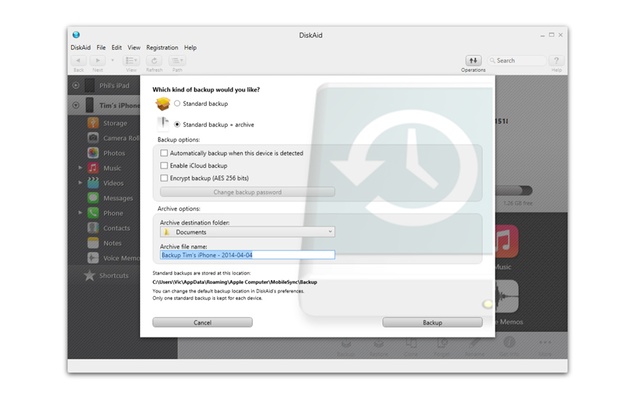
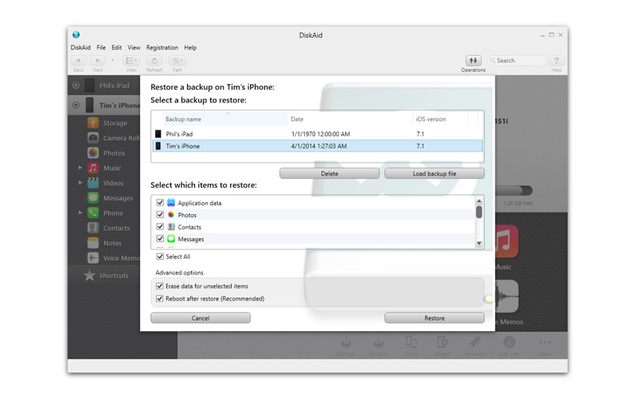
Perform fast, wireless, and encrypted backups. iMazing saves only changes since your last backup, reducing storage usage and time.
Data Transfer
Transfer music, videos, photos, documents, and more between your iOS device and computer – no iCloud or iTunes required.
App Management
Install, uninstall, or archive apps directly from your PC or Mac, including apps no longer available on the App Store.
Message Export
Save conversations from iMessage, WhatsApp, and other messaging apps in PDF, CSV, or text formats, complete with attachments and metadata.
Contact Management
View, edit, and export your contacts easily to your computer for backup or migration.
Battery & Device Analytics
Monitor your battery health, disk usage, and device performance metrics to keep your iPhone or iPad in top condition.
iOS Updates & Downgrades
Safely update or downgrade your iOS version without relying solely on Apple’s default tools.
Wireless File Transfers
Transfer files and backups over Wi-Fi after the initial USB setup, making device management seamless and cable-free.
Privacy & Security
All data is processed locally on your computer with AES-256 encryption. No information is sent to cloud servers, keeping you in full control.
What’s New in iMazing 3
- Redesigned interface for easier navigation and improved user experience.
- Discover section to access popular features quickly.
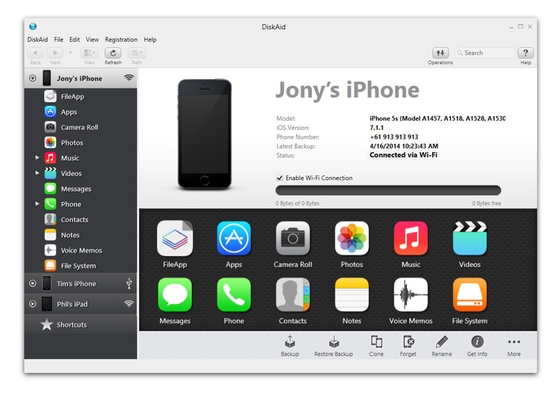
- Devices screen with grid and list views for better device management.
- Detailed device overview with quick access to actions.
How to Install & Use
- Download iMazing from the official website or FileHorse.
- Install the Software – Follow the setup wizard and allow necessary drivers.
- Connect Your Device via USB – iMazing automatically detects your iPhone or iPad.
- Set Permissions on your device for data access.
- Start Managing Your iOS Device – Backup, transfer files, export messages, manage apps, or check device health.
Frequently Asked Questions (FAQs)
Can iMazing replace iTunes?
Yes, for backups, data transfer, and device management. It does not support media purchases or streaming.
Is it safe to use iMazing?
Absolutely. Backups are encrypted with AES-256, and all processing is local to your computer.
Does it work on both Windows and Mac?
Yes. iMazing is compatible with Windows 11/10 and the latest macOS versions.
Can I transfer files wirelessly?
Yes, after the initial USB setup, iMazing supports wireless transfers and backups.
Is there a free version?
Yes, with limited functionality. The premium version unlocks all features.
Alternatives
- AnyTrans – Cloud-focused iOS management.
- CopyTrans – Simple transfer features.
- iTunes – Apple’s default software, less flexible.
- Wondershare Dr.Fone – Device repair tools plus management.
- Syncios – Affordable, beginner-friendly iOS management.
Pricing
- Personal License: $59.99 – One-time payment for a single computer.
- Features Included:
- Connect up to 3 Apple devices
- Lifetime updates and email support
- Manage backups, apps, messages, and media
Family and business licenses are also available at higher tiers, often with discounts on the official website.
System Requirements
- OS: Windows 11/10 or macOS
- RAM: Minimum 2GB
- Disk Space: 150MB
- Additional: Requires .NET Framework and iTunes
Pros & Cons
Pros:
- Comprehensive iOS device management
- Wireless and encrypted backups
- Intuitive interface with advanced features
- Message export and contact management
- Works on Windows and Mac
Cons:
- Premium features require a paid license
- Advanced functions may have a learning curve
- Initial USB setup required for wireless use