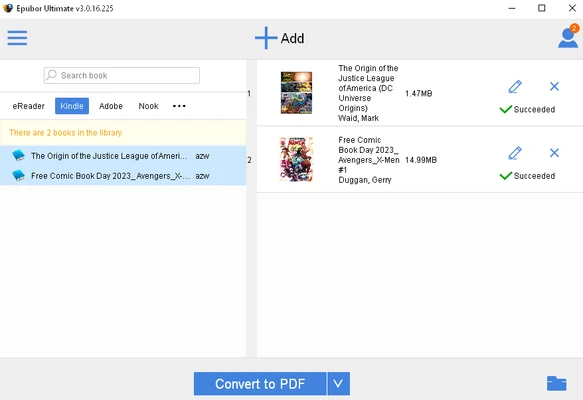
Epubor Ultimate eBook Converter is an eBook conversion and management tool for Windows. It supports popular eBook formats such as EPUB, PDF, MOBI, AZW, and AZW3, and can convert eBooks for use on different reading devices.
The software also includes DRM removal, batch conversion, metadata editing, and support for popular eReaders such as Kindle, Kobo, and Nook.
Key Features
-
Convert eBooks between EPUB, PDF, MOBI, AZW, and other formats
-
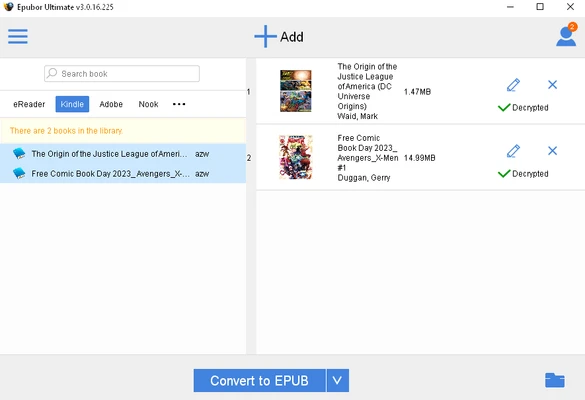
Remove DRM protection from supported eBooks
-
Batch convert multiple books at once
-
Edit book titles, authors, covers, and other metadata
-
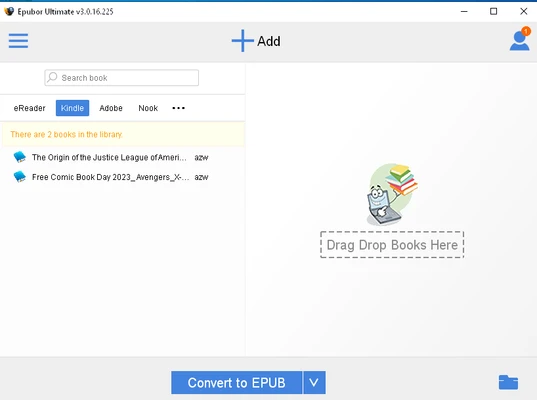
Drag-and-drop eBook importing
-
Automatically detect supported eReaders
-
Support Kindle, Kobo, Nook, and other popular devices
-
Simple interface for managing and converting eBooks
How to Use
-
Install Epubor Ultimate on your Windows PC.
-
Add eBooks by dragging them into the application.
-
Select the desired output format.
-
Edit metadata if necessary.
-
Click Convert to start the conversion.
-
Find the converted files in the selected output folder.
FAQ
What formats does Epubor Ultimate support?
It supports many common eBook formats, including EPUB, PDF, MOBI, AZW, AZW3, TXT, and HTML.
Can Epubor Ultimate remove DRM?
Yes. The software includes DRM removal functionality for supported eBooks and devices.
Can I convert multiple eBooks at once?
Yes. Batch conversion allows you to process multiple eBooks simultaneously.
Does it support Kindle books?
Yes. Epubor Ultimate supports many Kindle eBooks and can detect supported Kindle devices when connected to a computer.
Can I edit eBook metadata?
Yes. You can edit information such as the title, author, cover, publisher, language, and other metadata.
Is there a free trial?
Yes. A trial version is available with limitations. The trial allows users to test the software before purchasing a license.
Pricing
Free Trial: Limited functionality.
1-Year License: $29.99.
Lifetime License: $59.99.
Family License: $109.99 for up to 5 devices.
System Requirements
-
Operating System: Windows 7, 8, 10, or 11
-
Processor: 1 GHz or faster
-
RAM: 512 MB or more
-
Storage: At least 100 MB of free disk space
-
Internet connection required for activation and updates
PROS
-
Supports many popular eBook formats
-
Easy-to-use interface
-
Batch conversion
-
Metadata editing
-
Supports popular eReaders
-
DRM removal functionality
CONS
-
Full functionality requires a paid license
-
Trial version has conversion limitations
-
Some protected or subscription-based eBooks may not be supported
Conclusion
Epubor Ultimate eBook Converter is a practical Windows tool for converting and managing eBooks. Its format conversion, batch processing, metadata editing, device support, and DRM removal features make it suitable for users who regularly work with eBooks from different sources and reading devices.
Note: 30-day trial version with limited conversion functionality.