

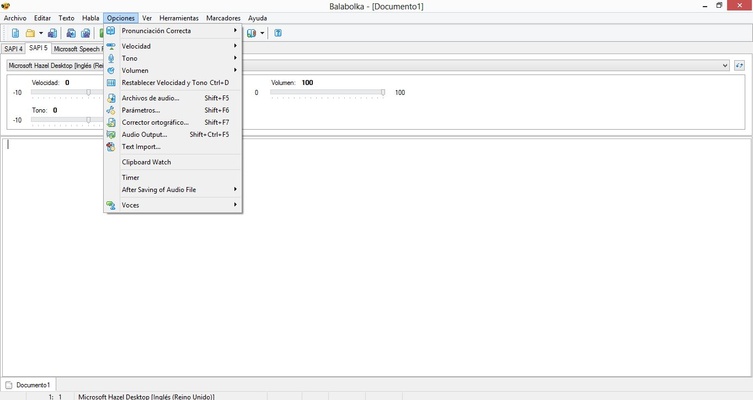
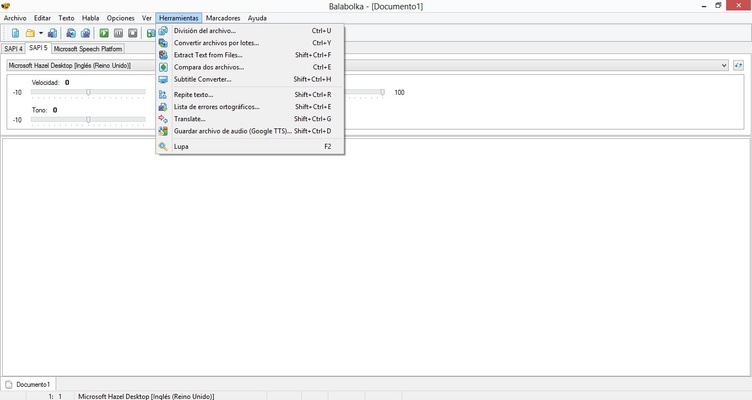
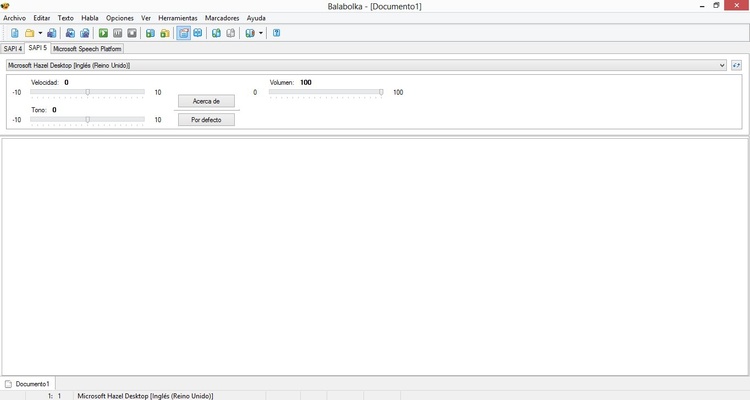
Balabolka is a free text-to-speech (TTS) application for Windows that uses the speech engines and voices installed on your computer. It can read text aloud and save synthesized speech as audio files in formats such as MP3, WAV, OGG, and WMA.
The software supports a wide range of document formats and provides options for adjusting voice speed, pitch, pronunciation, and other speech settings. It can also monitor the clipboard and read copied text automatically.
Key Features
-
Text-to-speech conversion using Windows speech engines
-
Supports multiple voices and speech engines
-
Adjustable speech speed, pitch, and volume
-
Supports TXT, DOC, DOCX, EPUB, PDF, HTML, RTF, FB2, MOBI, and other formats
-
Save spoken text as MP3, WAV, OGG, WMA, and other audio formats
-
Clipboard monitoring and automatic text reading
-
Pronunciation correction and substitution lists
-
Support for regular expressions in pronunciation settings
-
Global hotkeys and system tray controls
-
Bookmarks for navigating long documents
-
Split long texts into multiple audio files
-
Synchronize text with audio using LRC files or MP3 tags
How to Use
-
Launch Balabolka and open a document or paste text into the editor.
-
Select an available voice or speech engine.
-
Adjust the speech speed, pitch, and volume.
-
Click Play to start reading the text aloud.
-
Use the pronunciation settings to correct specific words if needed.
-
Save the generated speech as an audio file.
-
Use the split and conversion tools to create separate audio files from long documents.
FAQ
What is Balabolka used for?
Balabolka converts written text into spoken audio using text-to-speech engines installed on Windows.
What file formats does Balabolka support?
It supports many common document formats, including TXT, DOC, DOCX, EPUB, PDF, HTML, RTF, FB2, and MOBI.
Can Balabolka save text as MP3?
Yes. It can convert text into spoken audio and save the result in several audio formats, including MP3, WAV, OGG, and WMA.
Can I change the voice and speaking speed?
Yes. You can select different installed voices and adjust parameters such as speed, pitch, and volume.
Can Balabolka read text from the clipboard?
Yes. Clipboard monitoring allows the software to automatically read copied text.
Does Balabolka support pronunciation correction?
Yes. It includes pronunciation and substitution tools that can be used to improve how specific words are spoken.
System Requirements
-
Operating System: Windows 7, 8, 10, or 11
-
Processor: 1 GHz or faster
-
RAM: 512 MB or more
-
Storage: At least 50 MB of free disk space
PROS
-
Free to use
-
Supports many document formats
-
Multiple speech and voice options
-
Adjustable speech parameters
-
Supports several audio formats
-
Clipboard monitoring
-
Extensive pronunciation controls
CONS
-
Outdated user interface
-
Voice quality depends on installed speech engines
-
Some advanced features require manual configuration
-
Large documents may require more system resources
Conclusion
Balabolka is a useful free text-to-speech tool for Windows users who need to listen to documents or convert written content into audio. Its broad file format support, customizable speech settings, and ability to save audio files make it suitable for reading documents, creating spoken content, and accessibility applications.
Note: Balabolka is free for personal and commercial use.