



Karaoke 5 Free Download for Windows (Latest Version)
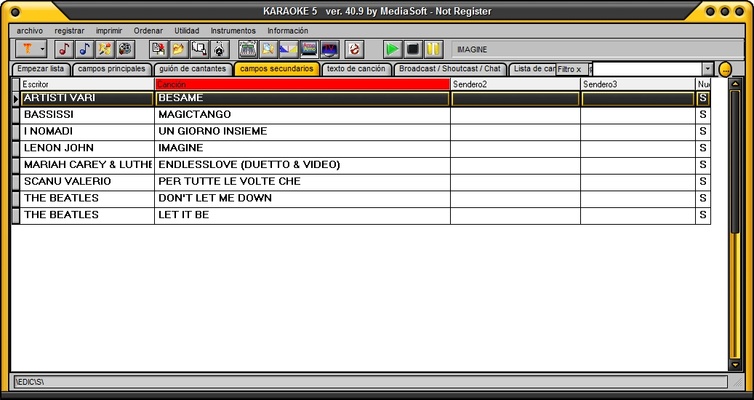
Karaoke 5 is a powerful karaoke software for Windows that lets you play, create, edit, and manage karaoke songs with professional-grade tools. Designed for both home users and professional DJs, it supports popular karaoke formats including MP3, MP3+G, MIDI, KAR, MP4, and K5, making it one of the most versatile karaoke players available for Windows PCs.
Whether you're organizing a karaoke party, hosting live performances, or creating your own karaoke tracks, Karaoke 5 provides everything you need in one complete application. With advanced lyric synchronization, playlist management, audio controls, and dual-screen support, it is suitable for beginners as well as experienced karaoke professionals.
Key Features
Professional Karaoke Player
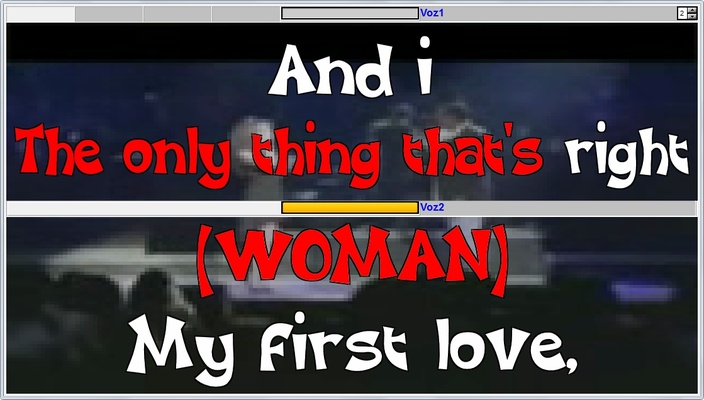
Play karaoke files in multiple formats including MP3, MP3+G, KAR, MIDI, MP4, and K5 with smooth playback and synchronized lyrics.
Karaoke Editor
Create and edit karaoke tracks by synchronizing lyrics with music, adjusting timing, modifying tempo, and customizing song settings for professional-quality performances.
Advanced Playlist Management
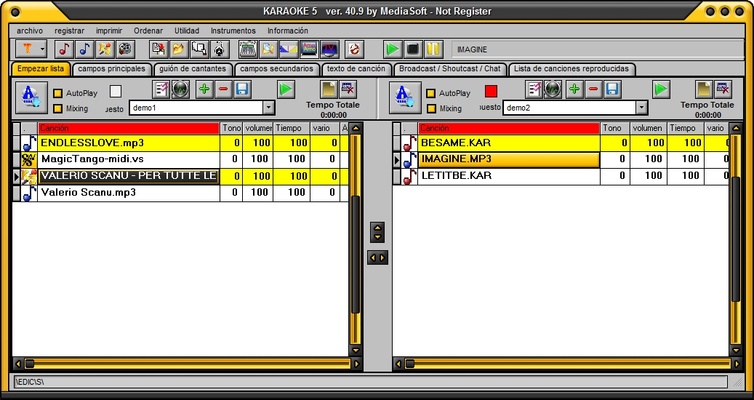
Organize thousands of karaoke songs with searchable playlists, artist databases, favorites, and quick filtering for faster song selection during live events.
Live Performance Tools
Built specifically for DJs and karaoke hosts, Karaoke 5 includes real-time mixing controls, instant track switching, applause effects, jingles, and dual-screen display for audience viewing.
Lyrics Synchronization
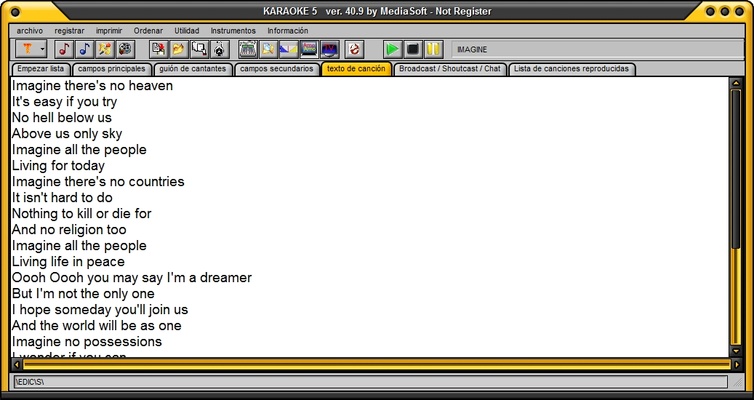
Accurately synchronize song lyrics with audio using the built-in editor to create custom karaoke files for personal or commercial performances.
Audio Mixer & Sound Controls
Adjust key, pitch, tempo, equalizer, microphone volume, and other audio settings to improve singing performance and overall sound quality.
Dual Monitor Support
Display karaoke lyrics on an external monitor or TV while maintaining full playback control on the primary screen, ideal for live shows and karaoke venues.
Database Management
Automatically organize your karaoke collection with fast search, artist indexing, and category management for quick access to your music library.
Multi-Language Support
Supports multiple interface languages, making the software accessible for karaoke enthusiasts worldwide.
Why Choose Karaoke 5?
Unlike basic karaoke players, Karaoke 5 combines playback, editing, playlist organization, and live performance tools into a single application. Whether you're singing at home, running karaoke nights, or managing professional events, it delivers reliable performance and extensive customization options.
Its support for multiple karaoke formats and advanced editing capabilities makes it an excellent solution for DJs, entertainers, music teachers, event organizers, and karaoke lovers.
How to Use Karaoke 5
-
Download and install Karaoke 5 on your Windows PC.
-
Import your karaoke files by dragging them into the library.
-
Create playlists for your favorite songs or upcoming events.
-
Edit lyrics and synchronize timing if necessary.
-
Connect a second monitor or TV for dual-screen karaoke mode.
-
Adjust microphone, pitch, key, and mixer settings.
-
Start singing and enjoy professional-quality karaoke performances.
System Requirements
Operating System: Windows 11, Windows 10, Windows 8.1, Windows 8, Windows 7 (64-bit & 32-bit)
Processor: Intel or AMD Dual-Core processor (1 GHz or faster)
Memory: 2 GB RAM minimum (4 GB recommended)
Storage: 300 MB available disk space
Audio: DirectX-compatible sound card
Display: DirectX-compatible graphics device
Pros
-
Supports MP3, MP3+G, KAR, MIDI, MP4, and K5 formats
-
Professional karaoke editing tools
-
Accurate lyrics synchronization
-
Dual-screen support for live performances
-
Powerful playlist and song management
-
Audio mixer with pitch and tempo controls
-
Suitable for beginners and professional DJs
-
Lightweight installation and smooth performance
Cons
-
User interface looks slightly outdated
-
Some professional features require the paid edition
-
Beginners may need time to learn advanced editing functions
Conclusion
Karaoke 5 remains one of the best karaoke software solutions for Windows users who need more than a simple karaoke player. Combining powerful playback, professional editing, lyrics synchronization, playlist management, and live performance features, it provides everything required to create an enjoyable karaoke experience.
Whether you're looking for a free karaoke player, a karaoke creator, or a complete karaoke management solution for live events, Karaoke 5 offers excellent functionality, broad format compatibility, and reliable performance for both personal and professional use.
Note: The free version includes basic functionality, while some advanced editing and professional performance features are available only in the premium edition.