
Go to Windows platform Display platforms icon
Go to Windows platform Go to Mac platform Go to Android platform
LabyMod 4.6.11 icon

LabyMod 4.6.11

4.6.11
LabyMedia GmbH
5.0
130 MB size

The all-in-one modification for Minecraft to increase your ingame experience!

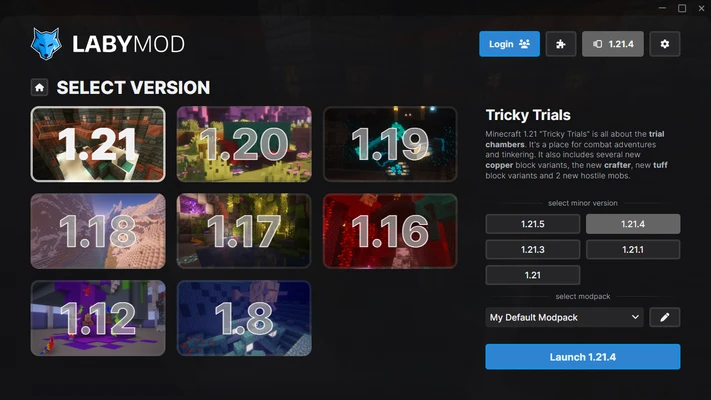
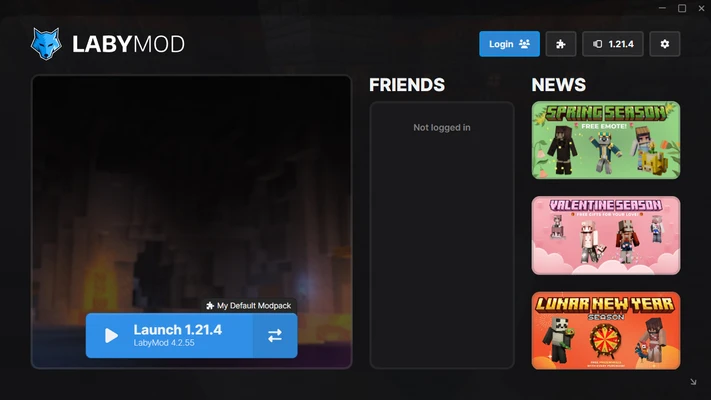
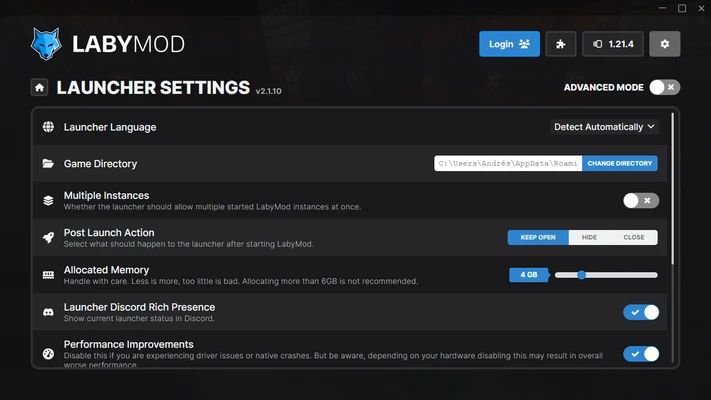
LabyMod is a powerful Minecraft client modification for Windows that enhances the gameplay experience by adding useful features, customization tools, performance improvements, and additional multiplayer functions.

Designed for Minecraft players who want more control over their game interface, LabyMod provides customizable HUD elements, cosmetics, emotes, voice chat, server tools, and support for additional addons. It works with many popular Minecraft servers and continues to receive updates for newer Minecraft versions.

Key Features

  • Customizable Minecraft HUD and interface layout
  • 300+ mods and addons for enhanced gameplay
  • Built-in 3D voice chat for multiplayer communication
  • Performance improvements for smoother gameplay
  • Cosmetics, emotes, and character customization options
  • In-game GUI editor with drag-and-drop controls
  • Server list improvements and multiplayer features
  • TeamSpeak and Discord integration support
  • Support for Minecraft multiplayer servers
  • Regular updates for new Minecraft versions

Gameplay Enhancements

LabyMod adds many practical tools to Minecraft without changing the core gameplay. Players can customize their interface, display useful information, manage addons, and improve communication with other players.

The built-in addon system allows users to install and configure extra features directly inside the client, making it easier to personalize the Minecraft experience.

User Interface

The mod provides a clean and flexible interface that integrates directly into Minecraft. Players can move interface elements, change colors, adjust fonts, and create a personalized HUD layout.

The simple configuration system makes it suitable for both beginners and experienced Minecraft players.

System Requirements

  • Operating System: Windows 7, 8, 10, 11
  • Processor: Intel Core i3 or equivalent
  • RAM: 4GB or more recommended
  • Storage: 500MB free space
  • Minecraft Java Edition required

PROS

  • Large collection of customization features
  • Built-in voice chat and social tools
  • Improves Minecraft multiplayer experience
  • Supports many Minecraft versions
  • Free to download and use

CONS

  • Requires Minecraft Java Edition
  • Some features may not be supported on all servers
  • Frequent updates may be required after Minecraft updates
  • Not suitable for players who prefer vanilla Minecraft

Conclusion

LabyMod is one of the most popular Minecraft client modifications for players looking to enhance their gameplay experience.

With powerful customization options, performance improvements, multiplayer tools, and addon support, it provides a convenient way to personalize Minecraft while keeping the original game experience intact.

Information about LabyMod 4.6.11

License Freeware
Op. System Windows
Category Games
Language English + more
Author LabyMedia GmbH
permission icon Permissions Not applicable
Date 2026-07-27
Size 130 MB
File type Official Website

Apps recommended for you

Xemu icon
An excellent Xbox emulator for Windows
MEmu 9.5.5 icon
Play Android games on Windows PC with keyboard, mouse and joystick
Xbox Game Bar icon
The best Windows tool for gamers
HP OMEN Gaming Hub icon
The official HP app for improving your PC's performance
Last War: Survival icon
Build a military base to wipe out zombies
Hearthstone Deck Tracker icon
The companion app to help you play better in Hearthstone
FlightGear icon
Experience realistic flight simulation with FlightGear for Windows, the free open-source flight simulator featuring advanced aircraft and global scenery.
LaunchBox icon
An elegant frontend for all your games
MEmu 9.5.5 icon
Play Android games on Windows PC with keyboard, mouse and joystick
Smart Game Booster icon
Boost gaming performance on Windows with Smart Game Booster, the optimization tool that frees system resources, lowers lag, and enhances FPS for a smoother gameplay experience.
RPCS3 0.0.41-19498 icon
Open-source PlayStation 3 Emulator, enjoy PS3 games on your PC!
Epic Games Launcher 20.1.0 icon
All Epic Games titles in one desktop app for Windows PC!
RPCS3 icon
MySQL Workbench for Windows is a powerful database management tool that enables users to design, query, and administer MySQL databases with ease on Windows.
Hearthstone Deck Tracker icon
The companion app to help you play better in Hearthstone
ExtraMAME icon
Play and manage classic arcade games on Windows with ExtraMAME, the enhanced MAME emulator offering improved performance and game compatibility.
LabyMod icon
LabyMod for Windows is a Minecraft launcher that adds mods, enhancements, and customizable features to improve gameplay.
Commander Wars icon
An open source Advance Wars clone for Windows
HypeHype icon
Create and share your own games
Last War: Survival icon
Build a military base to wipe out zombies
Rockstar Games Launcher icon
Rockstar Games Launcher for Windows is a gaming platform that allows users to access, manage, and play Rockstar games like Grand Theft Auto and Red Dead Redemption.
Amoriax icon
Tactical Roman board game
Retro Arch icon
One emulator to emulate them all
Justice League Legacy icon
The definitive Justice League game
FlightGear icon
Experience realistic flight simulation with FlightGear for Windows, the free open-source flight simulator featuring advanced aircraft and global scenery.