Go to Windows platform Display platforms icon
Go to Windows platform Go to Mac platform Go to Android platform
MEmu 9.5.5 icon

MEmu 9.5.5

9.5.5
Microvirt
5.0
673 MB size

Play Android games on Windows PC with keyboard, mouse and joystick

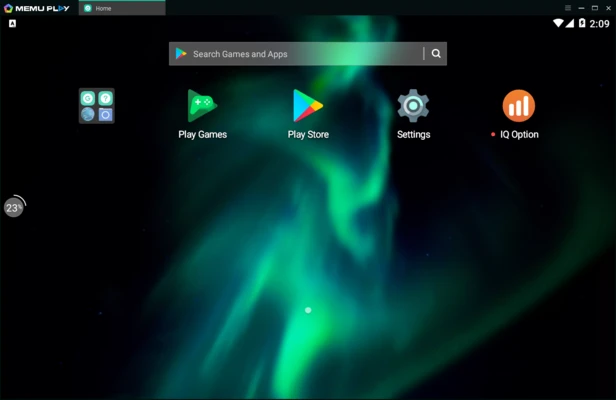
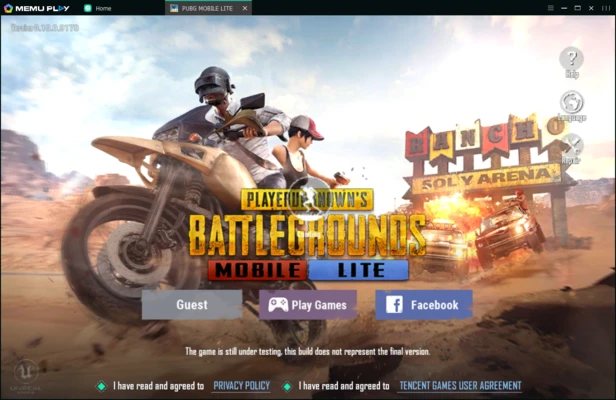
MEmu Play is a free Android emulator for Windows that lets you run Android apps and games on your PC. It delivers smooth performance, supports multiple Android instances, and offers customizable keyboard and gamepad controls, making it a popular choice for mobile gaming.

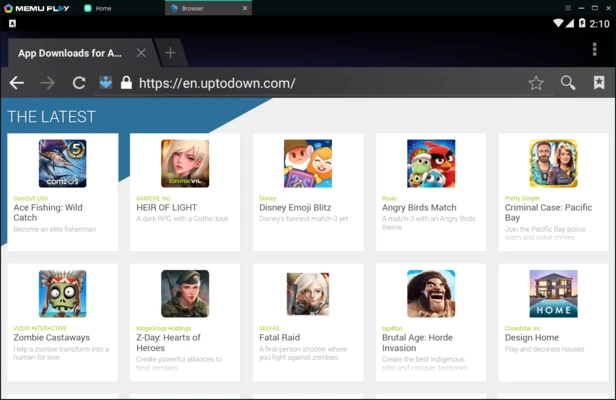
The emulator supports drag-and-drop APK installation, file sharing between Windows and Android, and hardware virtualization for improved performance.


Key Features

  • Run Android apps and games on Windows.
  • Customizable CPU, RAM, resolution, and device settings.
  • Keyboard, mouse, and gamepad mapping.
  • Multi-instance support for running multiple apps or accounts.
  • Fast APK installation via drag and drop.
  • GPS location simulation.
  • File sharing between Windows and Android.
  • Optional root mode.
  • Sensor simulation for supported apps and games.

Ideal For

  • Playing Android games on PC.
  • Testing Android applications.
  • Running multiple game accounts.
  • Using Android messaging and social apps with a keyboard.

Alternatives

  • BlueStacks
  • LDPlayer
  • NoxPlayer
  • GameLoop

Recommended System Requirements

  • Windows 11 or Windows 10 (64-bit)
  • Intel or AMD processor with VT-x/AMD-V enabled
  • 8 GB RAM or more
  • SSD with at least 10 GB free space
  • DirectX 11 and OpenGL 4.5 compatible graphics
  • Broadband internet connection

Pros

  • Fast performance
  • Excellent game compatibility
  • Multi-instance support
  • Custom key mapping
  • Easy APK installation

Cons

  • High hardware requirements for best performance
  • Occasional stability issues
  • Windows only
  • May include optional bundled software during installation

Conclusion

MEmu Play is a reliable Android emulator for users who want to play mobile games or run Android apps on Windows. Its strong gaming performance, flexible customization options, and multi-instance support make it a solid alternative to BlueStacks, LDPlayer, and NoxPlayer.

Information about MEmu 9.5.5

License Freeware
Op. System Windows
Category Games
Language English
Author Microvirt
permission icon Permissions Not applicable
Date 2026-07-05
Size 673 MB
File type Official Website

Apps recommended for you

RPCS3 0.0.41-19498 icon
Open-source PlayStation 3 Emulator, enjoy PS3 games on your PC!
WinDS PRO icon
Multi-platform emulators pack for PCs
DxWnd icon
Run games and programs in a smaller window
UltraStar Deluxe icon
Free karaoke game for PC
ExtraMAME icon
Play and manage classic arcade games on Windows with ExtraMAME, the enhanced MAME emulator offering improved performance and game compatibility.
IN CAVEEE icon
in caveee its a platform game
RPCS3 icon
MySQL Workbench for Windows is a powerful database management tool that enables users to design, query, and administer MySQL databases with ease on Windows.
Xbox Game Bar icon
The best Windows tool for gamers
Smart Game Booster icon
Boost gaming performance on Windows with Smart Game Booster, the optimization tool that frees system resources, lowers lag, and enhances FPS for a smoother gameplay experience.
RPCS3 0.0.41-19498 icon
Open-source PlayStation 3 Emulator, enjoy PS3 games on your PC!
Epic Games Launcher 20.1.0 icon
All Epic Games titles in one desktop app for Windows PC!
RPCS3 icon
MySQL Workbench for Windows is a powerful database management tool that enables users to design, query, and administer MySQL databases with ease on Windows.
Hearthstone Deck Tracker icon
The companion app to help you play better in Hearthstone
ExtraMAME icon
Play and manage classic arcade games on Windows with ExtraMAME, the enhanced MAME emulator offering improved performance and game compatibility.
LabyMod icon
LabyMod for Windows is a Minecraft launcher that adds mods, enhancements, and customizable features to improve gameplay.
FlightGear icon
Experience realistic flight simulation with FlightGear for Windows, the free open-source flight simulator featuring advanced aircraft and global scenery.
ExtraMAME icon
Play and manage classic arcade games on Windows with ExtraMAME, the enhanced MAME emulator offering improved performance and game compatibility.
SameBoy icon
Lior Halphon
HypeHype icon
Create and share your own games
OpenGOAL icon
OpenGOAL
Youxing Continent icon
Explore this magical world
AzaharPlus icon
The Nintendo 3DS emulator successor of Citra
3DMark icon
Benchmark and test your PC performance with 3DMark for Windows, featuring advanced GPU, CPU, and gaming benchmark tools.
Gardenscapes icon
Solve the puzzles and renovate this villa